116
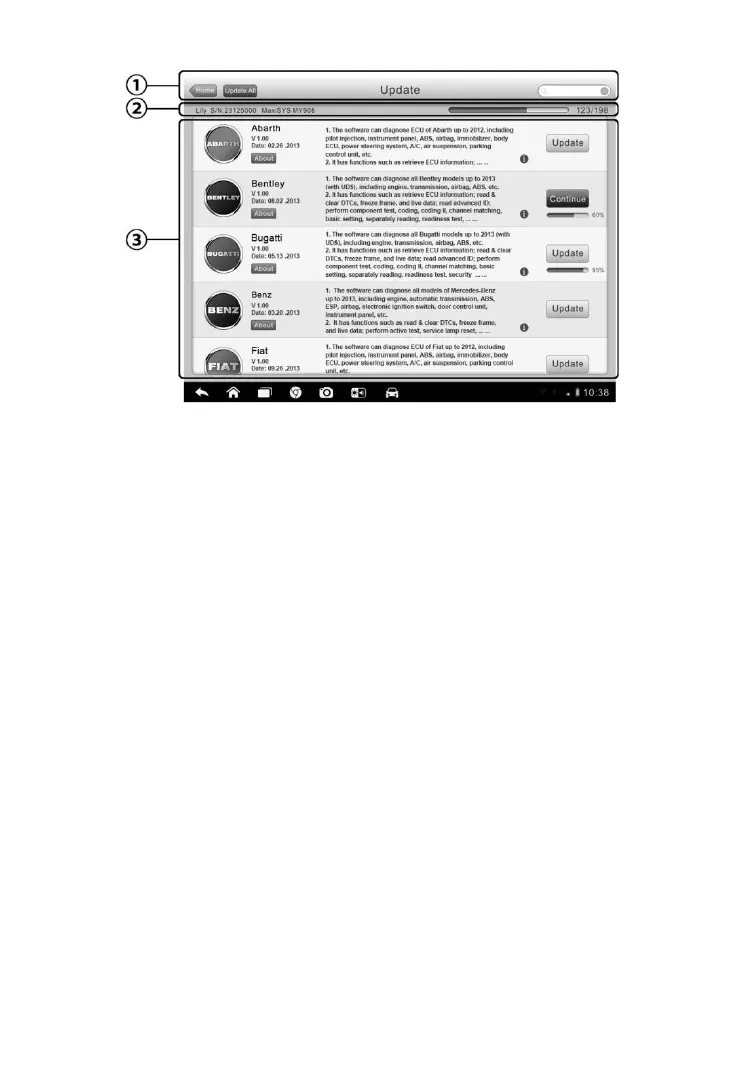
Figure 9-1 Sample Update Screen
1. Navigation and Controls
Home Button – returns to the MaxiCheck Job Menu
Update All – updates all available updates
Diagnostics Tab – displays all available vehicle diagnostic software
TPMS Tab - displays all available TPMS service software for
vehicles (for MS906TS only)
Search Bar – search specific update item by inputting the file name,
for example: a vehicle make
2. Status Bar
Left Side – displays the MaxiCheck device model information and
serial number
Right Side – displays an update progress bar indicating the
completion status
3. Main Section
Left Column – displays vehicle logos and update software version
information; tap the About button displays a function list in PDF
showing more details about the software
Middle Column – displays a brief introduction about the new
changes to the software operation or capabilities. Tap
○
i button



 To Next Page