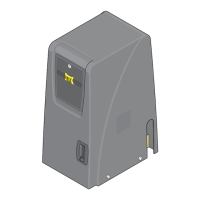
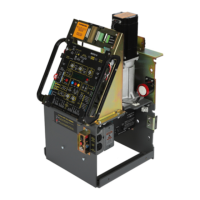
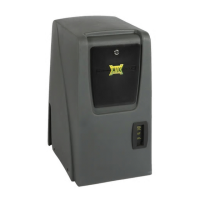
For detailed installation instructions and COMPLETE information about ALL the available options & features for
the MAX 1500/2200/F18, please refer to the MAX 1500/2200/F18 Installation and Owners manuals.
CLOSING Photocell Beam can be 5” or less away from gate
Photcell to MC-200 EDGE 1 Input
Reflector
CLOSING
Sensing
Edge with
Wireless
Module
Operator Placement (standard)
1
www.max.us.com
Quick Install Guide
V-Rail
Physical Stop
Concrete Pad
Operator
Position on
Concrete Pad
Operator in Front Position (Standard)
Note: See manual when mounting operator in REAR Position.
Outside Property
Inside Property
24”
24”
Wireless
Module
Gate in Closed Position
4”4”
2” Gate Frame
10.5”
10.5”
6.2”
6.75”
7.5”7.5”
6.75”
Cover
1.5”
4”5”
6.5”
The gate must be properly installed and work freely in both directions prior to installation of the gate operator.
• REQUIRED - AC input power wire.
• REQUIRED - Entrapment protection CLOSING photocell and/or
sensing edge - when not using Gate Link wireless transmitter.
• In-ground loop wires.
Conduit Guidelines and Suggestions
8.625”
12.75”
Conduit
Area
Input Power
Conduit Run
Operator MUST be level.
Concrete Pad
Check local building
codes in your area for
depth of concrete
before installation.
Guide rollers MUST be Installed to keep gate upright.
6” above ground to avoid flooding.
Concrete Depth Note: The heavier the gate, the deeper the concrete pad should be. At least two feet recommended for heavier gate.
Secure gate operator to
concrete pad with four
(4) 1/2” x 3” (min)
sleeve anchors.
1/2
Photocell
Beam Height:
21” Normal
27.5” Max.
Wireless
Module
CLOSING
Sensing
Edge with
Wireless
Module
Guide Rollers
ONE Entrapment protection sensor
MUST installed or operator will NOT
function. It MUST be MONITORED
and NORMALLY CLOSED (N.C.).
UL 325 2016 Standard
IMPORTANT: Physical stops MUST
be installed on BOTH ends of rail to
keep gate from traveling off of rail.
IMPORTANT:
Physical Stop
MUST be installed
1
UL 325 2016 Standard-MAX Quick Install Rev 8






 To Next Page
