42
PRESS
to RESET
Insert key on control box, turn and HOLD (in either direction) to MOVE gate.
The OPTIONAL external key switch device (sold separately) can open or close the
gate electronically if the switch has been wired to the MC-200 motor controller.
• The moving gate gets PUSHED by a moving VEHICLE.
maintenance
electronic gate open / close - Optional
audible alarm
CAUTION: Keep pedestrians and vehicles clear of the gate while it is moving.
If the Alarm Sounds During Normal Gate Operation: When the gate encounters
TWO consecutive obstructions before completing a gate cycle, the alarm will sound and
the gate will PAUSE in the position where the second obstruction occurred. CHECK THE
GATE AREA FOR ANY PROBLEMS BEFORE pressing the STOP button on the Matrix 1
or the externally mounted Alarm Reset button to shut off the alarm and reset the gate.
NOTE: Alarm will automatically shut-off after five minutes but will not allow gate to
operate until the STOP button is pressed.
Some reasons why the alarm sounds:
INSIDE Property
Gate is Closing
Moving Vehicle is Entering
OUTSIDE Property
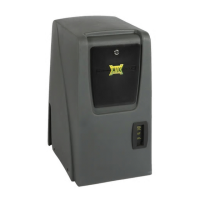
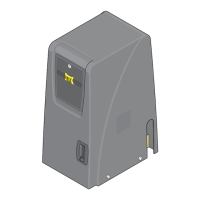
Matrix 1
STOP Button
Externally Mounted
Alarm Reset Button
shuts-off alarm.
• HINGES are TOO TIGHT or BROKEN, gate CANNOT move freely.
• Gate is STUCK or BENT in an awkward position.
•
A FOREIGN OBJECT is on the gate frame while the gate is moving.
•
The gate is TOO HEAVY.
• The gate operator tries to close the
gate but gate gets CAUGHT on an
object and cannot move.
OPEN
CLOSE
OPEN STOP CLOSE
MOTOR MOTION
Alarm Shut-OFF



 To Next Page