8
After Sales Support
UK/N.IRELAND HELPLINE N
O
:
REP.IRELAND HELPLINE N
O
:
WEBSITE:
EMAIL:
01270 508538
1800 995 036
www.quesh.co.uk
enquiries@quesh.co.uk
Reset
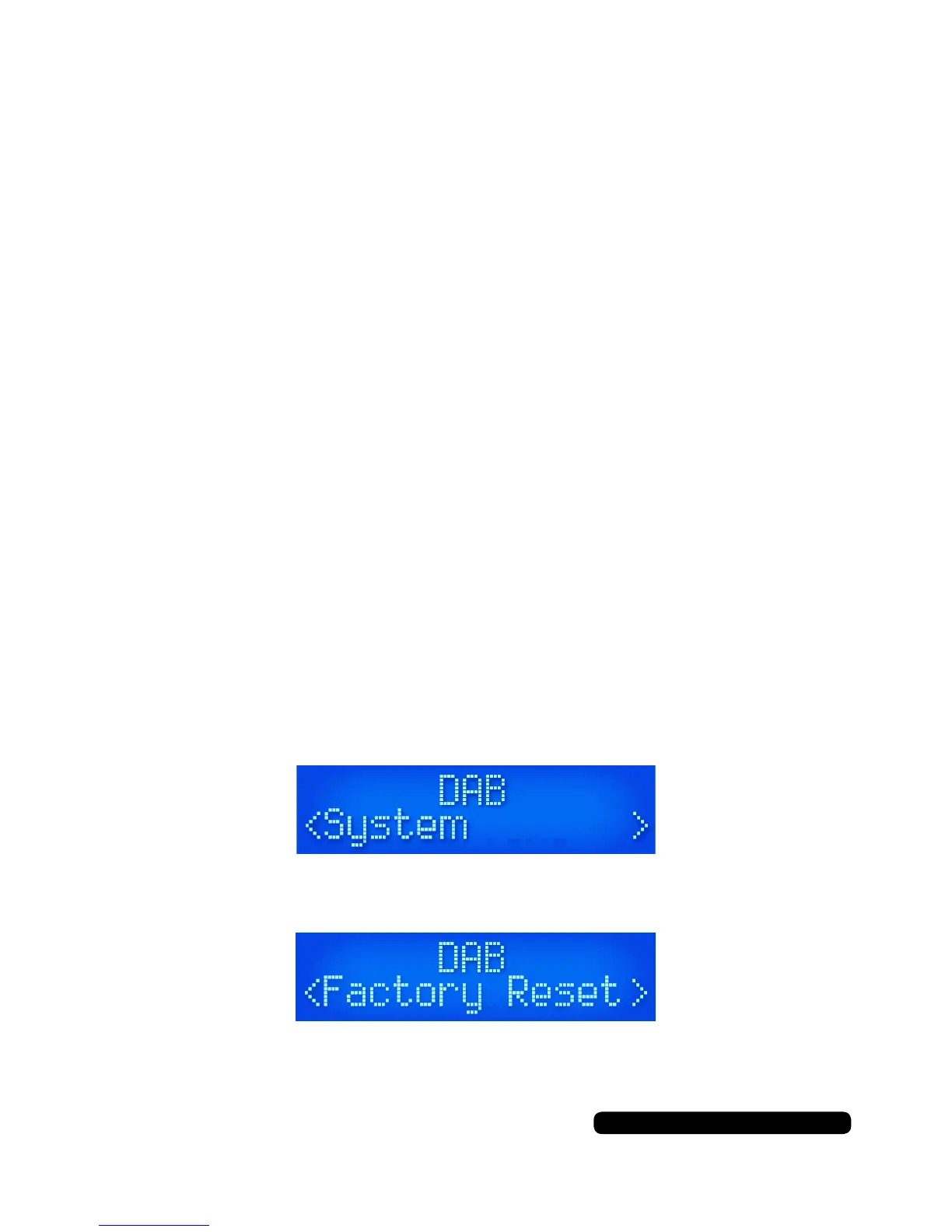
To reset the unit press and hold the ‘Info/Menu’ button until the screen
changes, cycle through the options with the ‘Tune +’ Or ‘Tune -’ but-
tons and select ‘System’ by pressing the ‘Select/Snooze’ button.
Cycle through the menu options as before and select
‘Factory Reset’.
Select ‘Yes’ and conrm by pressing the ‘Select/Snooze’ button.
The radio will restore itself to the original factory settings.
This will clear any presets saved.
DAB
•NowPlaying
•SignalStrength
•Musicgenre
•National/Localdesignation
•MHzFrequency
•SignalErrors
•Kbpsdatatransferrate
•Time
•Date
FM
•NowPlaying
•StationName
•Musicgenre
•Mono/Stereo
•Time
•Date
Instructions
DAB/FM information
When listening in DAB or FM mode you can cycle through the
available information from the broadcasting service by pressing the
‘Info’ button.
The information cycle:


 To Next Page