26
4. Self-Mover Control:
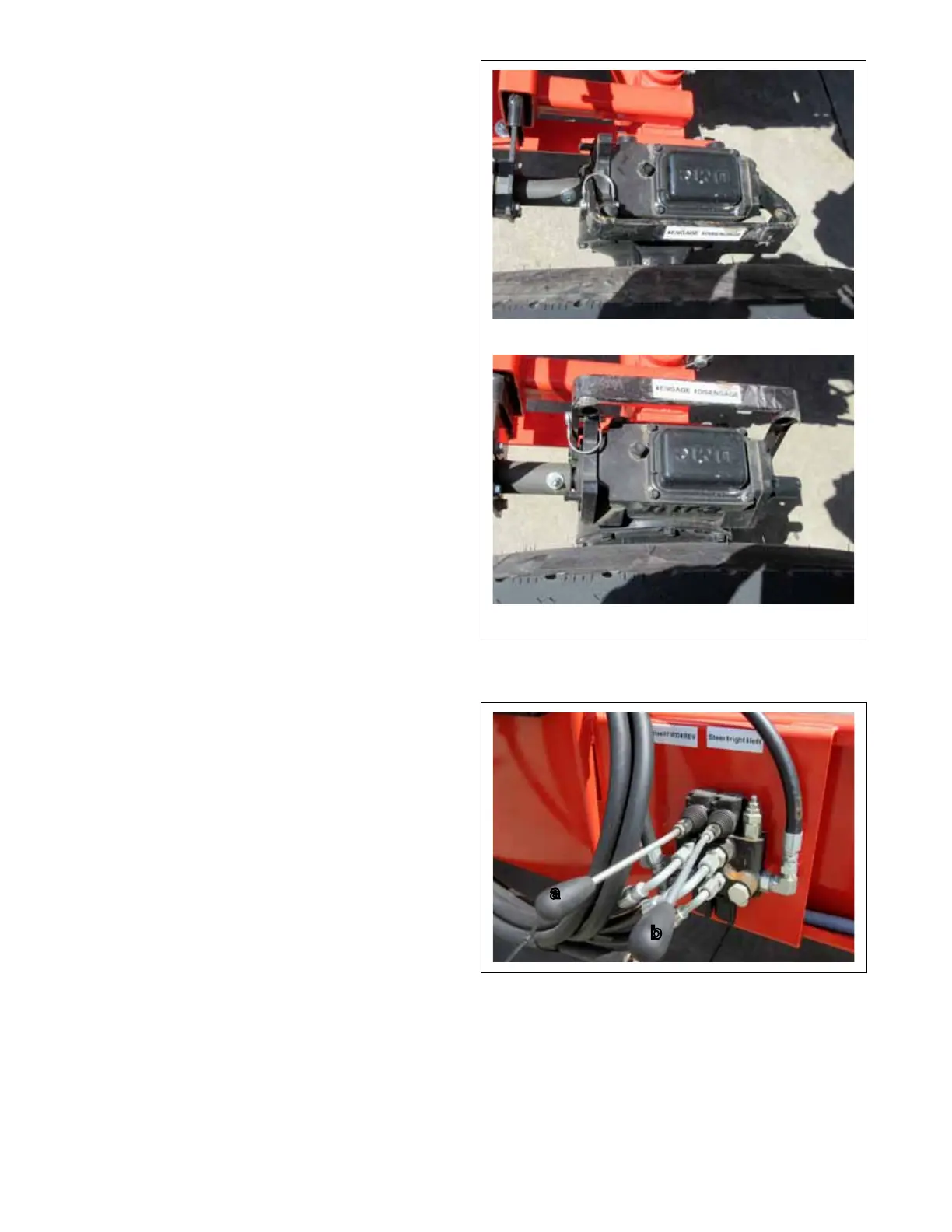
Conveyors can be equipped with an optional self-
drive feature that allows the operator to move the
conveyor slowly within the worksite. Move the
control toward the wheel to engage the drive and
away from the wheel to disengage. Always install
the lock bracket to prevent unintended control
movement. Engage the drive system and use the
hydraulic valve to move the machine.
5. Hydraulic Controls:
These hydraulic valves control to self-mover move-
ment and direction.
a. Pull the left lever UP and hold to move the
conveyor in a forward direction. Release the
lever and the self-drive will STOP.
b. Pull the right lever UP and hold to turn the
steering wheels to the right. Push the right
lever DOWN and hold to the steering wheels
to the left. Observe the position of the wheels
and release the lever when they have moved
into the required position.
Engaged
Disengaged
FIG. 6 SELF-MOVER CONTROL
FIG. 7 HYDRAULIC CONTROLS
a
b



 To Next Page