Troubleshooting Procedures
WARNING
To avoid risk of electrical shock, personal injury or death, disconnect power to unit before servicing, unless testing
requires power.
12 16025911 Rev. 0 ©2005 Maytag Services
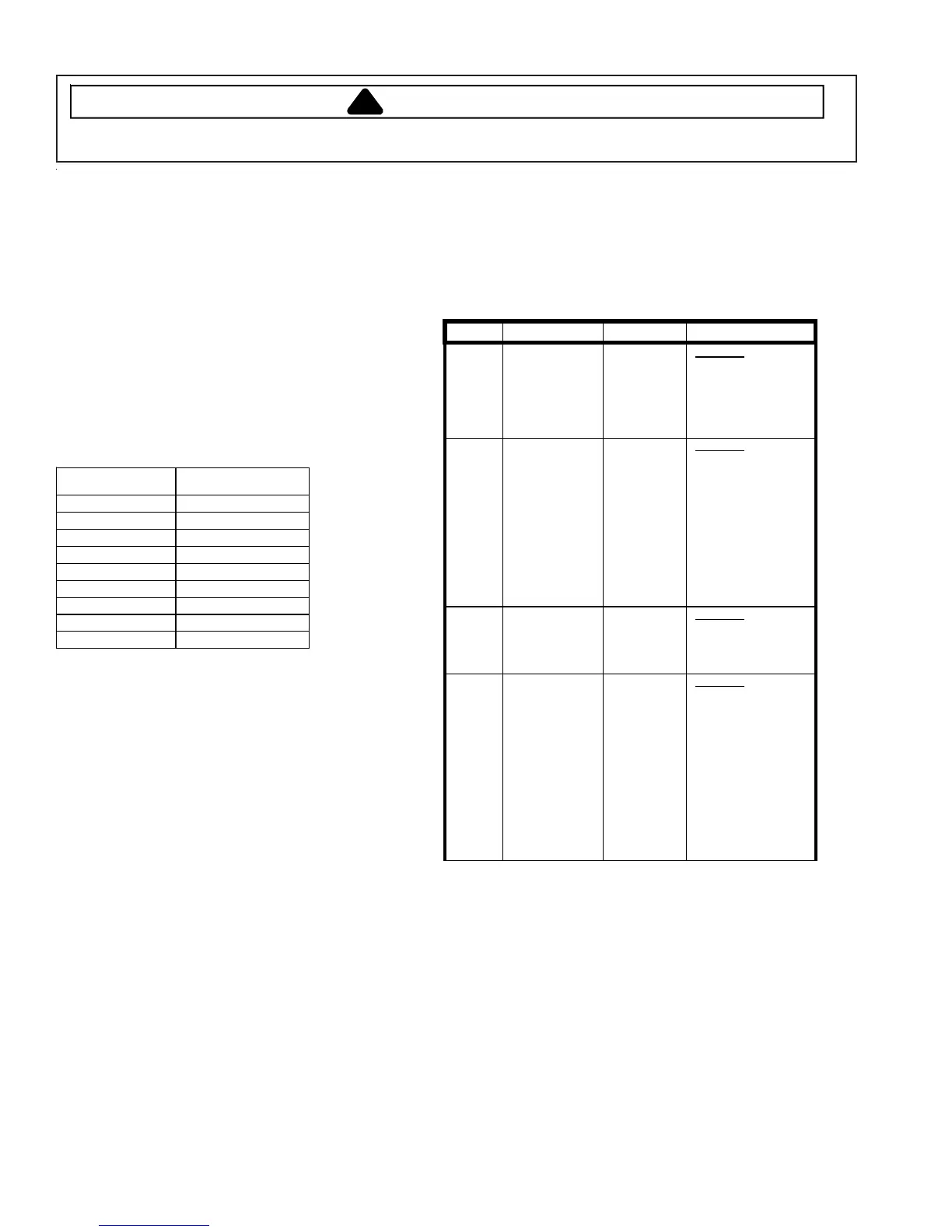
LED/Switch Check
While in
Service
Mode, pressing the
Chime
and
Wrinkle Prevent
keys for 3 seconds, will start a
LED/Switch Test. To exit the test at any point, press
the same keys again for 3 seconds or press the
OFF
key to exit Service Mode.
Perform the check by pressing the keys, which toggle
the LED’s on and off.
All switch pads must be pressed within 5 minutes for
this test to pass. PA will be displayed for five (5)
seconds once all switch pads have been pressed and
this test is completed. Following 10 seconds of
inactivity at any point, the test will exit without any
display. The Power Off
switch pad must be pressed
twice within thirty (30) seconds to cancel this test.
Switch Action
Wrinkle Prevent Press once
Chime Press twice
Adjust Time Press once
Time Press four times
Temperature Press three times
Dryness Level Press four times
Selector Knob Rotate 1 position
Start Pause Press once
Off Press once
Diagnostic Codes
The Diagnostic Codes are identified when the severity
level of the abnormality detected is higher and service
may be required.
When a problem with the dryer is detected a
Diagnostic Code is assigned, and can be displayed.
The Control Board will not log multiple same codes
per cycle; however, it will log as many Diagnostics as
possible for the machine to continue running.
Access Diagnostic Codes by entering the Service
Mode and pressing Wrinkle Prevent. A d will be
displayed.
Rotate the Cycle Selector Knob in either direction to
step through the list of codes one code at a time.
Once an initial direction is selected by the user (either
Clockwise or Counterclockwise), subsequent
movements of the knob in the same direction will
show older codes. If the user changes direction and
turns the knob in the opposite direction, the more
recent code will be displayed.
While a diagnostic code is displayed, if the
Start/Pause
button in the center of the Rotary Cycle
Selector is pressed and held, the machine will display
the number of cycles ago the diagnostic code
occurred. When the
Start/Pause
button is released,
the diagnostic code is again displayed.
Clearing Diagnostic Codes
To clear the diagnostic code list press the Sensor Dry
Level and Time keypads together for 3 seconds while
viewing the list. The cycle count for each diagnostic
code will be reset to 0, but not the machine cycle
count.
Diagnostic Codes
Code Description Trigger Action Taken
1
Dryer
Thermistor
Short Sensed
The
Thermistor
resistance is
very low.
Check for
:
-
Clogged lint
screen.
-
Restricted vent
system.
-
Check Thermistor
resistance.
2
Thermistor
Open Sensed
The
Thermistor
resistance is
very high
Check for
:
-
Low ambient
temperature in
room (Below
50
º
F/10
º
C).
-
Outside vent
damper is stuck
open in wintertime.
-
Loose or open
wire terminals.
-
Check Thermistor
resistance.
3
Door Circuit
Failure
Invalid state
for more
than 256
milliseconds
Check for
:
-
Loose or open
wire terminals in
Door Sense
circuit.
4
Possible motor
transistor error
If either
motor
transistor is
seen open or
shorted
during
startup
Check for
:
-
Loose connections
in motor circuit.
-
Run System
Check Mode and
check the motor
relay function.
-
If relay functions,
disre
ard the
diagnostic code.
-
If relay does not
function, replace
machine control
board.




 To Next Page