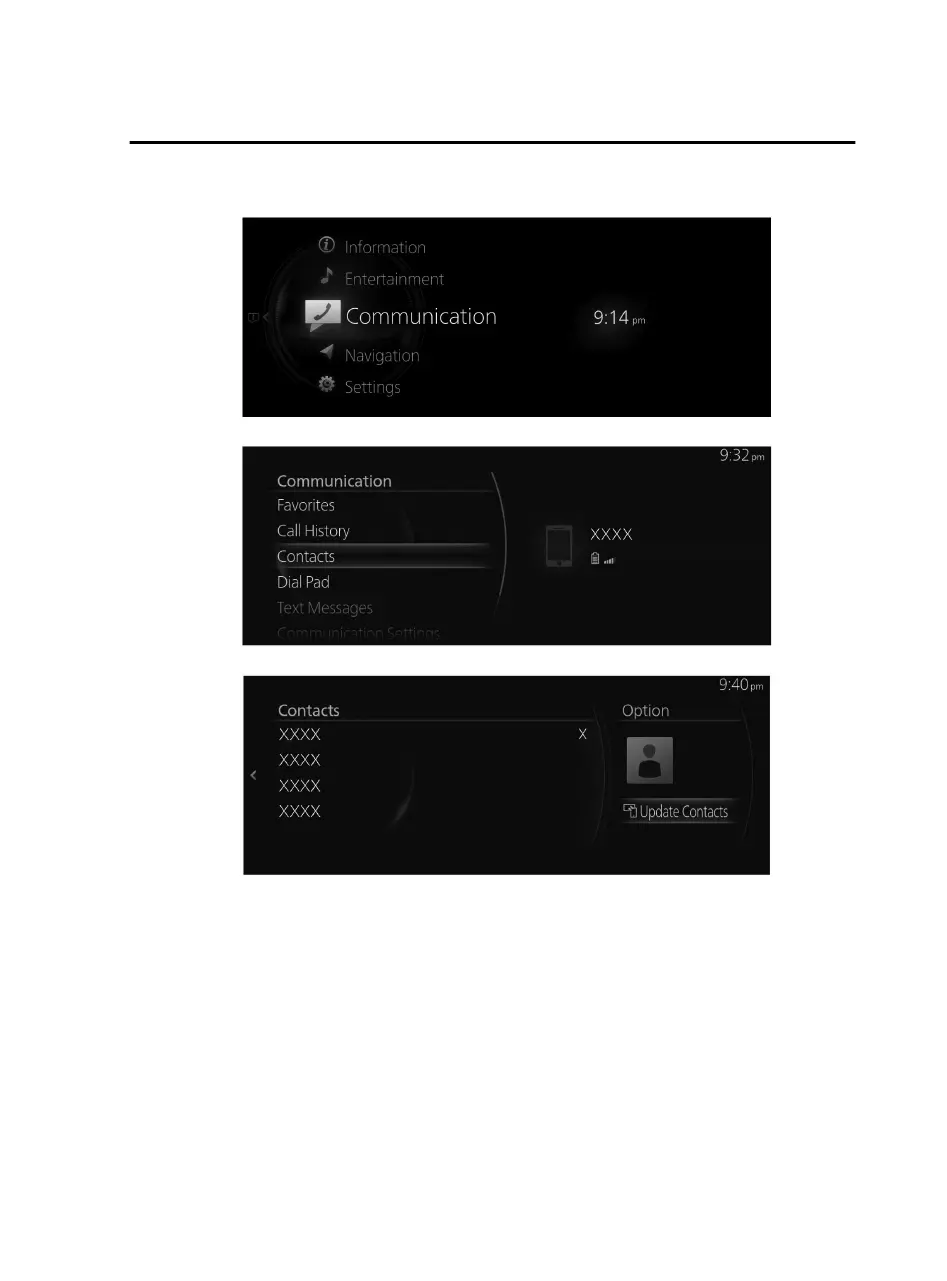
1. Select “Communication” on the home screen.
2. Select “Contacts”.
3. Select “Update Contacts”.
NOTE
The phonebook download uses the Bluetooth
®
PBAP
profile.
Up to 5,000 contacts can be registered.
The phonebook, incoming/outgoing call history, and Favorite memories are
exclusive to each paired Bluetooth
®
device to protect privacy.
In downloading a phonebook from a Bluetooth
®
device, operations may be
necessary on the Bluetooth
®
device side in addition to this unit. For details, refer to
the Bluetooth
®
device’s owner's manual.
Contacts with no telephone number are not registered.
Features
Communication
2-99
Mazda Connect_8JB9-EA19E_Edition1_new 2019-8-1 17:07:41



 To Next Page