Bluetooth®
To play content from a Bluetooth
®
audio device on Mazda Connect, select the
Bluetooth
®
source. Before using the Bluetooth
®
audio device, you will need to
register it to Mazda Connect.
Refer to Connectivity Settings on page 2-126.
1. Ensure that the audio device is powered on and that the Bluetooth
®
feature is
enabled.
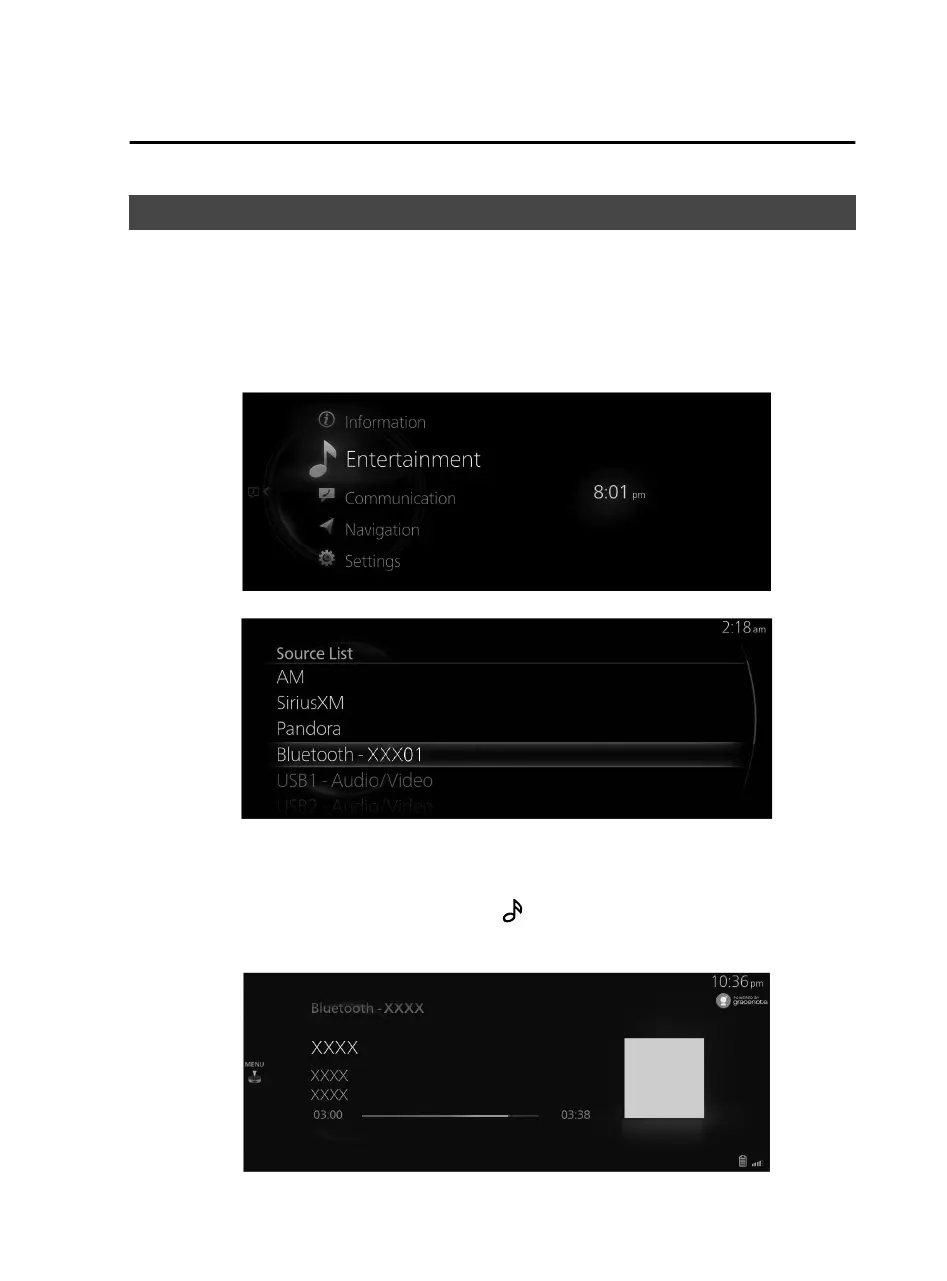
2. Select “Entertainment” on the home screen.
3. Select “Bluetooth” on the Source List screen.
NOTE
If there is currently playing content, select “Entertainment” to have the contents
displayed on the playback screen.
While on the playback screen, press the
on the commander switch to display
the Source List screen.
4. The playback screen is displayed.
Features
Entertainment
2-55
Mazda Connect_8JB9-EA19E_Edition1_new 2019-8-1 17:07:41



 To Next Page