AM
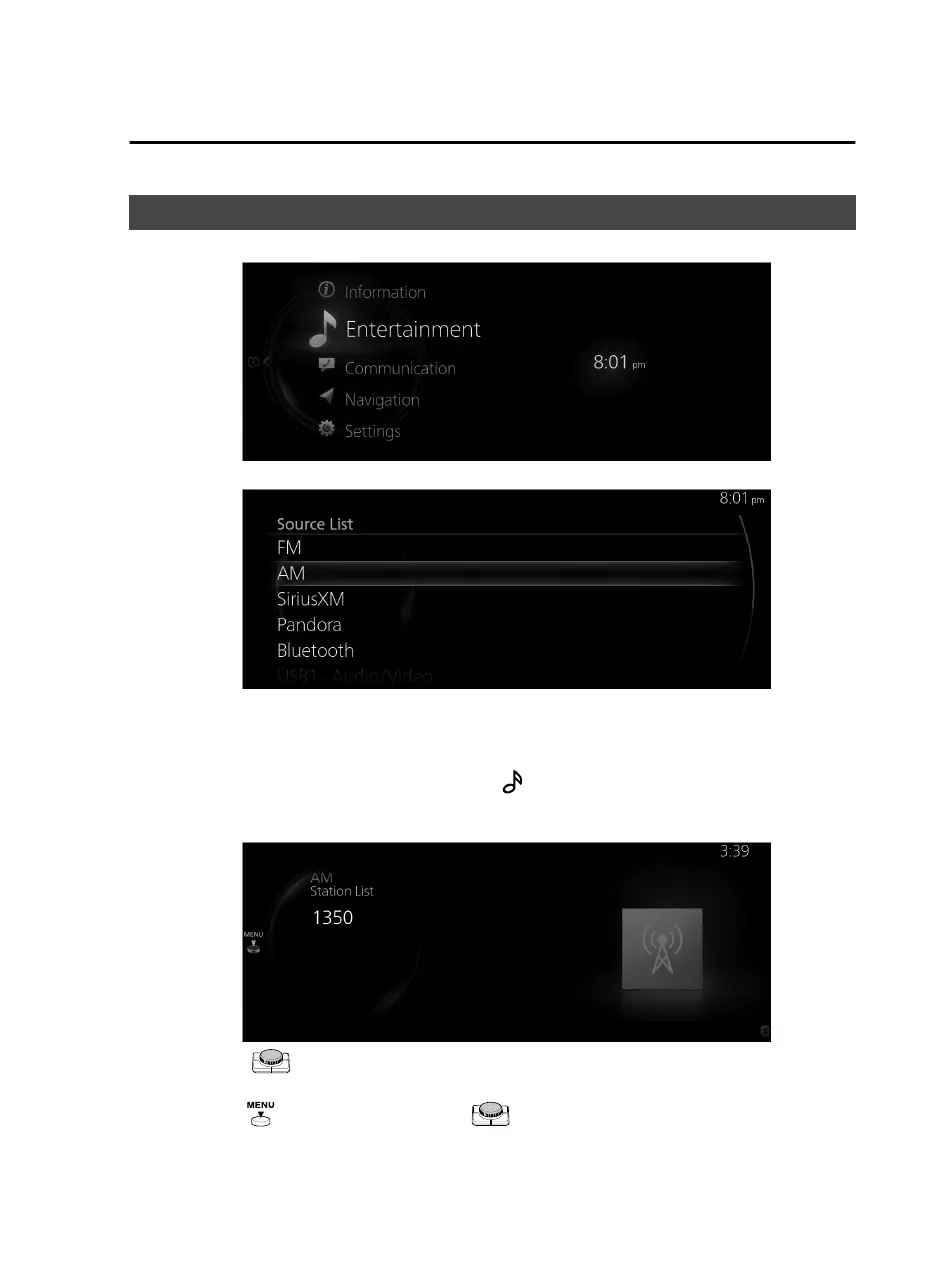
1. Select “Entertainment” on the home screen.
2. Select “AM” on the Source List screen.
NOTE
If there is currently playing content, select “Entertainment” to have the contents
displayed on the playback screen.
While on the playback screen, press the
on the commander switch to display
the Source List screen.
3. The playback screen is displayed.
Rotate the to display the last list displayed from the Favorites list or Station
List for the AM.
When the
is displayed, press the to display the menu.
Features
Entertainment
2-35
Mazda Connect_8JB9-EA19E_Edition1_new 2019-8-1 17:07:41



 To Next Page