NOTE
The media displayed on the Android Auto™ home screen may dier depending on
the use conditions and version of the connected Android™ Smartphone.
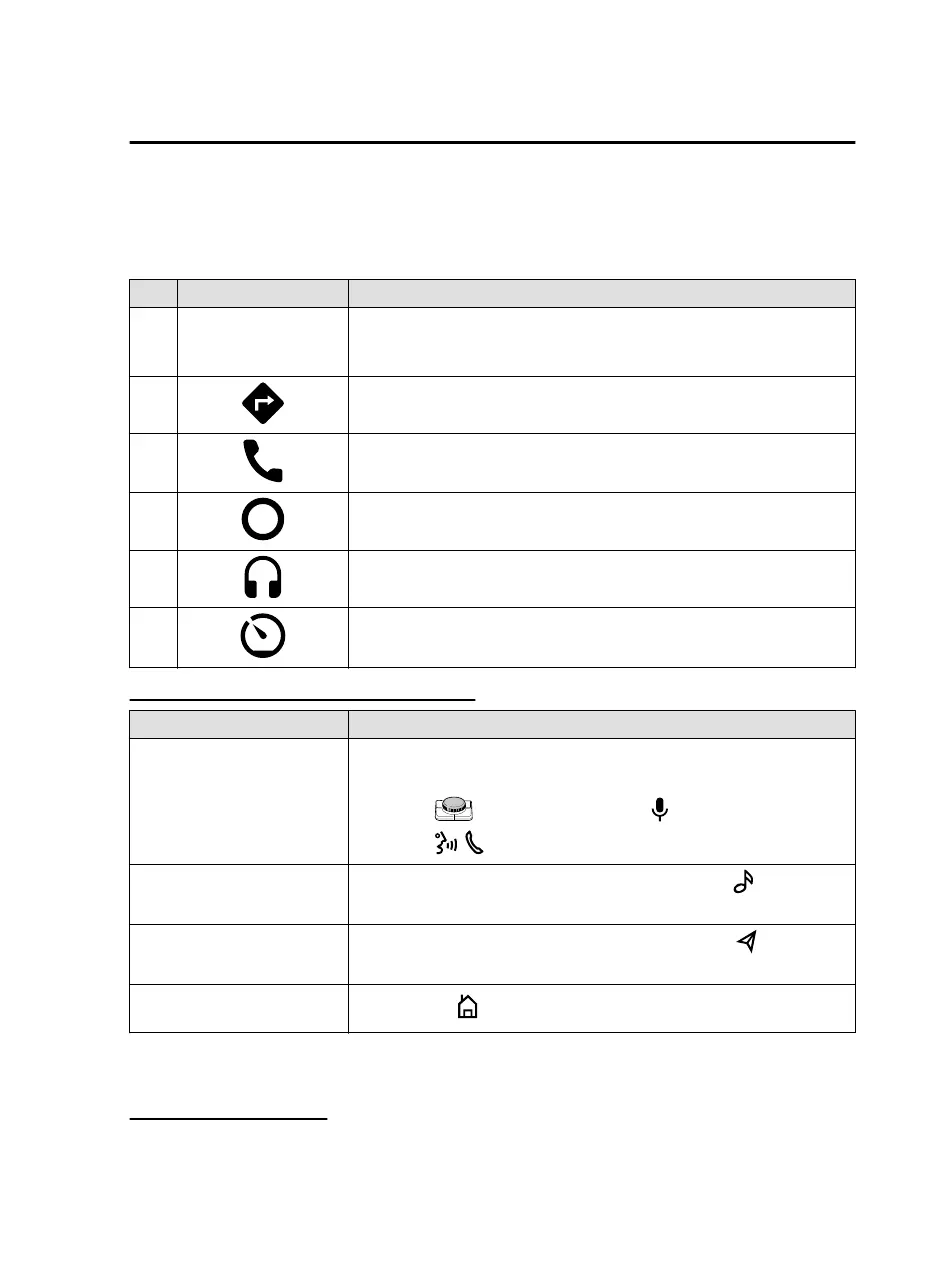
No. Icon Explanation
1 -
Displays the information for each application. The displayed contents
dier depending on the application that has been activated and its sta-
tus.
2
Activates the map application.
3
Activates the call function.
4
Displays the Android Auto™ home screen.
5
Activates the music application.
6
Displays other menus.
You can return to the Mazda Connect screen from the menu.
Convenient ways to use Android Auto™
Item Operation method
To operate using voice
*1
Any of the following methods can be used to start voice recognition
mode and operate Android Auto™ using voice.
Slide the to the right an select the .
Press the on the audio remote control switch.
To display the NowPlaying
screen
While music is playing using Android Auto™, press the
on the
commander switch to return to the Android Auto™ playback screen.
To display the MAP screen
During route guidance using Android Auto™, press the
on the
commander switch to return to the Android Auto™ map screen.
To return to the Mazda Con-
nect screen
Press and hold
on the commander switch.
*
1 The voice recognition function of Mazda Connect cannot be used while Android
Auto™ is connected.
Ending Android Auto™
To end Android Auto™, disconnect the connector cord from the USB port or
disconnect the Android™ Smartphone from the connector cord.
Convenience
Android Auto™
3-9
Mazda Connect_8JB9-EA19E_Edition1_new 2019-8-1 17:07:41



 To Next Page