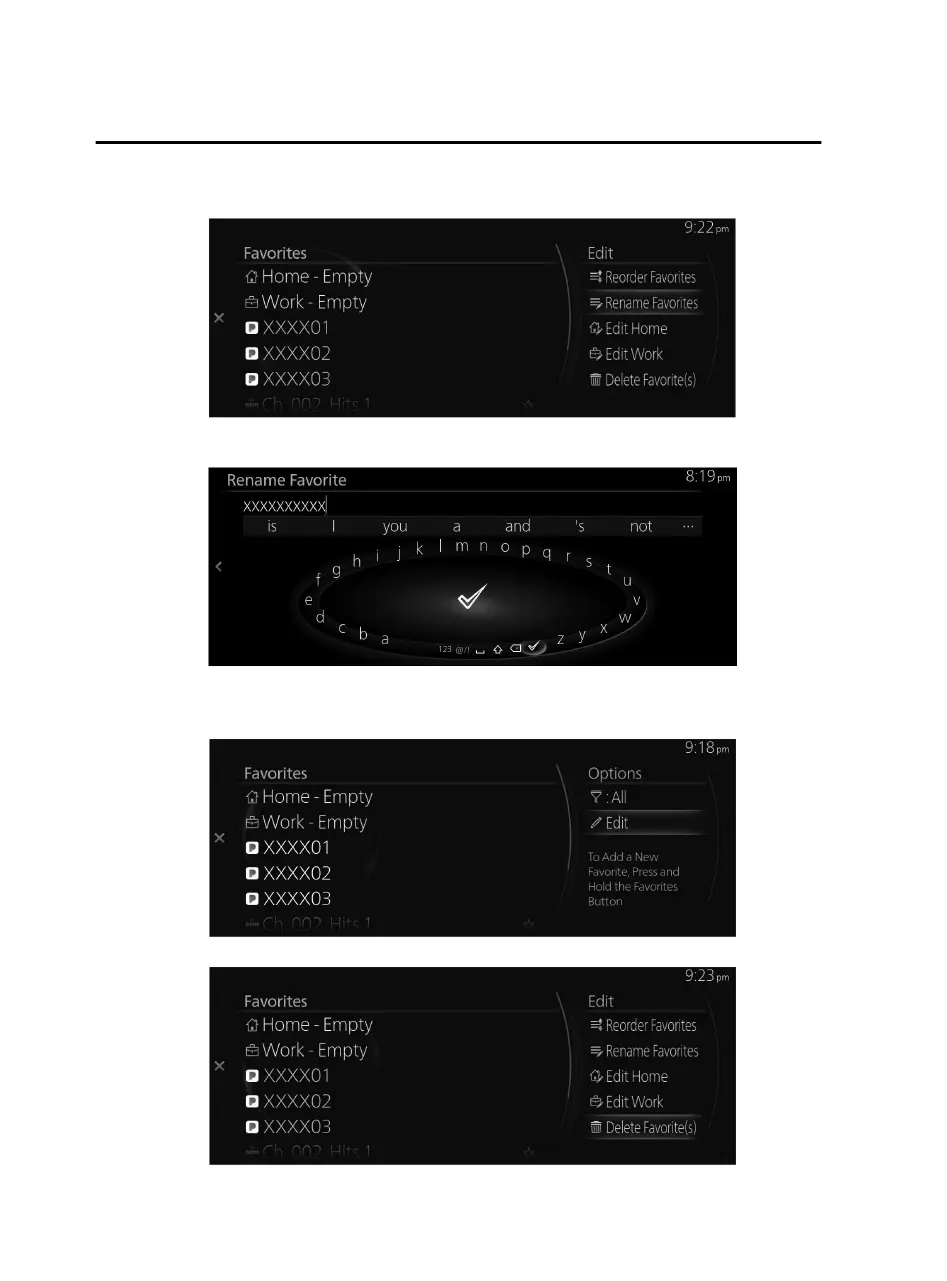
2. Select “Rename Favorites” from the Edit menu.
3. Select the item in which you want to change a displayed name, and change the
name using the keyboard display.
Deleting contents from the Favorites list
1. Select “Edit” from the Options menu.
2. Select “Delete Favorite(s)” from the Edit menu.
Overview
Basic Operations
1-20
Mazda Connect_8JB9-EA19E_Edition1_new 2019-8-1 17:07:41



 To Next Page