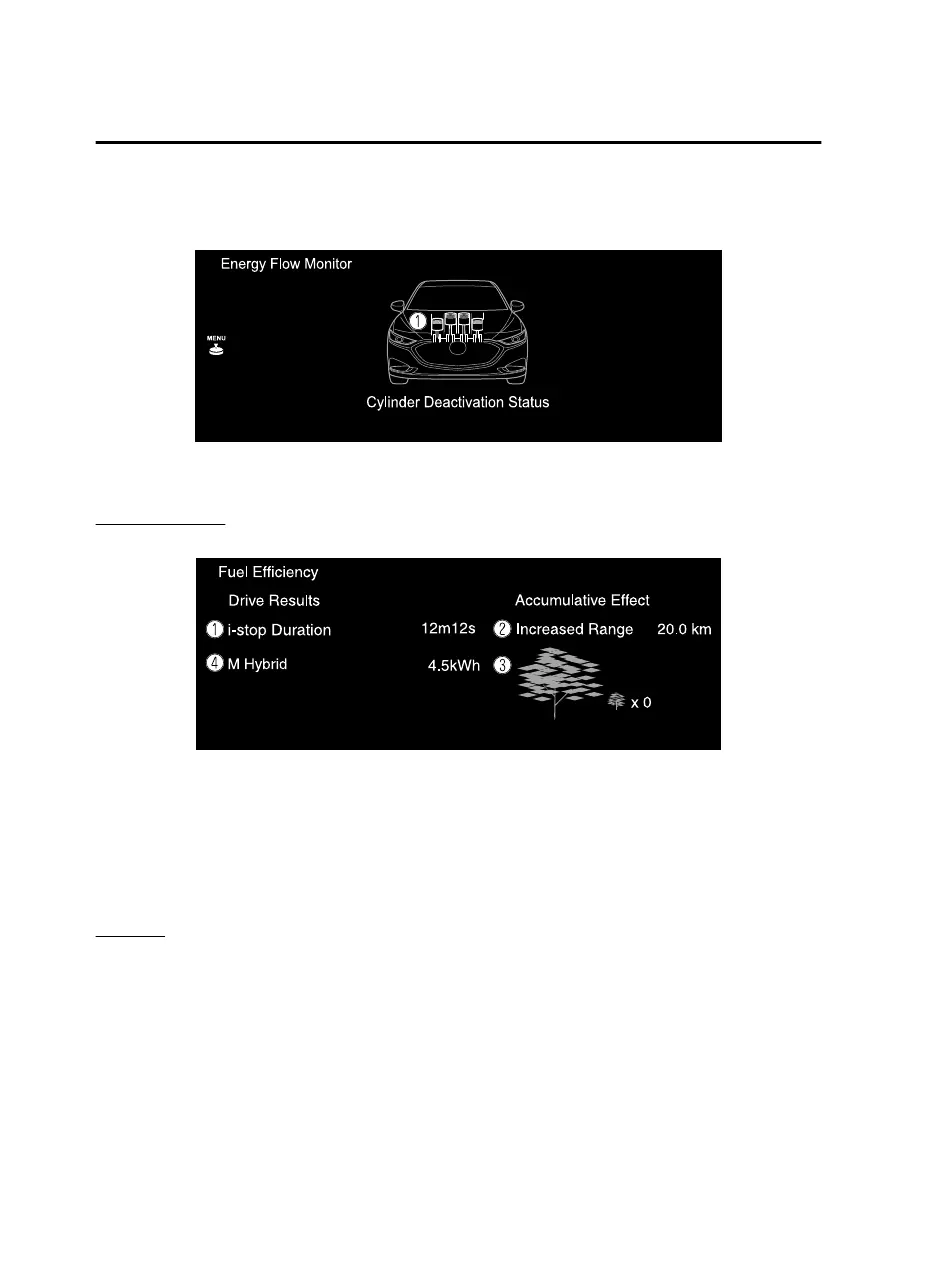
Only vehicles cylinder deactivation function
Displays the cylinder deactivation operation status.
1. The condition of each cylinder is displayed by colors. The operating cylinders are
displayed in red.
Fuel Eciency
*
The actual performance of the energy eciency is displayed.
1. Displays the amount of time that the i-stop function has operated.
2. Displays the total driving distance which could be extended by the operation of
the i-stop function.
3. The leaf graphic grows according to the amount of CO
2 emissions reduced by the
system eects. The cumulative total amount of leaf growth is indicated in terms
of the number of tree graphics.
4. Displays the system power generation amount.
*
Settings
Displays the fuel eciency monitor settings screen.
The following settings can be changed in the settings screen.
Fuel eciency history reset
Setting to reset or not reset the linked average fuel eciency indicated in the
instrument cluster and the fuel
eciency
history (current) on the center display
when tripmeter (TRIP A) is reset.
Features
Information
2-8
*Some models.
Mazda Connect_8JB9-EA19E_Edition1_new 2019-8-1 17:07:41



 To Next Page