Menu Explanation
Tuner Controls
Displays the control screen (icon) on the playback screen.
For the operation method for each icon, refer to How to Use the Tuner
Controls (icon).
Content Alerts
The record of content alerts received in the past is displayed in a list.
You can select the contents you want to listen to from this list.
Save Artist/Song
You can register the artist or song currently playing. After registering, you
can receive alerts when the artist or song is broadcast by SiriusXM
®
.
SiriusXM Settings
Sets SiriusXM
®
.
For the items you can set, refer to SiriusXM Settings.
Audio Settings
Adjusts the sound quality.
Refer to Sound Settings on page 2-115.
TuneMix™
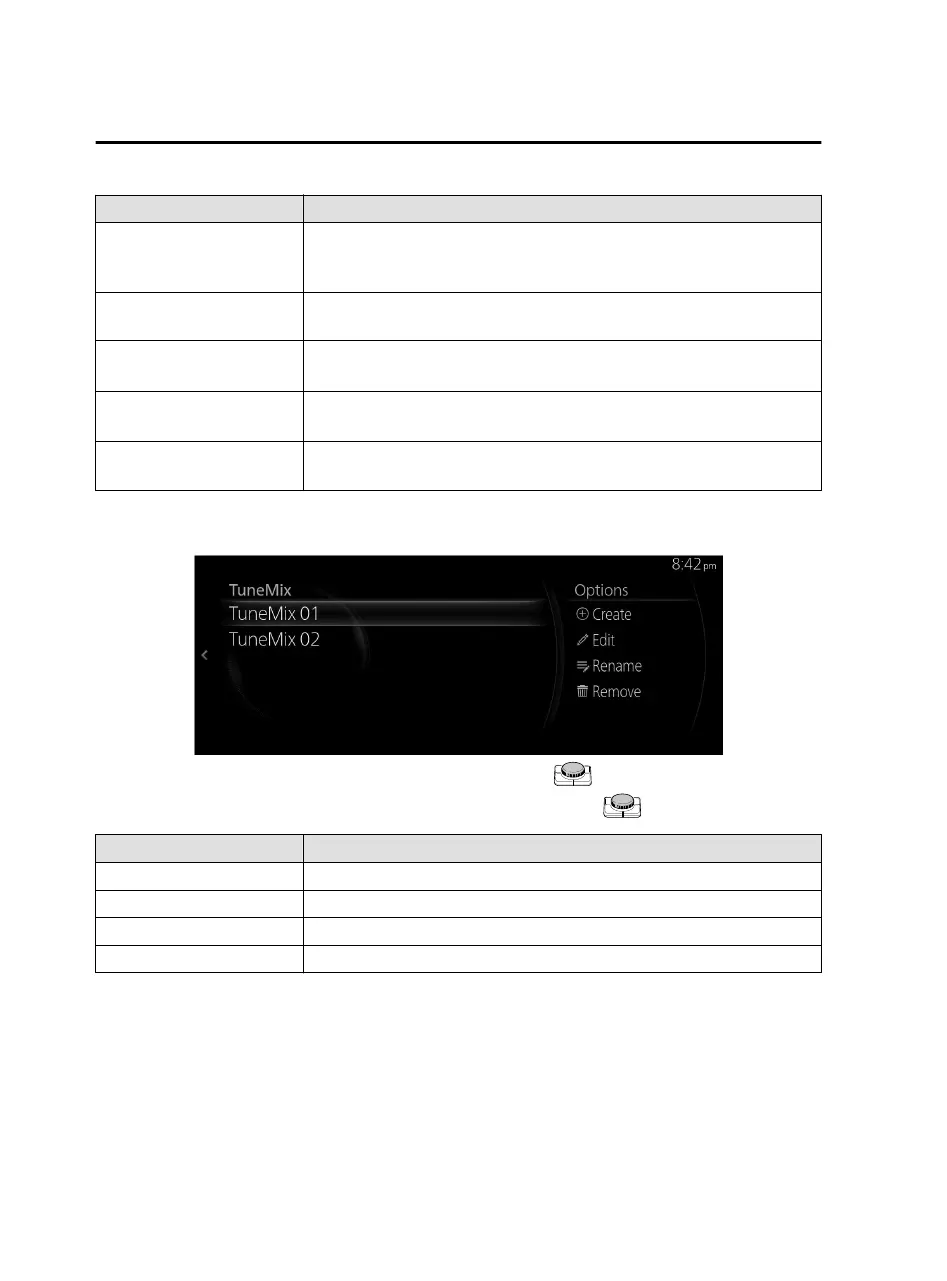
TuneMix plays songs in a unique mix from user-selected SiriusXM music channels.
Plays the TuneMix™ Channel selected by pressing the .
You can edit the TuneMix™ Channel selected by sliding the
to the right.
Option Explanation
Create Creates a TuneMix™ Channel.
Edit Changes the radio station registered to the TuneMix™ Channel.
Rename Changes the TuneMix™ Channel name.
Remove Deletes the registered TuneMix™ Channel.
Creating TuneMix™ Channel
You can select your desired SiriusXM
®
music channels and create a TuneMix™
Channel.
Features
Entertainment
2-40
Mazda Connect_8JB9-EA19E_Edition1_new 2019-8-1 17:07:41



 To Next Page