J94S.book Page 22 Saturday, June 23, 2001 1:04 PM
Interior Comfort
Audio System
▼ Clock
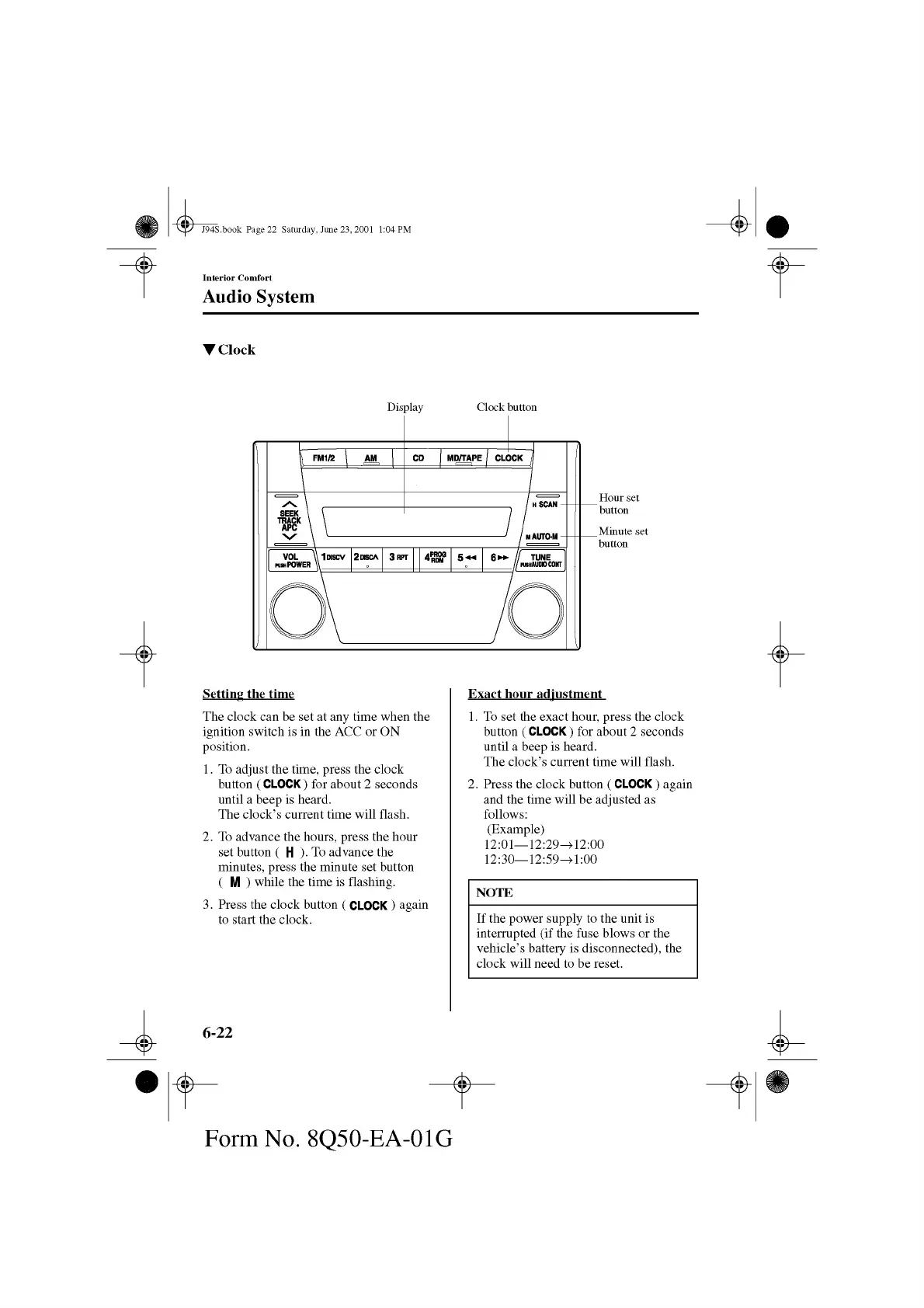
Display Clock button
LSetting the tim e
The clock can be set at any time when the
ignition switch is in the ACC or ON
position.
1. To adjust the time, press the clock
button ( CLOCK) for about 2 seconds
until a beep is heard.
The clock’s current time will flash.
2. To advance the hours, press the hour
set button ( H ). To advance the
minutes, press the minute set button
( M ) while the time is flashing.
3. Press the clock button ( CLOCK ) again
to start the clock.
Exact hour ad justm ent
1. To set the exact hour, press the clock
button ( CLOCK) for about 2 seconds
until a beep is heard.
The clock’s current time will flash.
2. Press the clock button ( CLOCK ) again
and the time will be adjusted as
follows:
(Example)
12:01— 12:29^12:00
12:30— 12:59^1:00
NOTE
If the power supply to the unit is
interrupted (if the fuse blows or the
vehicle’s battery is disconnected), the
clock will need to be reset.
6-22
&
Form No. 8Q50-EA-01G



 To Next Page