SMARTING User Manual – Release 11/03/2019 17
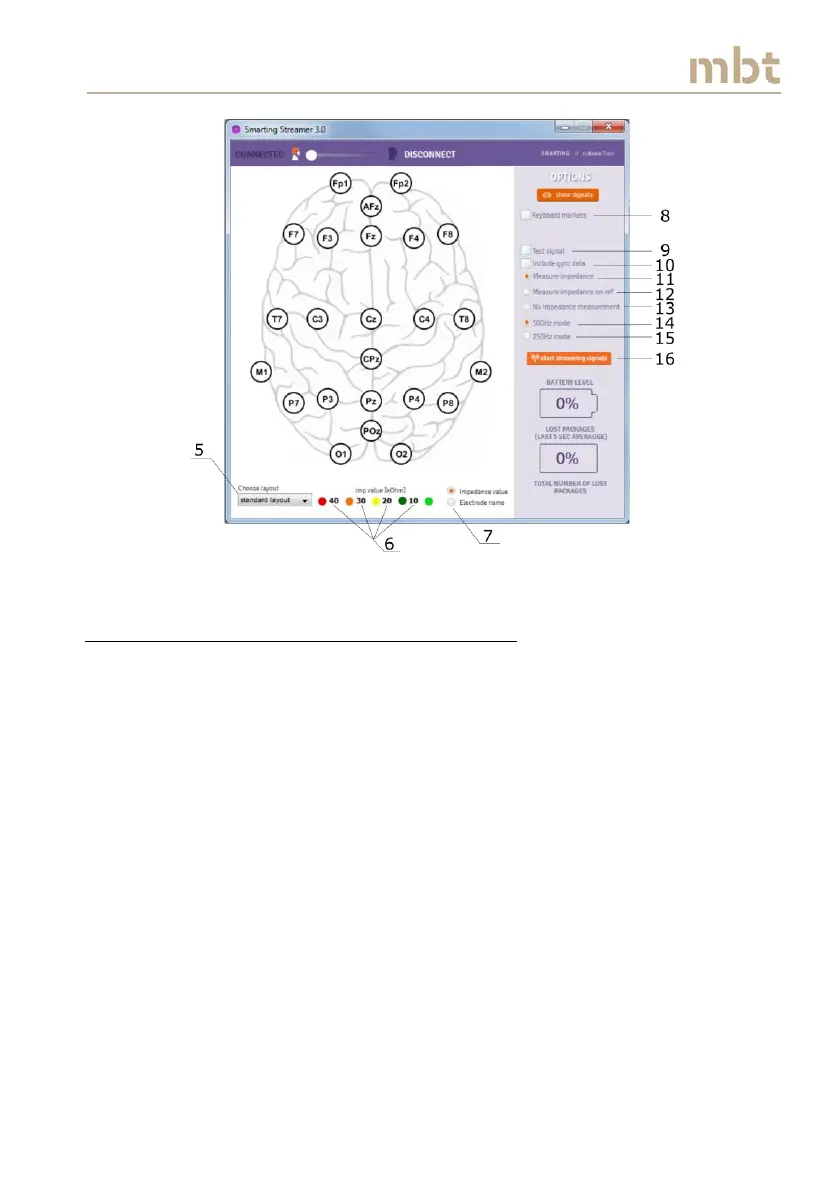
Figure 6.4 The main window - setting up of main parameters for the EEG streaming
6.3 Using the measure impedance on ref option
When mounting the EEG cap, we recommend to first check the impedance of
the reference electrode, since the reference electrode signal quality
influences the EEG signal quality on all other channels.
In order to do so, select the measure impedance on ref box (number 12 in
Figure 6.4), and tick the box 500 Hz mode number 14 in Figure 6.4). Once
these two boxes are selected and the button start streaming signals (number
16 in Figure 6.4) is clicked on, the reference electrode will appear in the
middle of the scalp sketch as shown in Figure 6.5 (17). At the same time, the
battery indicator will become active and it will show the current battery
status in percentages (18). Additionally, the box that shows the percentage of
lost packages (average in last 5 seconds of streaming) (19) and the counter of
the total number of lost packages, which shows the cumulative number of
lost packages during the signals streaming (20), as depicted in Figure 6.5.
Bear in mind that these measures should be close to zero.



 To Next Page