48 SMARTING User Manual – Release 11/03/2019
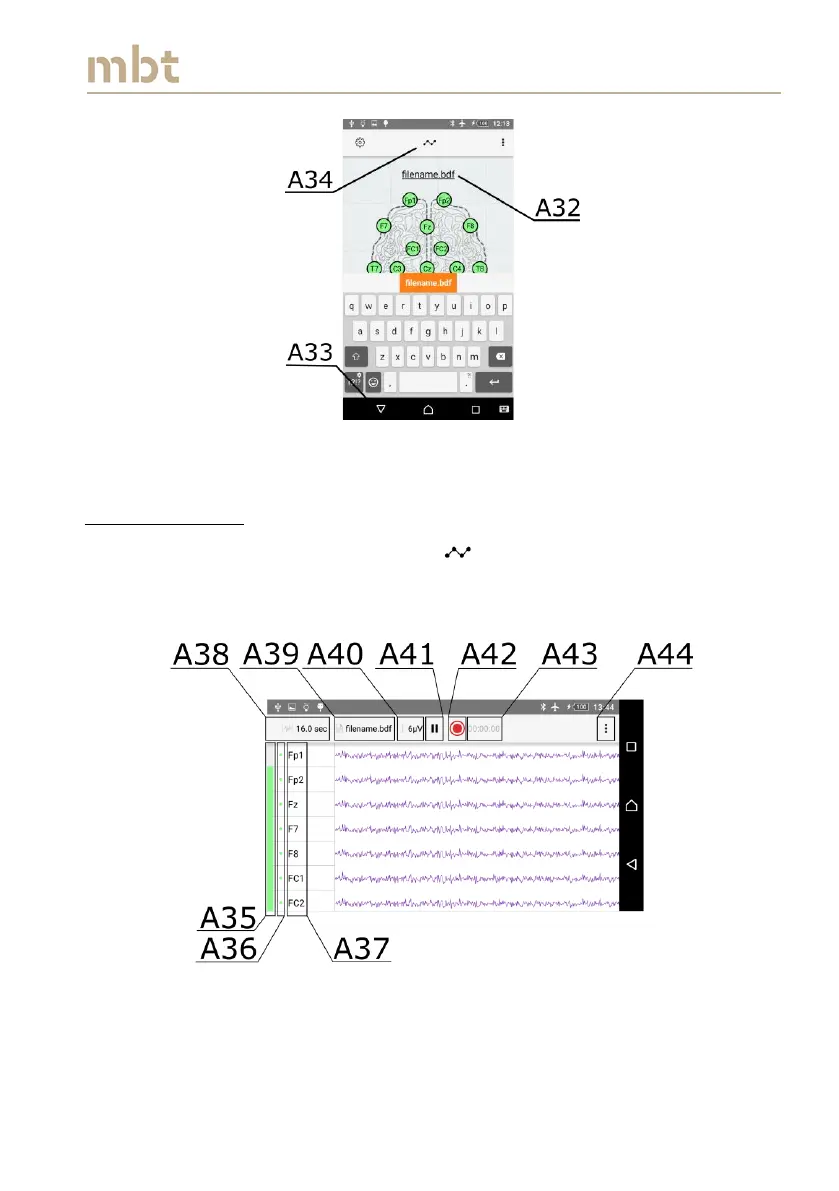
Figure 8.17 Changing the filename
8.5 Signal Display
To visualize the signal, press the button (A34 – Figure 8.17) and the Signal
display window will appear (Figure 8.17).
Figure 8.18 Signal display window, when the impedances are enabled
The battery level of an amplifier is depicted with the vertical color bar at far
left side of the signal display window (A35).



 To Next Page