42 SMARTING User Manual – Release 11/03/2019
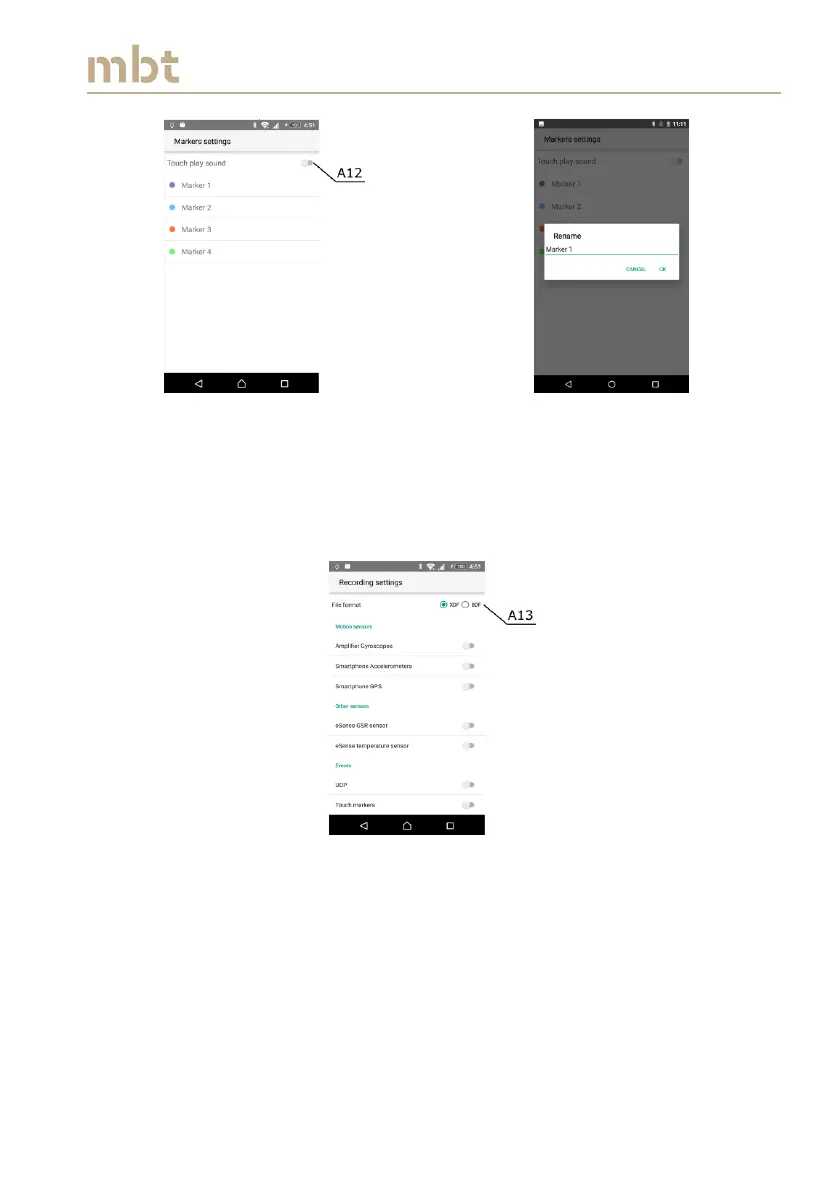
Figure 8.9 Touchscreen marker settings window
8.3.3 Recording settings
In the recording settings window the user can choose to record the data in
XDF or BDF file format (A13, Figure 8.10).
Figure 8.10 Recording settings window – choosing the recording file format
8.3.3.1 Inclusion of Motion sensors into recording file
Apart from choosing the file format, the user can also select to record the
data from motion sensor by enabling them (built in gyroscope – A14,
Smartphone’s accelerometers – A15, Smartphone GPS – A16 in Figure 8.11).



 To Next Page