SMARTING User Manual – Release 11/03/2019 61
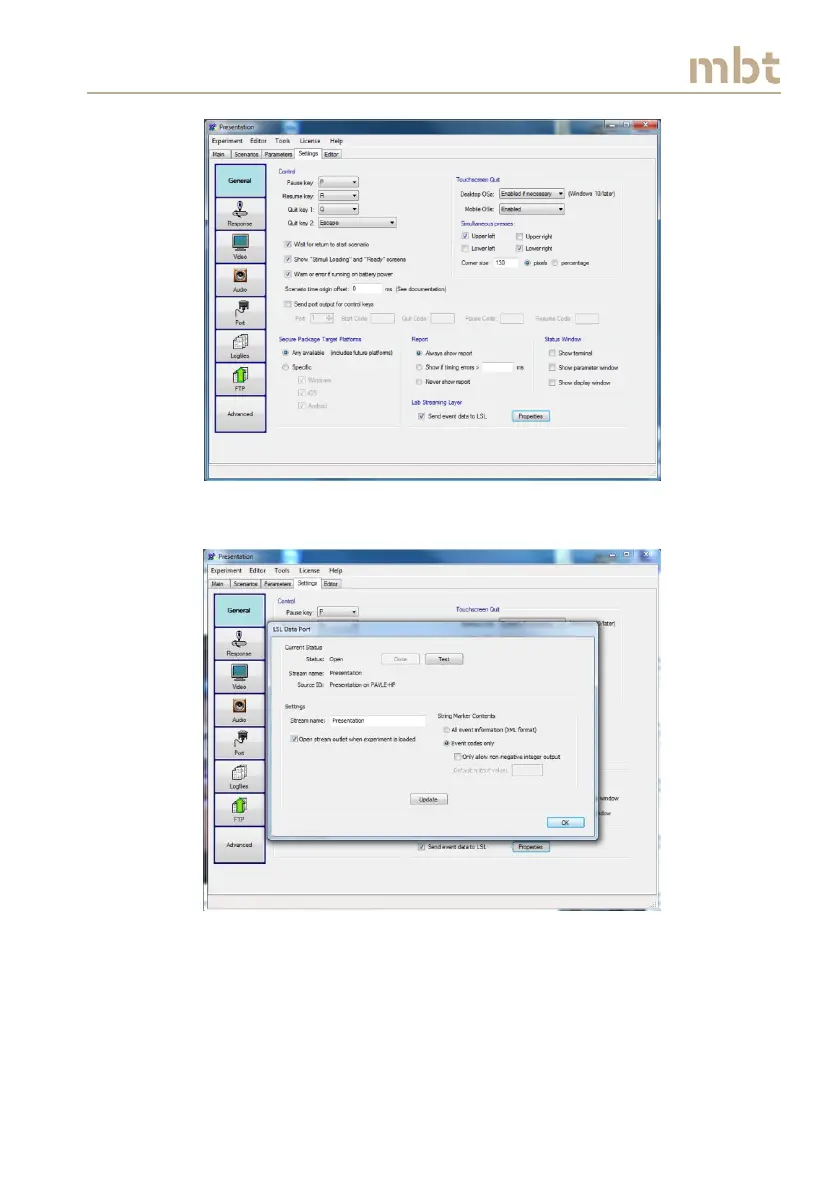
Figure 10.1 Presentation general settings window – Thick the LSL checkbox
Figure 10.2 Presentation LSL data port window; The LSL stream name and string
marker content can be defined here.
Once the LSL data port settings have been completed, in the main window,
the LSL Properties box will appear (Figure 10.3). By clicking on it, the LSL
properties can be checked and/or modified (Figure 10.4).



 To Next Page