2
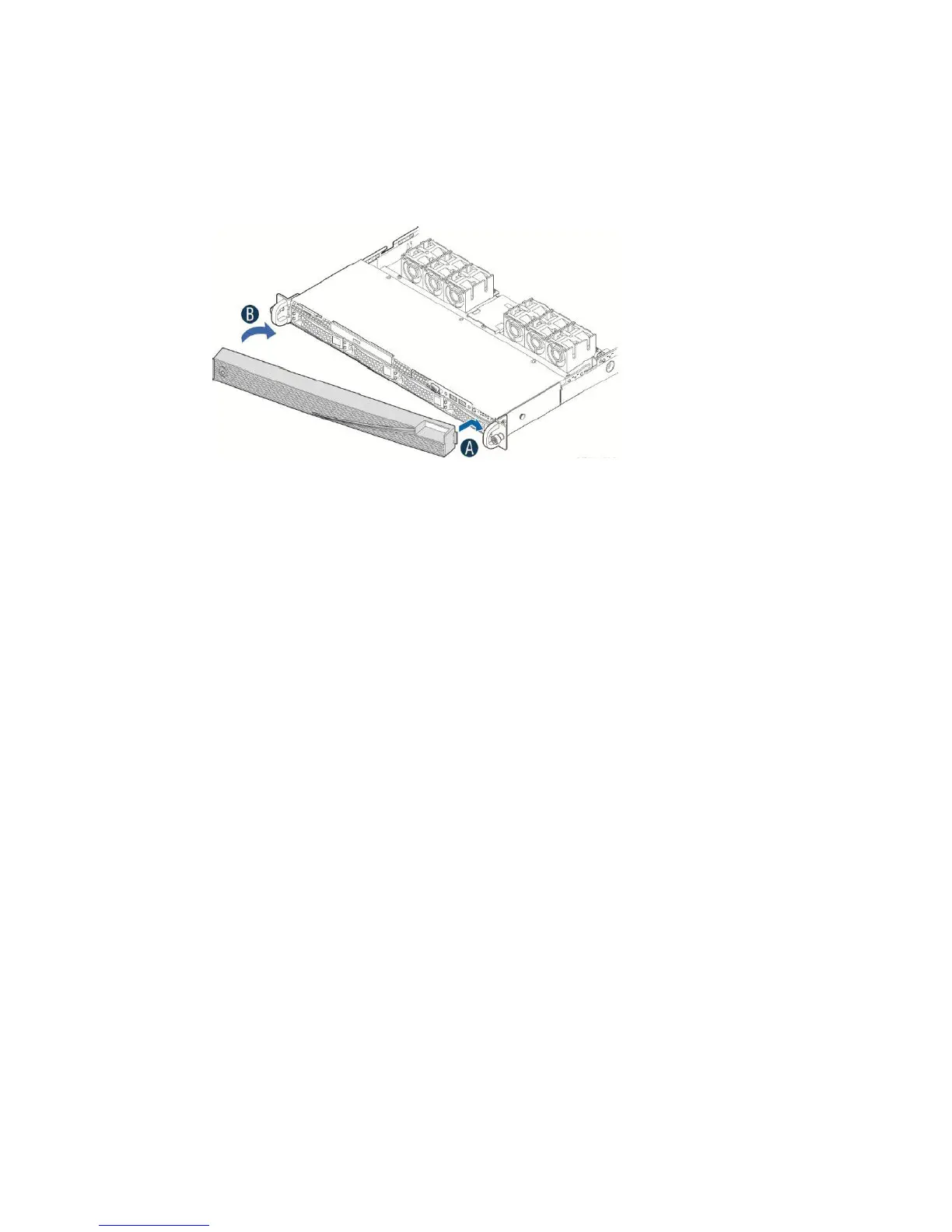
Install the front bezel.
a
Lock the right end of the front bezel to the rack handle
b
Rotate the front bezel clockwise until the left end clicks into place
c
Lock the bezel if needed.
Enable RMM
Enable Intel RMM on your Advanced Threat Defense Appliance.
Task
1
Restart the Advanced Threat Defense Appliance.
2 During the reboot process, press F2.
3 On the BIOS Setup Utility page, select the Server Management tab.
4 Select BMC LAN Configuration.
5 Locate Intel (R) RMM4 LAN configuration and
congure the settings.
a Highlight IP Source, press Enter, then select Static.
b Highlight IP Address, then enter the IP address.
c Highlight Subnet Mask, then enter the subnet mask address.
d Highlight Gateway IP, then enter the gateway IP address.
6 Locate User configuration and
congure the settings.
a Highlight User status, press Enter, then select Enabled.
b Highlight User password, press Enter, then enter the root account password.
c Press Enter,
conrm the password, then press Enter again.
7 Press F10, then press Enter.
8
Log on to the RMM interface.
15



 To Next Page