4
Remove the Advanced Threat Defense Appliance.
5
Place the Advanced Threat Defense Appliance as close to the installation site as possible.
6
Position the box with the text upright.
7
Open the top aps of the box.
8
Remove the accessory box within the Advanced Threat Defense Appliance box.
9
Remove the slide rail kit.
10
Pull out the packing material surrounding the Advanced Threat Defense Appliance.
11
Remove the Advanced Threat Defense Appliance from the anti-static bag.
12
Save the box and packing materials for later use in case you need to move or ship the Advanced Threat
Defense Appliance.
Check your shipment
Each product ships with all the items needed to install the appliance on a network.
To verify that you received all the necessary items, verify that you have received the following:
• Advanced Threat Defense Appliance
• Accessories itemized on the Content Sheet
• Set of tool-less slide rails
• Front bezel with key
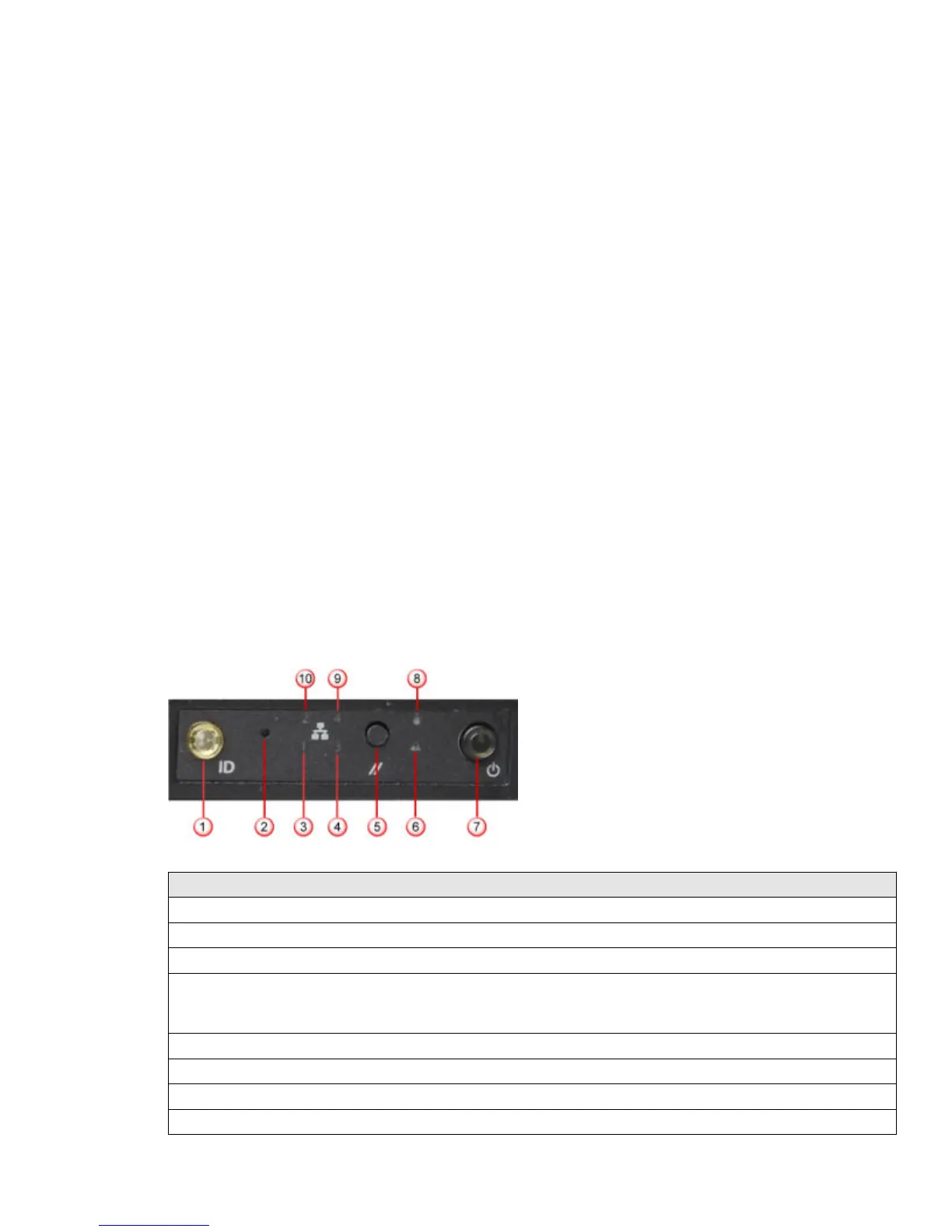
McAfee Advanced Threat Defense Appliance front and back panels
Figure 1 ATD-3000 and ATD-6000 front panel
Label Description
1 System ID button with integrated indicator light
2 NMI button (recessed, tool required for use)
3 NIC 1 activity indicator light
4
• ATD-3000: NIC 3 activity indicator light
• ATD-6000: Not used
5 System cold reset button
6 System status indicator light
7 Power button with integrated indicator light
8 Hard drive activity indicator light
4



 To Next Page