Label Description
9
• ATD-3000: NIC 4 activity indicator light
• ATD-6000: Not used
10 NIC 2 activity indicator light
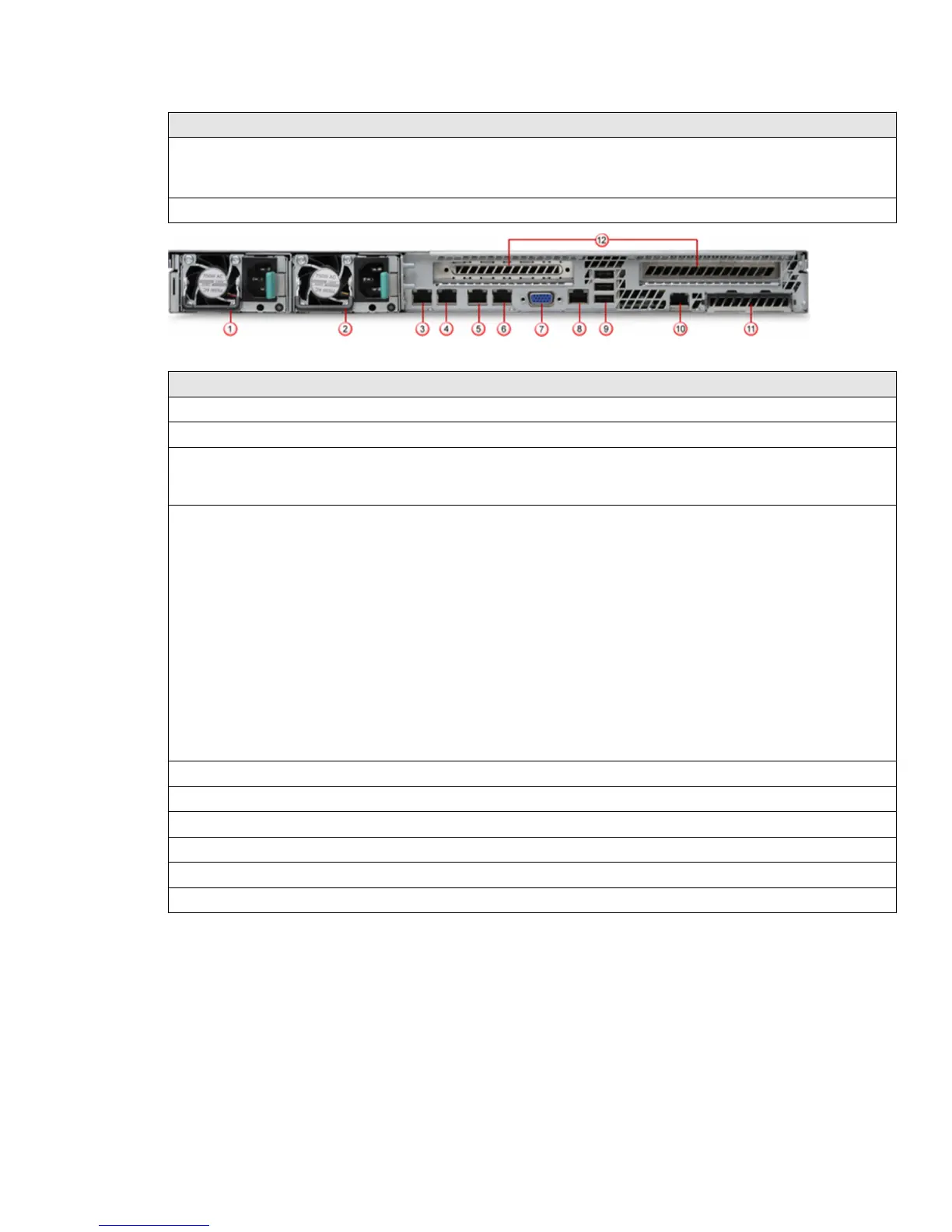
Figure 2 ATD-3000 Appliance back panel
Label Description
1 Power supply module 1
2 Power supply module 2
3 Management port (NIC 1). This is the eth-0 interface. The set appliance and set mgmtport
commands apply to this interface. For example, when you use the set appliance ip command, the
corresponding IP address is assigned to this interface.
4 NIC 2. This is the eth-1 interface. This interface is disabled by default.
• To enable or disable this interface, use the set intfport command. For example, set intfport
1 enable
• To assign the IP details to this interface use set intfport <eth 1, 2, or 3> ip <IPv4
address> <subnet mask>
For example, set intfport 1 ip 10.10.10.10 255.255.255.0
• You cannot assign the default gateway to this port. However, you can
congure a route on this
interface to route the trac to the desired gateway. To congure a route, use route add network
<IPv4 subnet> netmask <netmask> gateway <IPv4 address> intfport 1
For example, route add network 10.10.10.0 netmask 255.255.255.0 gateway
10.10.10.1 intfport 1. This command routes all
trac from the 10.10.10.0 command to
10.10.10.1 through NIC 2 (eth-1).
5 NIC 3. This is the eth-2 interface. The note described for NIC 2 applies to this interface as well.
6 NIC 4. This is the eth-3 interface. The note described for NIC 2 applies to this interface as well.
7 Video connector
8 RJ45 serial-A port
9 USB ports
10 RMM4 NIC port
5



 To Next Page