CARER: How to setup the Sensor features
mcarewatch.com.au
19
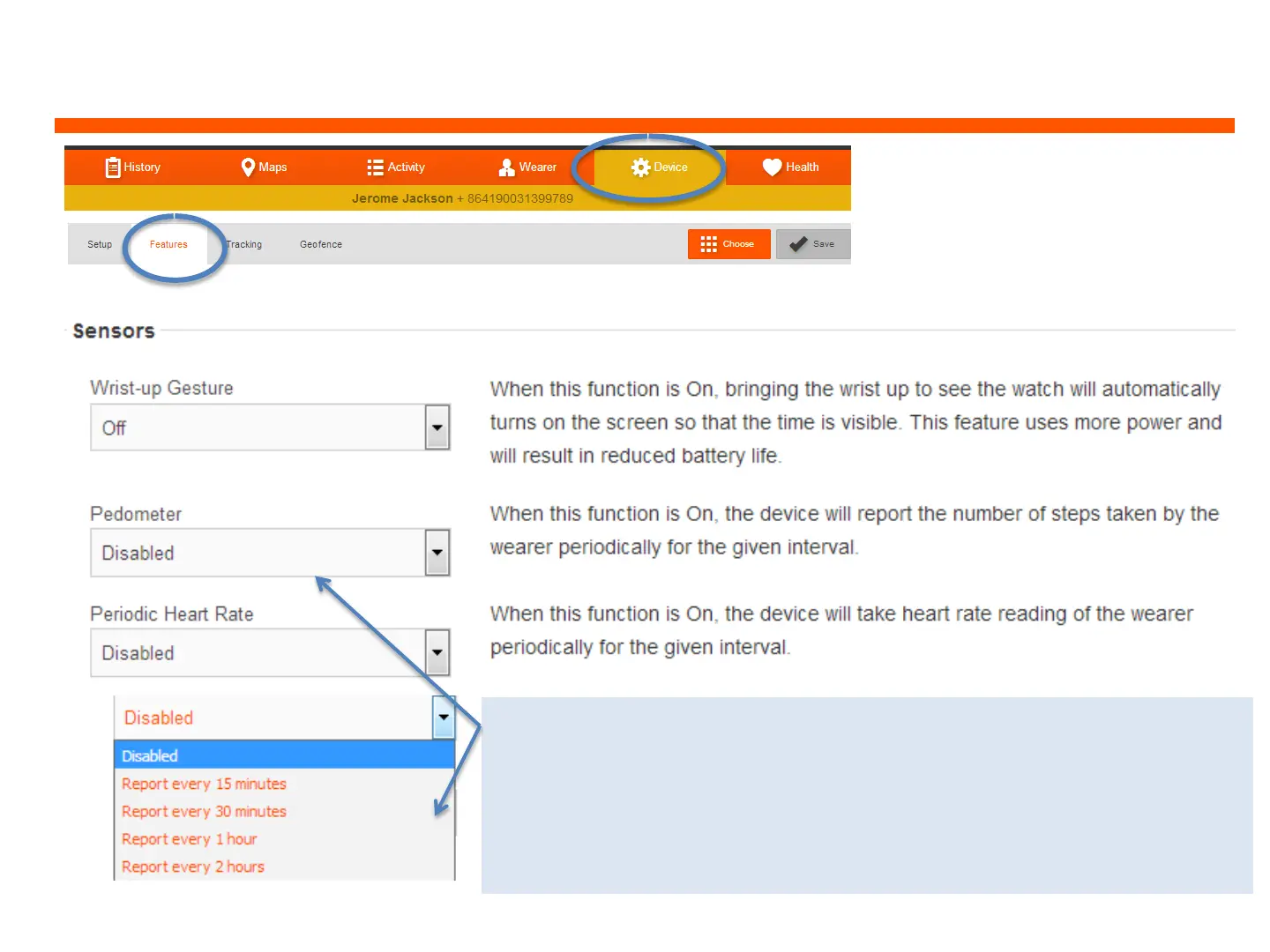
1. Log into the web dashboard
and click on ‘Device’ and
‘Features’, and then ‘Sensors’
To activate the Pedometer and Periodic Heart rate, you
must select a time interval you would like that feature to
be reporting.
IMPORTANT: Activating these features will drain the
battery and require recharging on a more frequent basis


 To Next Page