16
140908
MENU SCREENS
Limited access to menu screens is available
through the Operator Menu or the Manager
Menu. In order to enter the Operator Menu or
the Manager Menu, individual passcodes must
be entered.
Operator Menu - Passcode Access
The Operator Menu gives limited MENU and
SYSTEM SETUP access. Access to this menu
is intended for day to day operations
(whomever is responsible for Beef Integrity).
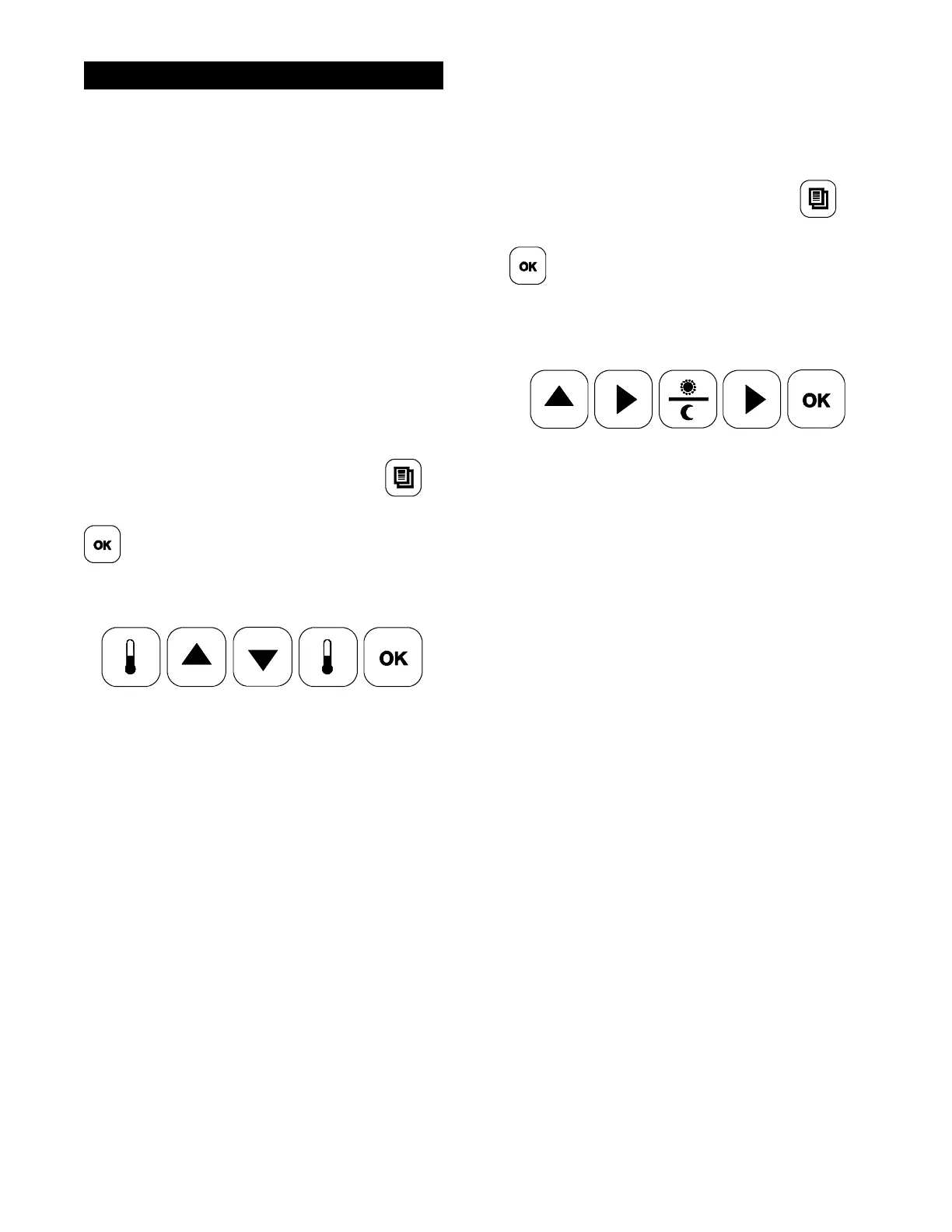
To enter the Operator Menu, press the
key to display “PROGRAMMING.” Press the
key to display the passcode entry
screen. Enter the Operator Menu passcode by
pressing the keys in this order:
All menu items will be visible, except “ADD
ITEM”. The following parameters are available
for each menu item:
S AM/PM
S REMOVE IN
S REMOVE ALARM
S MUST REMOVE IN
S PREP BREAD IN
S PREP ALARM
The following SYSTEM SETUP parameters
will be available:
S PROBE CALIBRATION
S TEMPERATURE DISPLAY
S AUTO CLOSE
S SPEAKER VOLUME
S TOO COOL DELAY
Manager Menu - Passcode Access
The Manager Menu gives access to all MENU
items and limited SYSTEM SETUP access. To
access the Manager Menu, press the
key to display “PROGRAMMING.” Press the
key to display the passcode entry
screen. Enter the Manager Menu passcode by
pressing the keys in this order:
All MENU items will be visible, including “ADD
ITEM”. All parameters are available for each
menu item.
S REMOVE IN GAP
S STAGE 1 TIME
S STATE 1 GAP
S TOP TEMPERATURE
S BOTTOM TEMPERATURE
S AUTO SELECTION
S AUTO GAP
The following SYSTEM SETUP parameters
will be available, in addition to those available
in the Operator Menu.
S AUTO PROD MELT TIME
S GATEWAY ENABLE
S DATE
S TIME
S 24 HOUR STORE
S AUTO IDLE TOP TEMP
S AUTO IDLE BOTTOM TEMP
S STANDBY ALERT



 To Next Page