54
101019
24 Hour Store
1. From the SYSTEM SET UP menu, press
the
key until the screen displays “24
HOUR STORE”.
24 HOUR STORE
NO
2. To select “YES”, press the key and
press the
key. The following screen
will display:
AUTO LEVEL AT
4:00 AM
3. To make an adjustment to the time, use
the
or keys to scroll to the digit
to be changed (i.e., hour, minute, and
AM/PM).
4. Press the
and keys to
increase or decrease the digit. Scroll to
the next digit to be adjusted and repeat
these steps until the desired time has
been entered.
5. Press the
key to accept the
selection(s).
6. Press the
keytoreturntothe
AM/PM Mode.
7. Press the
key to exit the
programming mode, or wait for the display
to time out after 3-5 seconds.
MENU ITEMS
To enter the MENU ITEMS menu, perform the
following steps.
1. While in the AM/PM AUTO Mode, press
the
key. The following screen will
display.
PRESS ENTER FOR
PROGRAMMING
2. Press the key to display the
passcode entry screen.
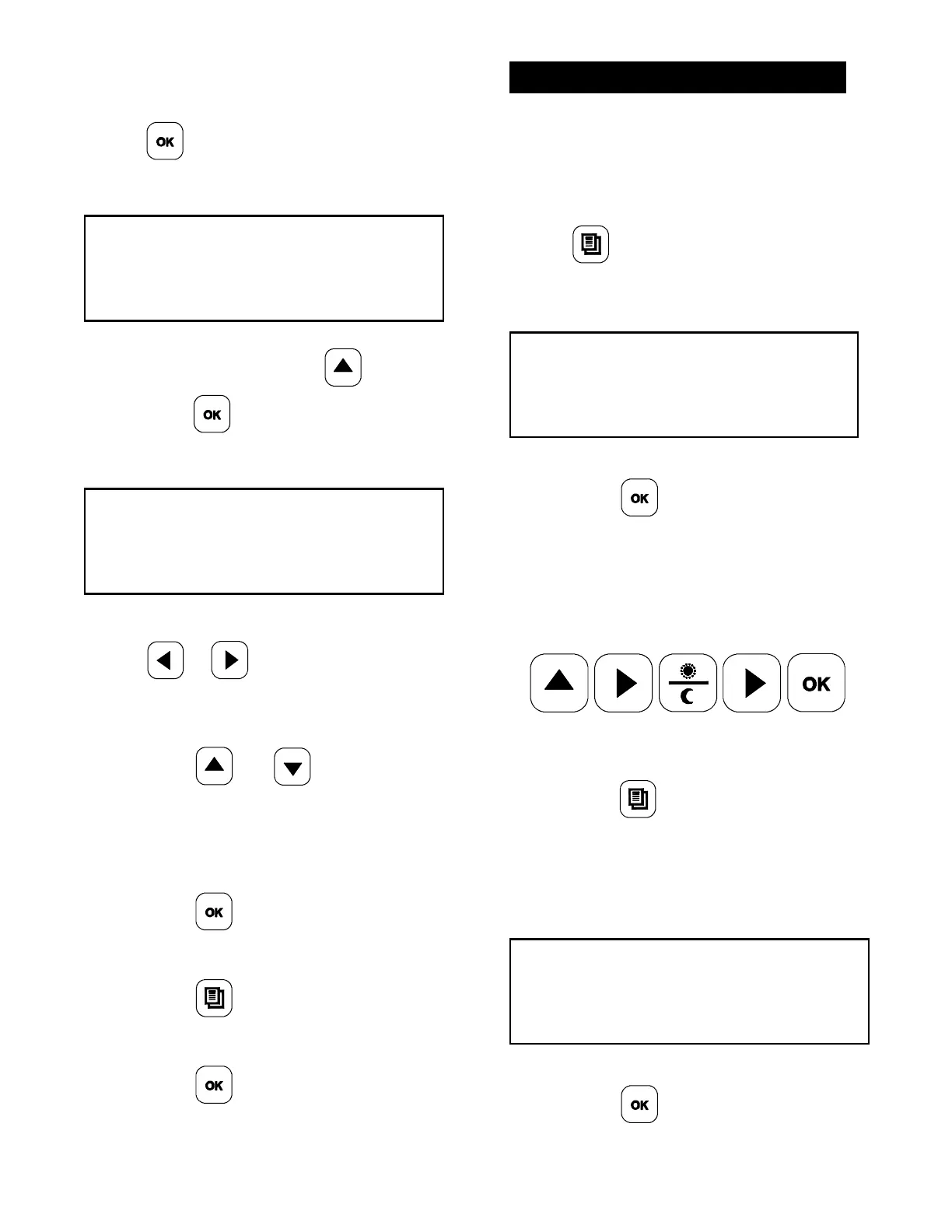
3. Enter the Manager Menu passcode by
pressing the keys in this order:
4. After the passcode has been entered,
press the
key until the screen
displays “MENU ITEMS.”
The following screen will display.
PRESS ENTER FOR
MENU ITEMS
5. Press the key to accept the
selection.



 To Next Page