SmarTraq
16 Manual # 42-02-D008 Rev. A2
SmarTraq Programmer Controls
Doors can be controlled from the inverter drive unit using programmer switches and displays
located on the programmer (top) board. Read this page, then perform the door learning proce-
dure on the following page.
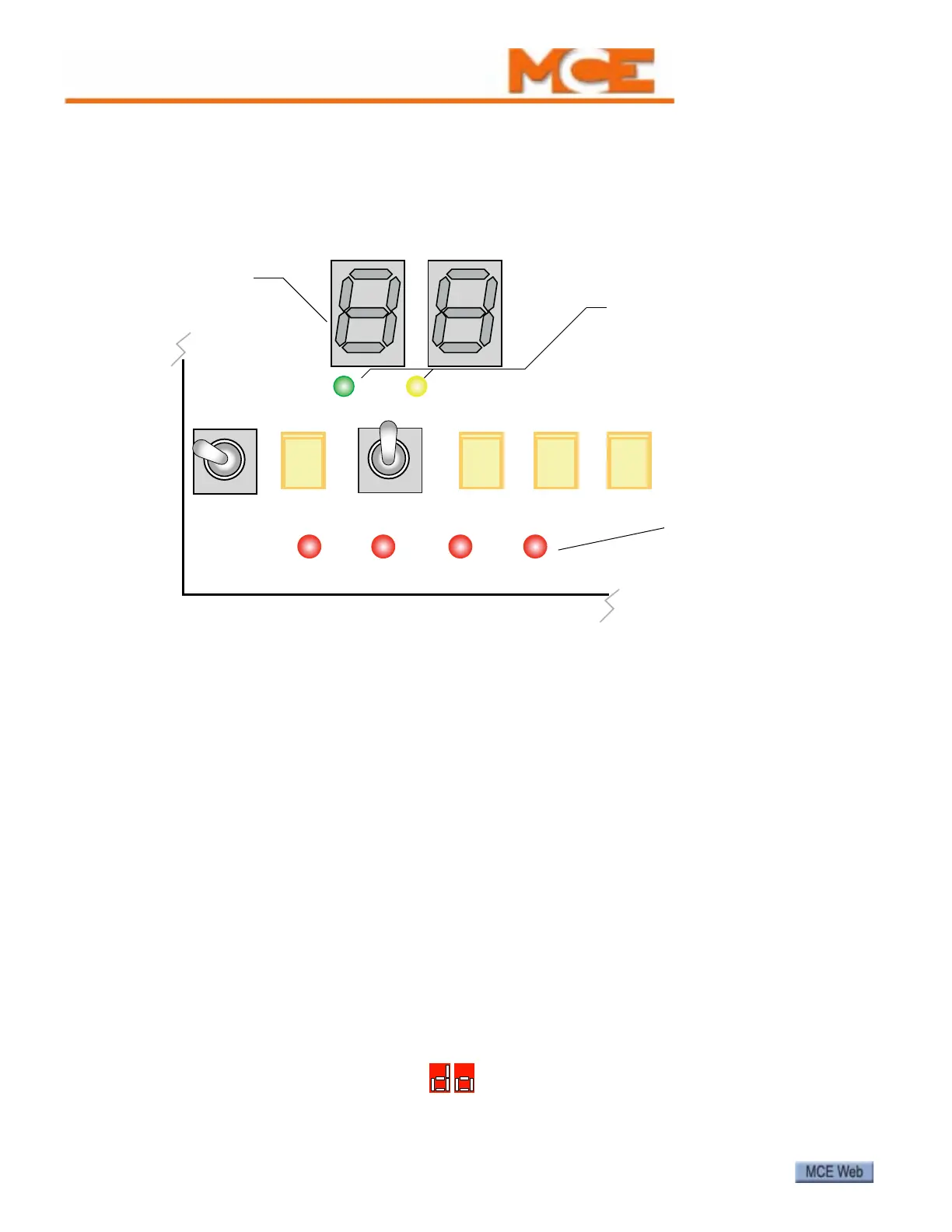
Figure 7. Inverter Drive Programmer Switches
Programmer controls include:
• Alphanumeric display: Displays parameters. Displays numeric value of a selected parame-
ter (0 to 31). Higher number = higher value.
• Remote and Local LEDs: Indicate the current setting of the Local/Remote toggle switch.
When Remote is lighted, the elevator controller is controlling the drive. When Local is
lighted, the programmer switches are controlling the drive.
• Open/Close: Three-position, spring-loaded switch active when Local control is selected:
• Open: Hold in Open position to open elevator doors.
• Close: Hold in Close position to close elevator doors.
• Nudge: Hold Close switch and press Nudge to close elevator doors at nudging (reduced)
speed.
• Local/Remote: Two-position toggle switch, selecting:
• Local: Local inverter drive control (from programmer switches)
• Remote: Remote inverter drive control (from elevator controller)
• - and +: Push buttons. Used to select a parameter to be adjusted and to change value of a
parameter after it is selected.
• Enter: After toggling to a parameter using the + and - buttons, press Enter to select that
parameter for adjustment. After adjusting a value using the + and - buttons, press Enter to
place the new value in local memory. To return to operating mode, use + or - buttons to
toggle the alphanumeric display to “do”, then press Enter.
CLOSE NUDGE REMOTE
_
+ENTER
OPEN LOCAL
LOCALREMOTE
LIMIT1LIMIT2DOL DCL
DOL, LIMIT2, LIMIT1,
and DCL LEDs indicate
that the respective relay
is energized.
REMOTE and LOCAL LEDs
indicate whether the door
operator is under remote or
local control.
Alphanumeric display



 To Next Page