In order to reset the counter for the machine’s consumed water, as well as the “Reg. softener” alarm and pre-alarm,
proceed as follows:
•
Enter into “Reg. softener” submenu;
•Simultaneously press the display’s keys “ ” and “ ”;
•On display will appear the following page:
•In order to confirm the reset of the machine’s consumed water, press the key “ ”; on display will appear the “Reg. softener”
submenu:
Reset. sof. al.?
NO YES
^
Reg. softener
Thres.: XXXX
Preal: YYYY
When the machine has consumed the quantity set as “Preal”, on display will blink the symbol :
1.1 bar
120°C
09:16 10-05-09 1
When the machine has consumed the quantity set as “Thres.”, the symbol will remain fix, until the alarm is reset.
•If the “Thres.” has been set to 0 lt, the “Reg. softener” option is disabled.
•In order to rule out the pre-alarm, set the “Preal” value to 0 lt.
i
11.3
Water softener regeneration
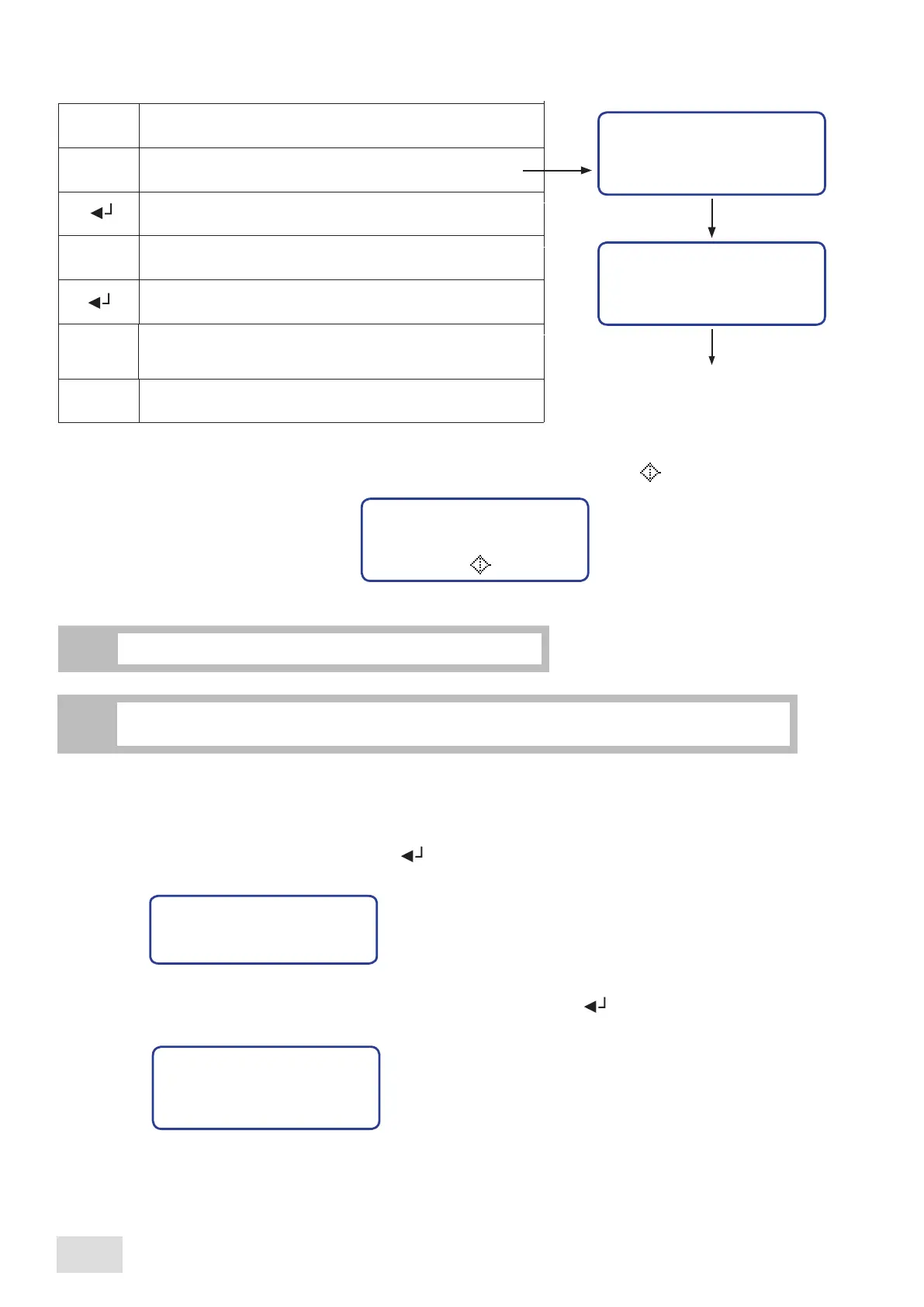
In order to set the liters of water after which is indicated to make the softener regeneration, proceed as follows :
Reg. softener
Thres.: XXXX
Preal: YYYY
XXXX:
YYYY:
programmed quantity liters after which is
indicated to make the softener regeneration
quantity liters after which on display will
appear the alarm “Reg. softener”
Enter into the programming menu
Scroll the menu until reaching the submenu wanted to
be modified
Confirm in order to enter the designated submenu
Set the consumed liter’s number after which is indicated to
make the softener regeneration (50lt or multiple of 50)
Reg. softener
^
Confirm and exit from the submenu
M
Confirm and pass to the next parameter to be set
Set the consumed liter’s number after which on display will
appear the water softener regeneration alarm
(
50lt or
multiple of 50)
^
^
^
^
The displayed alarm does not affect the touch pad’s functioning.
i
SAE Display
28
english



 To Next Page