18
MEASURING
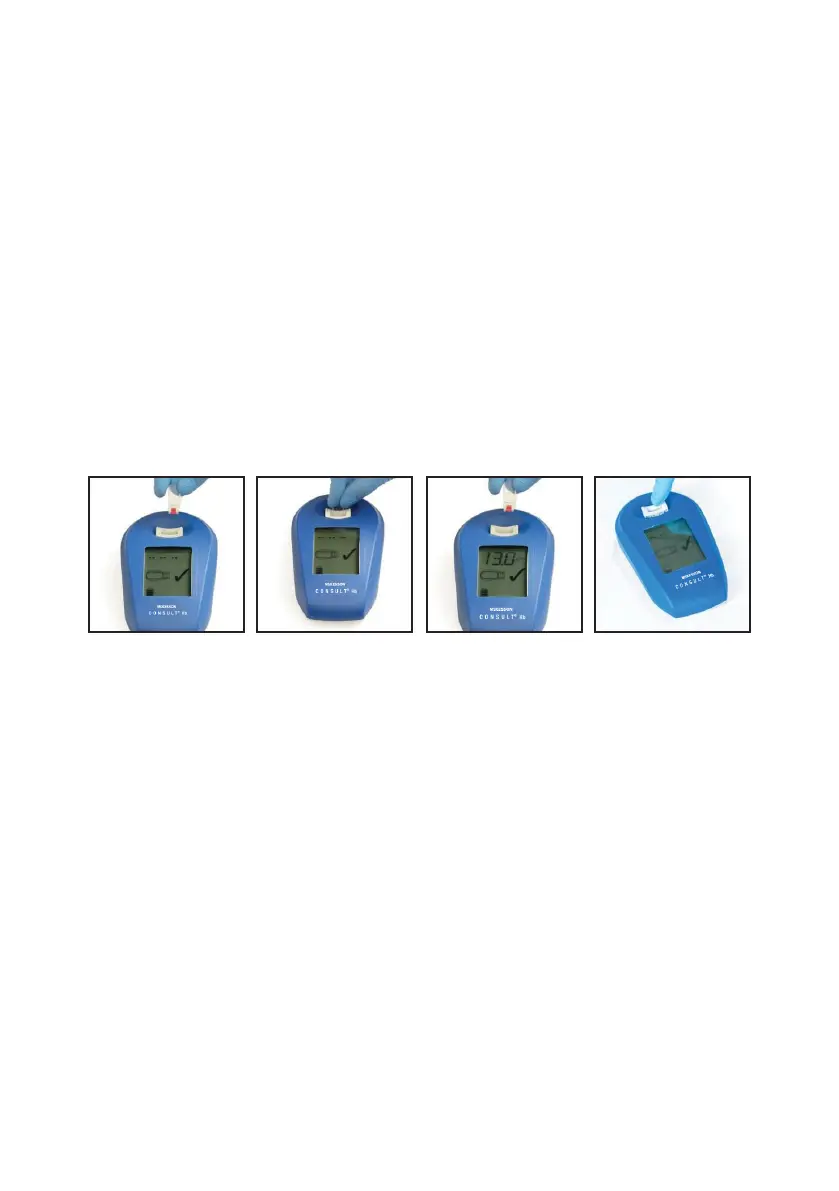
1. Insert the filled cuvette in the cuvette holder.
2. Press down gently until you feel a “click” and hold in position until the result appears on the screen.
Pull the cuvette out of the Consult
®
Hemoglobin quickly.
3. Dispose of the used cuvette in a container for potentially infectious waste. Record the test result
as soon as the checkmark is shown.
4. The result will remain on the display until replaced by the next measurement. To erase the latest
result, press down on the empty cuvette holder.
Use only completely filled cuvettes for measuring. A filled cuvette should be analyzed within 1 minute after
filling. A filled cuvette should be kept in a horizontal position until measurement.
If the Consult
®
Hemoglobin analyzer has been out of use for a couple of hours, an error code may appear
after the first measurement. Remove the filled cuvette, make a “blank” measurement by pressing down the
empty cuvette holder and then reinsert the filled cuvette for measurement.
CONSULT
®
HEMOGLOBIN TESTING SYSTEM USER MANUAL


 To Next Page