EasyManua.ls Logo

McQuay IM 743 - User Manual

McQuay IM 743
13 pages
Print Icon
To Next Page IconTo Next Page
Loading...
Installation and Maintenance
IM 743-1
Group: Controls
Part Number: IM 743
Date: May 2005
Supersedes: IM 743-0
© 2005 McQuay International
MicroTech II®
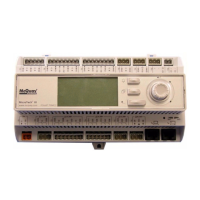
Chiller Unit Controller
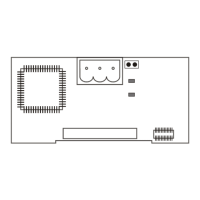
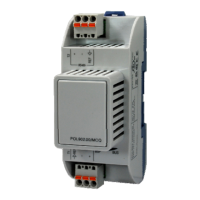
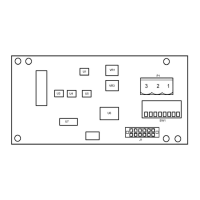
Modbus® Communication Module
WSC Water-Cooled Centrifugal, Single-Compressor
WDC Water-Cooled Centrifugal, Dual-Compressor
WPV Water-Cooled Centrifugal, Single-Compressor
HSC Water-Cooled Single-Compressor Centrifugal, Heat Recovery
HDC Water-Cooled Dual-Compressor Centrifugal, Heat Recovery
TSC Water-Cooled Single-Compressor Centrifugal, Templifier
WMC Water-Cooled Centrifugal, Magnetic Bearing
AGZ Air-Cooled Global Scroll
ACZ Air-Cooled Scroll Condensing Unit
WGZ Water-Cooled Global Scroll
AGS Air-Cooled Global Screw
WGS Water-Cooled Global Screw
NOTICE
Use this manual to physically install the communications module into the unit and connect the unit to
your network. You also need the appropriate McQuay Engineering Data Sheet known as Protocol
Information to integrate the unit into your network. Protocol Information contains addressing details,
Modbus® protocol information, and a list of the data points available to the network. See the
Reference Documents section of this document for part numbers of the Protocol Information. These
documents are available from your local McQuay International representative and at the McQuay
International web site: www.mcquay.com.


Questions and Answers

  • S
    susanfosterAug 19, 2025
    Why can't I access the McQuay IM 743 Controller CSM user interface?
    • B
      Billy EllisAug 19, 2025
      If you cannot access the McQuay Controller CSM user interface despite having correct settings in your browser, it might be because the IP address of your computer is not set to be one number away from the IP address of the CSM. To resolve this, set the IP address of your computer to be one number away from the IP address of the CSM.
  • C
    christopher92Aug 21, 2025
    What to do if the McQuay IM 743 CSM user interface does not appear?
    • W
      welchtimothyAug 22, 2025
      If the McQuay Controller CSM user interface does not appear in your web browser even after successfully pinging the CSM, it's possible that your PC is configured to use a proxy server. To fix this, disable Internet Explorer’s use of a proxy server.
  • S
    Sue LopezAug 25, 2025
    How to connect my computer to McQuay IM 743 Controller CSM over Ethernet?
    • M
      Mr. Steven VazquezAug 25, 2025
      If you're having difficulty connecting your computer to the McQuay Controller CSM over an Ethernet connection, it could be because the computer’s IP address and subnet mask are not compatible with the CSM’s IP address and subnet mask. Make sure that the subnet masks are exactly the same on both devices and that the IP addresses are close enough to be on the same subnet.
  • B
    barkerelizabethAug 26, 2025
    What to do if McQuay IM 743 Controller unit does not leave Fan Only and enter Heating operating state?
    • D
      Dr. Grace HaasAug 26, 2025
      If your McQuay Controller unit remains in Fan Only mode and doesn't switch to Heating, check the Htg Status= parameter in the System menu to ensure it indicates “Htg Ena.” Also, the current value of the Ctrl Temp= parameter must be below the Eff Htg Spt= by more than half the Htg Deadband= parameter in the Zone Heating menu. If the Ctrl Temp= is not below the Eff Htg Spt= by more than half the Htg Deadband= parameter in the Zone Heating menu, the Eff Htg Spt= parameter must be adjusted accordingly to enable heating operation. If the unit still does not enter the Heating operating state, the MCB is likely defective.
  • K
    Kelli StaffordAug 29, 2025
    What to do if McQuay IM 743 Controller unit does not leave the Off Alm operating state?
    • T
      Teresa MelendezAug 29, 2025
      If your McQuay Controller unit remains in the Off Alm operating state, first check the Active Alarm 1 menu for any active “faults.” The alarm condition must be corrected and the “fault” cleared before the unit can be started. If the Active Alarm 1 menu indicates “None” or an alarm type other than a “fault” and the UnitStatus= parameter in the System menu continues to indicate “Off Alm”, the MCB is likely defective.
  • S
    Stephen ColeSep 2, 2025
    What to do if McQuay IM 743 Controller unit does not leave the Off Man operating state?
    • A
      Allen GarciaSep 2, 2025
      If your McQuay Controller unit remains in the Off Man operating state, check the Ctrl Mode= parameter in the System menu. If it is set to “Off”, the UnitStatus= parameter indicates “Off Man.” If the Ctrl Mode= parameter in System menu is set to anything other than “Off” and the UnitStatus= parameter in the System menu still indicates “Off Man.”, the MCB is likely defective.
  • E
    Elizabeth BlackSep 4, 2025
    What to do if McQuay Controller unit does not leave the Off Sw operating state?
    • T
      Tonya GardnerSep 5, 2025
      If your McQuay Controller unit remains in the Off Sw operating state, and terminal 101 is not made to 104 on TB2 (binary input MCB-BI2 is off) and the UnitStatus= parameter continues to indicated “Off Sw”, the MCB is likely defective.
  • B
    Beth DavisSep 6, 2025
    What to do if the McQuay IM 743 Controller MCB is suspected to be defective?
    • K
      Kimberly JonesSep 7, 2025
      If you suspect the McQuay Controller MCB is defective, perform a 'cold' reboot by removing the MCB battery and cycling power to the controller.
  • C
    Charlotte MurraySep 8, 2025
    What to do if I get a battery warning on my McQuay IM 743 Controller?
    • B
      Brian FrazierSep 8, 2025
      If you receive a battery warning on your McQuay Controller, it means the battery is reaching the end of its useful life and should be replaced within 14 days.
  • S
    saundersjuanSep 12, 2025
    What to do if Error LED remains on after battery replacement in McQuay IM 743 Controller?
    • R
      Regina GravesSep 12, 2025
      To address this issue, cycle power to the MCB. Also, note that the battery is tested at two minutes after midnight each day. Alternatively, issue a battery test command with a PC using the MicroTech II Service Tool.

McQuay IM 743 Specifications

General IconGeneral
BrandMcQuay
ModelIM 743
CategoryController
LanguageEnglish

Related product manuals