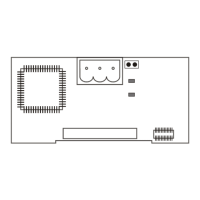
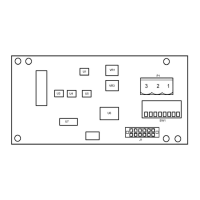
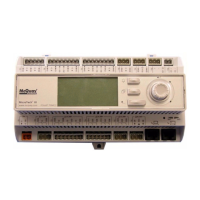
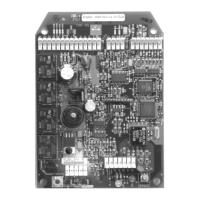
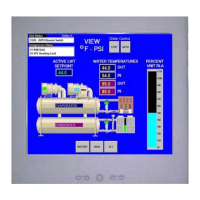
The MicroTech III Remote User Interface is designed for the display, system configuration, setup, and management of MicroTech III unit controllers. It is compatible with MicroTech III Applied Air (Rooftop, Self-Contained, Rebel, and Maverick II), Pathfinder, and AGZ-D Air-Cooled Scroll Chiller units. This remote user interface provides access to unit diagnostics and control adjustments, similar to the unit-mounted controller, and can handle up to eight units per interface.
Function Description:
The device serves as a remote keypad/display for MicroTech III unit controllers. It allows users to monitor operating conditions, system alarms, control parameters, and schedules. The interface facilitates system configuration and setup, providing a centralized point of control for multiple units. It supports both local and remote installations through RS-485 or KNX interfaces.
Important Technical Specifications:
Physical Data:
- Dimensions: 144 x 96 x 26 mm
- Housing: Plastic
- Display Type: LCD FSTN
- Display Resolution: Dot-matrix 96 x 208
- Backlight: Blue or White, user selectable
Environmental Conditions:
- Operation: IEC 721-3-3
- Temperature Range:
- Operation: -40°C to +70°C
- Restriction LCD: -20°C to +60°C
- Restriction Process-Bus: -25°C to +70°C
- Humidity: < 90% r.h (no condensation)
- Air Pressure: Min. 700 hPa (corresponding to max. 3,000 m above sea level)
Bus Connections:
- KNX TP1 (2-screw connector):
- Max. Length: 700 m
- Cable Type: Twisted pair cable; 0.5...2.5 mm²
- RS-485 (EIA-485) (RJ45 interface with DC 24 V):
- Max. Length of Shielded Cable: 50 m
- Max. Length of Unshielded Cable: 3 m
- Cable Type: Standard 8-wire twisted net cable
- RS-485 Screw Connection:
- Bus Connection: RS485A, RS485B, +24V
- Power Connection: +24V, GND
- Max. Length: 1000 m
- Cable Type: Twisted pair shielded AWG (requires a separate 24-Volt power supply)
Usage Features:
- Navigation: Features a "push and roll" navigation wheel for scrolling between lines on a screen, increasing/decreasing changeable values, and acting as an Enter button when pressed.
- Display Format: An 8-line by 30-character display.
- Buttons: Includes Home, Alarm, and Back buttons.
- Home Button: Reverts the display to the main page.
- Back Button: Reverts the display to the previously displayed page.
- Alarm Button: Displays the Alarm Lists menu.
- Power Supply: Powered directly from the unit controller, eliminating the need for an additional power supply.
- Mounting Options: Supports both panel mounting and wall mounting.
- Language: Digital display of messages in English.
- Unit Selection: Allows selection between multiple connected unit controllers (up to eight units per interface).
- HMI Settings: Users can adjust backlight color, backlight turn-off time, contrast, and brightness.
- Password Protection: Features three password levels (Level 2, Level 4, Level 6) for varying access to parameters. Level 2 has the highest access. Alarms can be acknowledged without a password.
- Downloading Objects: The interface performs a download sequence to import necessary information from the main unit controller, with a status bar indicating progress. This process is required for each connected unit controller.
Maintenance Features:
- Installation: The manual provides detailed instructions for mounting the remote user interface and connecting it to one or more MicroTech III unit controllers.
- Wiring Options: Supports direct connection to a single unit controller via RS-485 (requiring a separate 24-Volt power supply) or daisy-chain connection to up to eight units using twisted pair wire.
- Electrostatic Discharge (ESD) Protection: Contains sensitive electronic components; users are advised to discharge any static electrical charge by touching bare metal inside the control panel before handling communications modules.
- Grounding: Emphasizes the importance of proper grounding to prevent electric shock and equipment damage.
- Service Personnel: Connections and service to the MicroTech III Unit Controller must be performed only by knowledgeable personnel.
- Parts List: Provides part numbers for the MicroTech III Remote User Interface kit and connectors for replacement and accessories.
- Product Support: Contact information for Applied Air Customer Support and Chiller Technical Response Center is provided for installation, configuration, or usage assistance.

 Need help?
 General

 To Next Page