EasyManua.ls Logo

McQuay WSC - User Manual

McQuay WSC
100 pages
Print Icon
To Next Page IconTo Next Page
Loading...
Operating Manual
OM CentrifMicro II-5
Group: Chiller
Part Number: 331374901
Effective: March 2011
Supersedes: November 2010
MicroTech Ι
ΙΙ
ΙΙ
ΙΙ
Ι
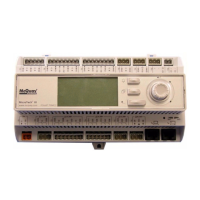
Controller
With Starter Information
For Centrifugal Chillers and Templifiers
Models WSC, WDC, WCC, HSC, TSC
Software Version: WCFU3UU04C/D/E
OITS Version: 2.05.03

Other manuals for McQuay WSC

Questions and Answers

  • Q
    qrivasAug 14, 2025
    Why does my McQuay WSC Controller motor not start?
    • D
      deborah04Aug 14, 2025
      The motor may not start due to several reasons. There could be no control voltage; check the voltage input, fuses, and wiring. The start/stop control input wiring or voltage levels might be incorrect. The Control Source parameters (P4-5) might not be set correctly. There may be no line voltage detected because of an inline contactor, open disconnects, open fuses, open circuit breakers, or disconnected wiring. In rare cases, there may be a D3 control board problem; in this case, consult factory.
  • M
    michaelsilvaAug 17, 2025
    What to do if my McQuay WSC motor overheats?
    • J
      Joshua KnightAug 17, 2025
      If your motor overheats, it could be due to several reasons. The motor may be overloaded, so reduce the load. There might be too many starts per hour; in this case, increase the chiller LWT setpoint deadband. High ambient temperature can also cause overheating, so reduce the ambient temperature or improve cooling. If the acceleration time is too long, reduce the starting load. Finally, check for obstructions or damage to the motor cooling system; remove any obstructions and inspect the motor cooling fan.
  • A
    Amy CraigAug 20, 2025
    What should I do if the McQuay WSC Controller motor rotates in the wrong direction?
    • E
      Erin BrownAug 20, 2025
      If the motor rotates in the wrong direction, the phasing is likely incorrect. If the input phasing is correct, exchange any two output wires. If the input phasing is incorrect, exchange any two input wires.
  • G
    gsampsonAug 25, 2025
    What to do if the McQuay WSC Controller motor stops unexpectedly?
    • A
      Austin HicksAug 25, 2025
      If the motor stops unexpectedly, it could be due to absent control voltage. Check the control voltage input, wiring, and fuses. In rare cases, there may be a D3 control board problem; in this case, consult McQuay Service.
  • B
    Brandon HopkinsAug 27, 2025
    Why does my McQuay Controller motor rotate but not reach full speed?
    • M
      Michael MeltonAug 27, 2025
      If the motor rotates but doesn't reach full speed during starting, it could be because the motor load is too high, or the current isn't dropping below 175% FLA, indicating the motor hasn't reached full speed. Try reducing the load on the motor during starting. Abnormally low line voltage or initial current that is too low can also be the cause. Fix the cause of the low line voltage or increase the initial current.
  • T
    Timothy LyonsAug 30, 2025
    What causes erratic operation of the McQuay Controller?
    • O
      Olivia WardAug 30, 2025
      Erratic operation can be caused by loose connections. Shut off all power and check all connections.
  • B
    Bryan JohnsonSep 3, 2025
    What to do if metering is incorrect on McQuay WSC?
    • B
      brianna03Sep 3, 2025
      Incorrect metering can stem from several causes. Loose connections may be the culprit; shut off all power and check all connections. Also, verify that the load is actually steady and that there are no mechanical issues. Other equipment on the same power feed may cause power fluctuations or distortion. Fix the cause of these power fluctuations or distortion.
  • S
    Steven SmithSep 6, 2025
    How to troubleshoot a McQuay WSC remote keypad that doesn't operate correctly?
    • M
      Michael GriffithSep 6, 2025
      If the remote keypad isn't operating correctly, first verify that the remote keypad cable hasn't been damaged and is properly seated at both the keypad and the D3 Control board. Also, check that the display interface board (if present) is firmly attached to the D3 control card. If these steps don't resolve the issue, the remote display may be damaged and require replacement.
  • J
    joshuabishopSep 9, 2025
    What to do if the starter cooling fans on my McQuay Controller don't operate?
    • A
      Alexandra KruegerSep 9, 2025
      If the starter cooling fans (when present) do not operate, verify the fan power supply and check the fuses. Also, check the fan wiring. If the power supply and wiring are good, the fan may have failed and needs to be replaced.

Summary

MicroTech IITM Controller With Starter Information

Introduction

Software and Environmental Specifications

Details the software version and operating temperature/humidity limits.

Features of the Control Panel

General Description

Control Architecture

Illustrates major control components and their interconnections.

Component Description

Operator Interface & Controller Details

Describes the touch screen interface, controller hardware, and keypad.

Software and Controller Details

Compressor Controller Details

Component Boards and Interfaces

Guardister ew{TM} Board

Monitors motor winding temperature via embedded sensors.

Signal Converter Board

Converts AC current signals to DC for compressor controller.

Transducer Converter Board

Converts pressure transducer signals for the compressor controller.

PLAN Isolator

Provides voltage isolation for pLAN communication between chillers.

Field Wiring Diagram Notes

Dual;Multi-Chiller Operation

Chiller Interconnection and pLAN Setup

Details multiple chiller setup and pLAN communication configuration.

MicroTech II OITS and Operating Sequence

WCC Settings

Specific settings for WCC units concerning compressor staging.

Ice Mode Operation and OITS Navigation

Screen Descriptions

View Screens Overview

Describes how to view unit status and conditions, including the home screen.

Detail View Screen and Menu Navigation

Expanded View Screens and Menu Access

SET Screens Overview

Setpoint Configuration Procedure

Setpoint Explanation

Starter Setpoints

Timer Setpoints

Alarm Setpoints

Cooling Tower Bypass Valve Settings

Cooling Tower Fan Settings

Tower Control Settings Explanation

Tower Fan Staging Options

Details settings for different tower fan staging modes (NONE, VALVE SP, VALVE STAGE).

Tower Control Strategies

VALVE SP and VALVE SETPOINT Screens

Details setpoints for valve control based on temperature or lift.

Advanced Tower Control Strategies

MOTOR Setpoint Screen

MODES Setpoints

WATER Setpoints

SERVICE Screen Overview

HISTORY Screens Functionality

Alarm and USB Data Transfer

ACTIVE ALARM Screen Details

Fault Alarms Explained

Problem and Warning Alarms

Unit Controller Operation and Navigation

4 x20 Display & Keypad

Details the display and keypad layout of the unit controller.

Controller Navigation Basics

Explains how to navigate through the controller's menu system.

Screen Navigation and Content

Set Screens Introduction

Viewing Unit Status

View Unit Water Data

Displays water temperature and flow rate data.

Viewing Unit System Data

View Unit Refrigerant and Tower Status

Displays refrigerant pressures and tower fan/control status.

View Compressor Data

Displays operational data for individual compressors.

Compressor Data Views

Compressor Pressure, Temperature, and Status Views

Shows compressor pressure, temperature, and status data in multiple views.

Evaporator and Condenser Data Views

Displays evaporator and condenser approach and subcooling data.

Alarm Screen Access and Setpoint Editing

Alarm Screen Navigation

Accesses alarm logs and active alarm screens.

Setpoint Editing Procedure

Details the process for changing setpoints, including password entry.

Unit Controller Setpoint Configuration

Unit Setpoint Categories (1-4)

Unit Setpoint Categories (5-11)

Unit Setpoint Categories (12-15)

Compressor Setpoint Configuration (1-2)

Demand Limit and Staging Settings

Sets demand limit, staging mode, sequence, and max compressors.

Compressor Setpoint Configuration (3-8)

Staging Parameters Explained

Full Load and Capacity Determination

Explains full load status, absolute capacity, and staging logic.

Alarm and Tower Setpoint Configuration

Tower Control Modes and Settings

Explains tower control strategies and associated setpoint screens.

Tower Setpoint Details

Alarm Handling and Security Access

Security Access Procedures

Details password entry for unit controller and OITS.

Compressor Controller Overview

Controller Display and Navigation

Details the controller's display, keypad, and menu navigation.

Menu Screens and Compressor Setpoints

Compressor Setpoint Configuration

Guides on configuring compressor setpoints.

Compressor Setpoint Reference

Compressor Setpoint Configuration (1-4)

Compressor Setpoint Configuration (5-8)

Staging Parameters Explained

Full Load and Capacity Determination

Explains full load status, absolute capacity, and staging logic.

Optional Starter Screens

Low Voltage Starters Overview

Starter General Description

Describes the automatic nature and function of these starters.

Starter LED Display Functionality

Starter Operation and Programming

Starter Display and Programming Features

Covers LED display, programming, quick meters, and fault log access.

Parameter and Fault Management

Details viewing, resetting parameters, and emergency thermal reset.

Starter Status Messages

Starter Display Messages and Utilities

Starter Display Message Types

Covers power up, stopped, alarm, lockout, faulted, and quick meter messages.

Starter Meter Functions and Troubleshooting

Faults and Alarms Overview

Lists fault and alarm codes for the starter.

Alarm Code Definitions

Starter Troubleshooting and Analog Output

Troubleshooting Common Issues

Guides on diagnosing and resolving starter problems.

Starter Troubleshooting Charts

Fault Code Troubleshooting Table

Preventive Maintenance for Starters

Starter Maintenance Schedule

Lists maintenance tasks by frequency.

Medium;High Voltage Starters

Starter Parameters and Menu Navigation

Guides on viewing and setting starter parameters via menu.

Starter Parameter and Menu Access

Micro II Control Menu Structure

Parameter Changing Procedure

Step-by-step guide to changing a parameter with an example.

Quick Start Configuration Parameters

Motor FLA, Service Factor, and Start;Stop Modes

Setting motor FLA, service factor, and start/stop modes.

Initial Current Settings

Setting the initial current percentage of motor FLA.

Maximum Current and Ramp Time Settings

Phase Order and Troubleshooting Charts

Fault and Log Codes Reference

LED Diagnostics and Maintenance

Starter Maintenance Schedule

Lists maintenance tasks by frequency.

Sequence of Operation

Chiller and Compressor Sequencing

Details chiller starting and compressor staging logic.

Full Load and Capacity Determination

Operating the Chiller Control System

Interface Panel and Unit Control Methods

Covers panel power, start/stop methods (local, remote, BAS, panel switches).

Setpoint Changes, Alarms, and Component Failure

Standby Power Guidelines

Guidelines for connecting the chiller to standby power.

Maintenance Schedule Overview

Unit, Compressor, and Control Maintenance

Covers daily, weekly, and quarterly checks for unit, compressor, and controls.

Maintenance Schedule Continuation

Component-Specific Maintenance Tasks

Details maintenance tasks for condenser, evaporator, expansion valves, starters, and optional controls.

McQuay WSC Specifications

General IconGeneral
Control Featuresalarm monitoring
Communication ProtocolBACnet, Modbus
Power Supply24 VAC
Operating Temperature Range0 to 50°C (32 to 122°F)
CompatibilityMcQuay water source heat pumps

Related product manuals