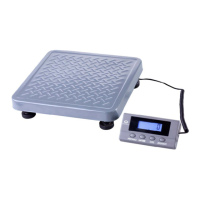
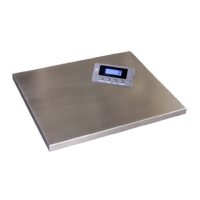
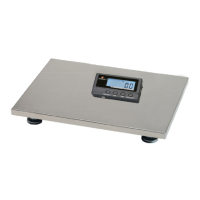
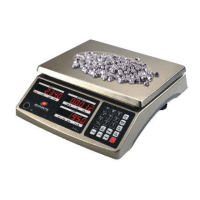
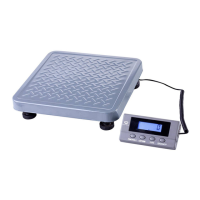
This document is a user manual for Measuretek ECS-B Floor Scales and EHP Bench Scales. It provides detailed information on the operation, specifications, calibration, and troubleshooting of these weighing devices.
Function Description
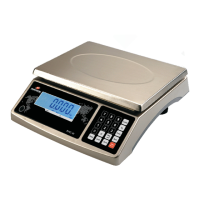
The Measuretek ECS-B Floor Scales and EHP Bench Scales are precision instruments designed for various weighing applications, including general weighing, counting, and check weighing. They are suitable for commercial environments and can be integrated with other devices such as PCs, UPS Worldship, and FedEx software for data management and shipping purposes. The scales feature an LCD display with backlight for clear readings and offer multiple units of measure.
Key Operational Modes:
- Weighing: Standard mode for measuring the weight of objects.
- Counting: Determines the quantity of uniform parts based on their average weight.
- Check Weighing: Compares the weight of a sample against predefined upper and lower limits to determine if it falls within an acceptable range.
- Accumulation: Totalizes displayed values (weight, count, or number of accumulations) and stores them in memory for review.
- Hold: Locks the displayed reading on the screen, useful for unstable loads or when the operator needs to record the weight later.
- Tare: Allows the user to subtract the weight of a container (manual tare) or a known tare value (pre-set tare) to obtain the net weight of the item.
Important Technical Specifications
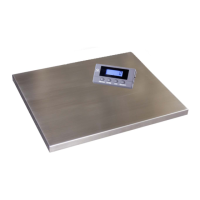
The scales come in various models with different capacities and platform dimensions.
ECS-B Floor Scale Models:
- 12R959D (ECS-B-25):
- Max Capacity: 2500 lb / 1000 kg
- Readability: 0.5 lb / 0.2 kg
- Display Resolution: 1:5000
- Min. Recommended Weight: 10 lb / 4 kg
- Platform Dimensions: 47.24 x 47.24 in (1200 x 1200 mm)
- 12R960D (ECS-B-50):
- Max Capacity: 5000 lb / 2200 kg
- Readability: 1 lb / 0.5 kg
- Display Resolution: 1:5000
- Min. Recommended Weight: 20 lb / 10 kg
- Platform Dimensions: 47.24 x 47.24 in (1200 x 1200 mm)
EHP Bench Scale Models:
- 12R963D (EHP-30S):
- Max Capacity: 60 lb / 30 kg
- Readability: 0.01 lb / 0.005 kg
- Display Resolution: 1:6000
- Min. Recommended Weight: 0.2 lb / 0.1 kg
- Platform Dimensions: 14.65 x 12 in (372 x 305 mm)
- 12R964D (EHP-60S):
- Max Capacity: 150 lb / 60 kg
- Readability: 0.02 lb / 0.01 kg
- Display Resolution: 1:7500
- Min. Recommended Weight: 0.4 lb / 0.2 kg
- Platform Dimensions: 21.65 x 16.54 in (550 x 420 mm)
- 12R965D (EHP-60M):
- Max Capacity: 150 lb / 60 kg
- Readability: 0.02 lb / 0.01 kg
- Display Resolution: 1:7500
- Min. Recommended Weight: 0.4 lb / 0.2 kg
- Platform Dimensions: 21.65 x 16.54 in (550 x 420 mm)
- 12R966D (EHP-150M):
- Max Capacity: 300 lb / 150 kg
- Readability: 0.05 lb / 0.02 kg
- Display Resolution: 1:6000
- Min. Recommended Weight: 1 lb / 0.2 kg
- Platform Dimensions: 21.65 x 16.54 in (550 x 420 mm)
- 12R967D (EHP-150L):
- Max Capacity: 300 lb / 150 kg
- Readability: 0.05 lb / 0.02 kg
- Display Resolution: 1:6000
- Min. Recommended Weight: 1 lb / 0.2 kg
- Platform Dimensions: 19.7 x 25.6 in (650 x 500 mm)
- 12R968D (EHP-300L):
- Max Capacity: 600 lb / 300 kg
- Readability: 0.1 lb / 0.05 kg
- Display Resolution: 1:6000
- Min. Recommended Weight: 2 lb / 1 kg
- Platform Dimensions: 19.7 x 25.6 in (650 x 500 mm)
General Specifications:
- Display: 6-digit, 7-segment, 1" (25mm) LCD with backlight.
- Zero Range: Programmable, defaulted to 2%FS.
- Tare Range: 100%FS.
- Stabilization Time: < 3 seconds.
- Operating Temperature: 15°F to 105°F (-10°C to 40°C).
- Humidity Range: < 90% relative humidity, non-condensing.
- Power Supply: AC adapter (9V 600mA, central positive) or 4 x AA dry batteries.
- Interface: RS232 (COM 1) and USB (COM 2).
- Safe Max Overload: 150% of full capacity.
Usage Features
The scales are designed for user-friendly operation with a clear indicator display and intuitive control functions.
General Operation:
- Turning On/Off: Press the ZERO ON/OFF button to turn the scale on. Hold the ZERO ON/OFF button until "OFF" is displayed to turn it off.
- Weighing: Place objects on the center of the platform once the display shows "0".
- Changing Units: Press the UNIT DATA button to cycle through kg, lb, or lb:oz.
- Zeroing: If the display is not "0" with no load, press the ZERO ON/OFF button to zero the reading (within ±2% of full capacity).
Advanced Features:
- Manual Tare: Place an empty container on the scale, wait for a stable reading, then press the TARE PRESET button to tare its weight.
- Pre-set Tare: Hold the TARE PRESET button to enter pre-tare input mode. Use the arrow buttons to input a known tare value.
- Check Weighing: Hold the UNIT DATA button to enter "COMP" mode. Set high ("HiGH") and low ("LoW") limits using the arrow buttons. The indicator lights (HI, OK, LO) will show if the sample weight is above, within, or below the limits.
- Accumulation: With a load on the platform, press the ACC TOTAL button to add the weight to memory. Hold the ACC TOTAL button to recall accumulated values. To clear, press ZERO ON/OFF then ACC TOTAL in recall mode.
- Counting: Hold the PRINT FUNC button to select "COUNT" mode. Establish the piece weight (PWT) either by inputting a known value or by weighing a sample of a known quantity.
- Hold Function: In weighing mode, place a load (more than 10d) on the platform, then press the HOLD SETUP button to lock the reading. The "Hold" light will illuminate. Press HOLD SETUP again to release.
- Auto-off Timer: Hold the HOLD SETUP button to enter "CONFIG" mode, then navigate to "A.OFF.T". Set the auto-off time from 0 (disabled) to 255 minutes. Default is 5 minutes.
- LCD Backlight: Hold the HOLD SETUP button to enter "CONFIG" mode, then navigate to "LCd.bLE". Set the backlight off time from 000 (always off) to 255 seconds (auto-off after inactivity). 001 means always on.
Connectivity:
- PC Connection (RS232/USB): The scales can connect to a PC via RS232 (COM1) or USB (COM2) for data output. USB requires a driver installation. Default baud rate is 4800, byte format 7E1, output mode PRT.CMD, and layout SCP-12.
- UPS Worldship/FedEx Integration: The scales are compatible with UPS Worldship and FedEx software. For USB connection, ensure the USB driver is installed. Set the port in the shipping software to "NCI3835".
Maintenance Features
The manual provides guidance on calibration and troubleshooting to ensure the scale's accuracy and longevity.
Calibration:
Calibration should only be performed by individuals with technical knowledge.
- Accessing Calibration: Hold the HOLD SETUP button until "CONFIG" is displayed, then navigate to "CAL".
- Zero Calibration: In "ZERO" mode, keep the platform empty and confirm to calibrate the zero point. This fixes zero point error codes.
- Linearity Calibration: In "LINE" mode, calibrate the zero point ("CAL.P0") with an empty platform. Then, for "CAL.P1", place a weight greater than 10%FS on the platform and input its value. The scale supports up to "CAL.P3" for multi-point linearity calibration, requiring weights greater than 10%, 20%, and 30% of full scale capacity, respectively.
Troubleshooting:
The manual includes a comprehensive troubleshooting table for common issues:
- Scale not turning on: Check AC adapter, battery, or indicator damage.
- "Ad" or "Ad----" error: Indicates cable connection issues, indicator damage, or load cell problems. Solutions include checking/replacing cables, opening the junction box, or repair.
- "0" or "0-----" error: Weight reading exceeds/below Power On Zero limit. Solutions include ensuring an empty platform, performing zero calibration, or removing obstructions.
- "-----" error: Weight reading exceeds overload limit or cannot be displayed in the current unit. Solutions include reducing load or using a more appropriate unit.
- "EEP.E1" or "EEP.E2" error: CONFIG or USER parameters are incorrectly set. Solutions include re-setting parameters or performing calibration.
- "CAL.Er" error: Input data or loaded weight is too small/big, or weight signal is unstable. Solutions include inputting correct data, loading correct weight, or scale repair.
- "Stb.Er" error: Weighing object unstable in HOLD mode. Solutions include stabilizing the object or setting a larger HOLD parameter.
- Cannot zero the reading: Load exceeds allowable limits or scale is unstable. Solutions include removing load, waiting for stability, and pressing ZERO ON/OFF.
- "P.Er" error: Piece weight error (weight too small for accurate reference). Solution: use a greater weight for the sample.
- Incorrect counting result: Sampling quantity too small or calculated piece weight differs from real value. Solution: increase sampling quantity.
- Inaccurate weighing: Object stuck, load cell impact, or scale location. Solutions: remove object, perform linear/GEO calibration.
- "Lo.bAt" error: Low battery. Solution: replace batteries.
Replacement Parts:
The manual lists replacement parts such as AC adapters, display indicators (new and old versions), platform-to-indicator cables (new and old versions), and underside feet. QR codes and a website link are provided to help identify the correct version of the scale for ordering parts.
Warranty:
Measuretek products come with a one-year limited warranty covering defects in material and workmanship from the date of purchase. The warranty excludes misuse, accidental damage, overload, alteration, and improper installation. Defective products can be repaired or replaced at the manufacturer's option, with liability limited to the repair or replacement of the product.

 Need help?
 General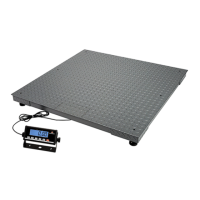

 To Next Page