EasyManua.ls Logo

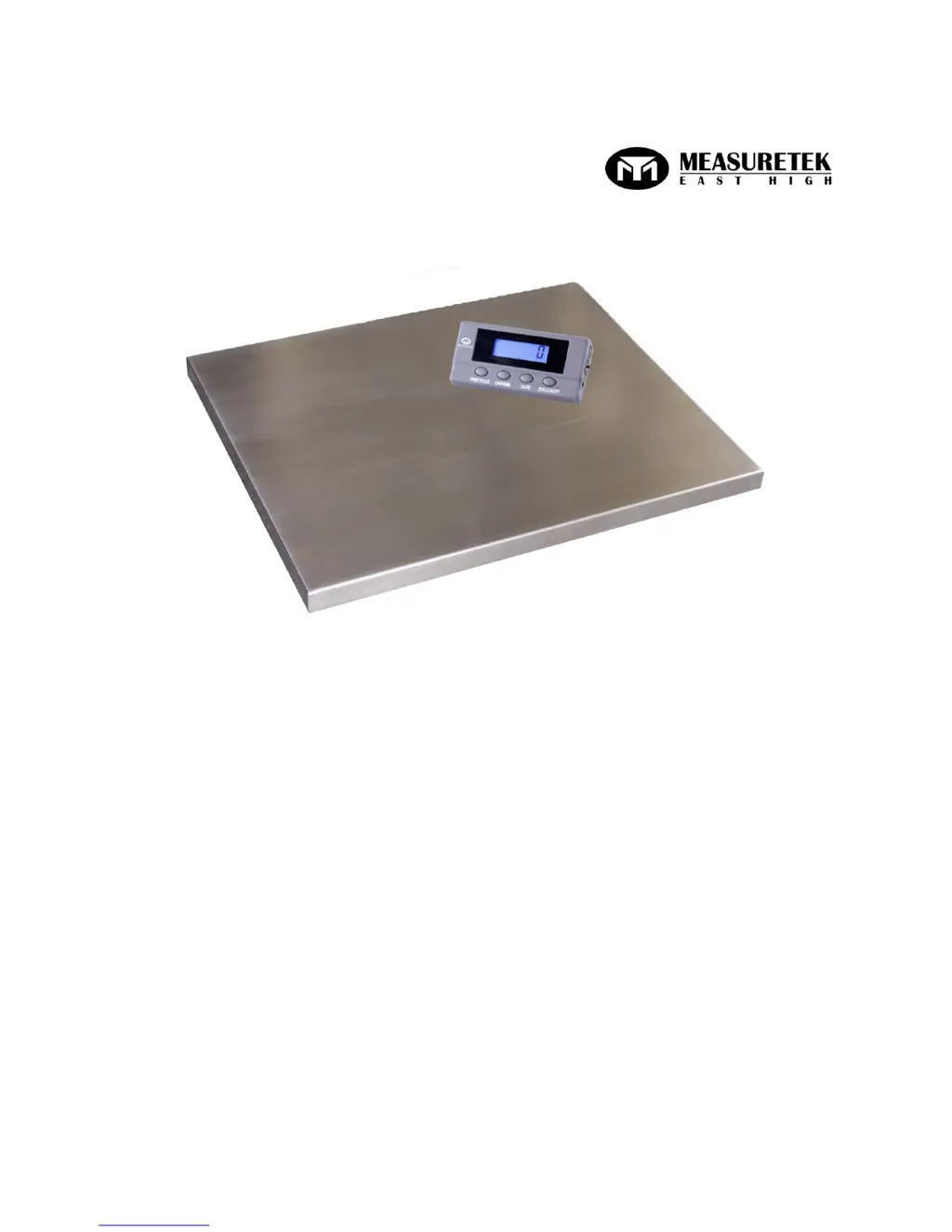
Measuretek PS-102 - User Manual

Measuretek PS-102
18 pages
Print Icon
To Next Page IconTo Next Page
Loading...
WWW.MEASURETEK.NET
PS-102
User/Technical Manual
Contents subject to change without notice
Version 1.0
08/2013

Other manuals for Measuretek PS-102

Questions and Answers

  • J
    John ReynoldsSep 8, 2025
    Why is weighing not accurate on my Measuretek PS-102 Scales?
    • S
      Sharon ChristianSep 9, 2025
      If your Measuretek Scales are not weighing accurately, it could be due to several reasons. First, check for any objects stuck between the load cell and the scale base and remove them. Second, the load cell might have received a heavy impact, in which case you should perform a Linearity calibration. Next, if the scale is not near Chicago, loosen the shipping protection screws. Finally, ensure the load is placed in the center of the weighing platform.
  • K
    kevinthomasAug 23, 2025
    Why are my Measuretek PS-102 Scales giving inaccurate weighing readings?
    • R
      Roger JohnsonAug 23, 2025
      If your Measuretek Scales are showing inaccurate weight readings, check for and remove any objects stuck between the load cell and the scale base. Also, the load cell may have received a heavy impact, so perform calibration. Finally, loosen the shipping protection screw (PS-103).
  • J
    John LamAug 25, 2025
    What to do if Measuretek Scales show 'Weight reading exceeds Overload limit'?
    • B
      Brandy SmithAug 25, 2025
      If your Measuretek Scales display an overload error, reduce the load until the weight value is displayed. If the weight value can't be displayed in the current unit because it exceeds 6 digits, use a more appropriate unit of measure.
  • M
    Mr. Charles CurtisAug 27, 2025
    How to fix Measuretek PS-102 when I cannot zero the reading?
    • M
      Mr. Michael ArnoldAug 27, 2025
      If you cannot zero the reading on your Measuretek Scales, first remove any load exceeding the allowable limits (20%FS). If the load is unstable, wait for it to stabilize before pressing the ZERO/ON/OFF key.
  • H
    Heather AdkinsAug 28, 2025
    What to do if Measuretek PS-102 Scales show 'Weight reading below Power On Zero limit'?
    • J
      Jessica GayAug 28, 2025
      If your Measuretek Scales show a weight reading below the Power On Zero limit, install the platform on the scale. Check for and remove any objects stuck between the load cell and the scale base. Loosen the shipping protection screws (PS-103). Perform zero calibration.
  • D
    Denise PetersenSep 22, 2025
    What does 'EEP.E2' mean on Measuretek PS-102 and how do I fix it?
    • J
      james34Sep 22, 2025
      If your Measuretek Scales display shows 'EEP.E2', it means the USER parameters are not correctly set. You should reset the USER parameters per the Technical Manual.
  • E
    ediazSep 16, 2025
    What does 'EEP.E1' mean on Measuretek PS-102 Scales and how can I fix it?
    • J
      joseph47Sep 16, 2025
      If your Measuretek Scales display shows 'EEP.E1', it could be due to: * CONFIG parameters not correctly set. Reset CONFIG parameters per the Technical Manual. * CAL parameters not correctly set. Perform calibration.
  • O
    osullivanSep 18, 2025
    What does 'Ad ???' mean on Measuretek Scales and how to troubleshoot it?
    • L
      longjustinSep 18, 2025
      If your Measuretek Scales display shows 'Ad ???', it could be due to: * The cable from the platform to the indicator is not correctly connected, disconnected, or short circuiting. Replace it with a new indicator and perform calibration. * The indicator is damaged. Return the scale for repair.
  • M
    Mr. Kent DavidsonSep 7, 2025
    What does 'LO.BAT' mean on Measuretek Scales?
    • K
      Kelly BrownSep 7, 2025
      If your Measuretek Scales display 'LO.BAT', the batteries are low and need to be replaced.
  • C
    coopershaneSep 4, 2025
    What does 'EEP.E2' mean on Measuretek PS-102 and how can I resolve it?
    • M
      Mrs. Stephanie OliverSep 4, 2025
      If your Measuretek Scales display 'EEP.E2', reset the USER parameters according to the Technical Manual.

Summary

Introduction and Installation

General and Safety Information

Crucial safety precautions and usage guidelines for operating the scale properly and safely.

Overview of Controls and Functions

Operations

Normal Weighing Mode

Step-by-step instructions for performing standard weighing operations with the scale.

Calibration

Calibration Procedure

Detailed procedure for calibrating the scale using standard weights to ensure accuracy.

Configuration Parameters Setup

User Parameters Setup

Troubleshooting

Troubleshooting Guide

A guide to diagnose and resolve common problems encountered with the scale.

Measuretek PS-102 Specifications

General IconGeneral
BrandMeasuretek
ModelPS-102
CategoryScales
LanguageEnglish

Related product manuals