EasyManua.ls Logo

Measuretek PS-103-35 - User Manual

Measuretek PS-103-35
15 pages
Print Icon
To Next Page IconTo Next Page
Loading...
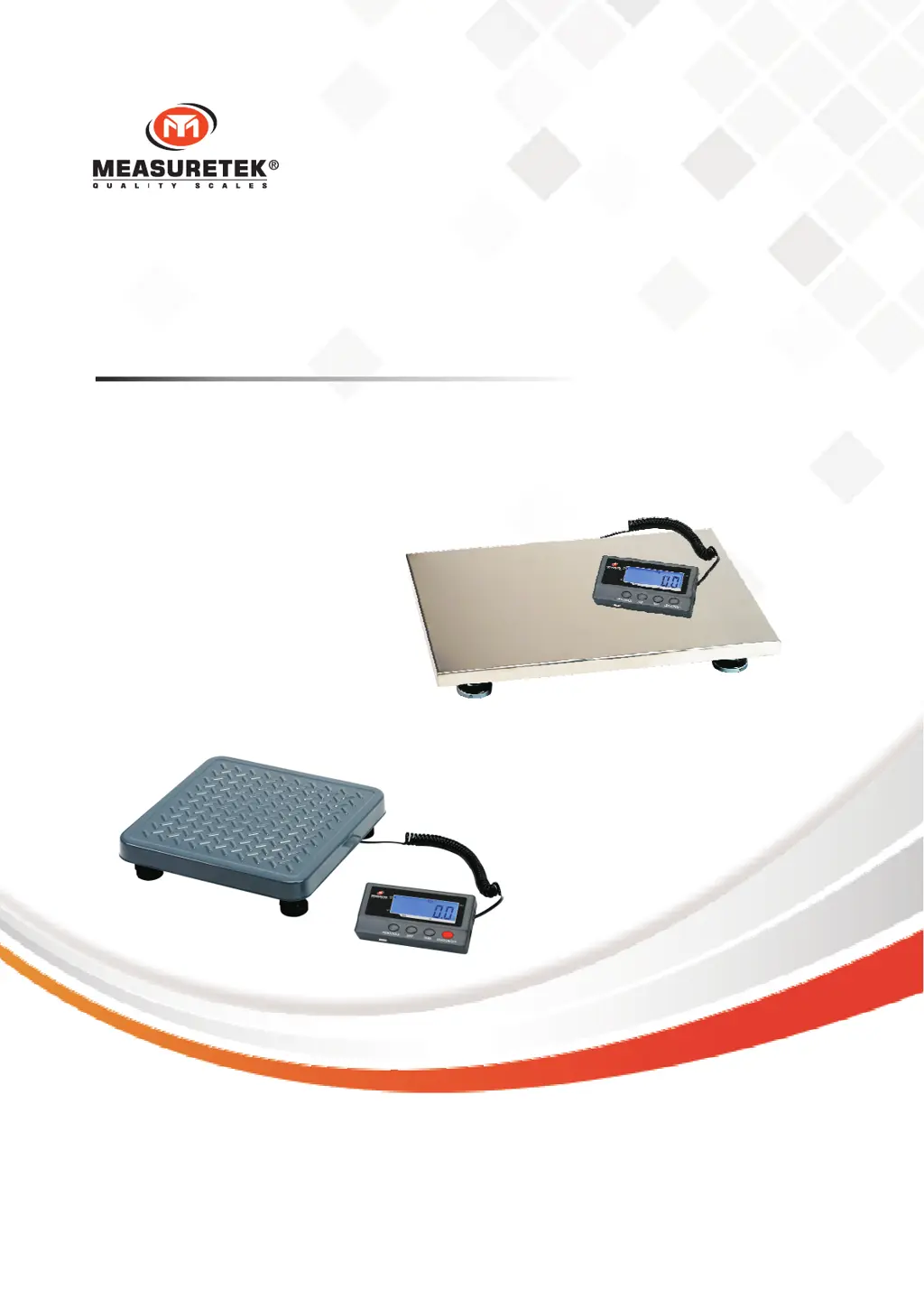
PS-102 (12R980C - 12R981C)
PS-103 (54XY49A - 54XY53A)
Contents subject to change without notice
Version 3.0
01/2023
USER MANUAL

Other manuals for Measuretek PS-103-35

Questions and Answers

  • T
    Tracy SchmidtAug 18, 2025
    How to fix Measuretek PS-103-35 that cannot be turned on?
    • J
      Jesse ReeseAug 18, 2025
      If your Measuretek Scales won't turn on, first ensure the AC adapter is securely connected by re-plugging it or rotating the plug. If that doesn't work, the batteries may be low and need replacement. As a last resort, the indicator might be damaged, requiring replacement and calibration.
  • H
    hadamsAug 21, 2025
    Why are my Measuretek Scales giving inaccurate weighing readings?
    • D
      David MaldonadoAug 21, 2025
      If your Measuretek Scales are showing inaccurate weight readings, check for and remove any objects stuck between the load cell and the scale base. Also, the load cell may have received a heavy impact, so perform calibration. Finally, loosen the shipping protection screw (PS-103).
  • R
    raybrendaAug 23, 2025
    What to do if Measuretek PS-103-35 Scales show 'Weight reading exceeds Overload limit'?
    • A
      Andrea SmithAug 23, 2025
      If your Measuretek Scales display an overload error, reduce the load until the weight value is displayed. If the weight value can't be displayed in the current unit because it exceeds 6 digits, use a more appropriate unit of measure.
  • N
    nicholasmorganAug 26, 2025
    How to fix Measuretek PS-103-35 Scales when I cannot zero the reading?
    • E
      Eric PearsonAug 26, 2025
      If you cannot zero the reading on your Measuretek Scales, first remove any load exceeding the allowable limits (20%FS). If the load is unstable, wait for it to stabilize before pressing the ZERO/ON/OFF key.
  • B
    bellkennethAug 28, 2025
    What to do if Measuretek Scales show 'Weight reading below Power On Zero limit'?
    • R
      Rebecca WalkerAug 28, 2025
      If your Measuretek Scales show a weight reading below the Power On Zero limit, install the platform on the scale. Check for and remove any objects stuck between the load cell and the scale base. Loosen the shipping protection screws (PS-103). Perform zero calibration.
  • F
    francisjamesAug 30, 2025
    What does 'EEP.E1' mean on Measuretek PS-103-35 Scales and how to fix it?
    • R
      Ruth ThomasAug 31, 2025
      If your Measuretek Scales display 'EEP.E1', it indicates that CONFIG parameters are not correctly set, so reset them per the Technical Manual. If the issue persists, CAL parameters may be incorrect, and a calibration should be performed.
  • A
    Ashley GarciaSep 2, 2025
    What does 'cal.Er' mean on Measuretek Scales?
    • C
      Christine CastilloSep 2, 2025
      If your Measuretek Scales display 'cal.Er', it means the input data or loaded weight is either too small or too big. Input correct data, and load correct weight onto the platform. If the weight signal is unstable or unlinear, return the scale for repair.
  • B
    Brandon MooreSep 4, 2025
    Why are my Measuretek PS-103-35 not showing any reading?
    • I
      ihumphreySep 5, 2025
      If your Measuretek Scales are not showing any reading, check the cable from the platform to the indicator, ensuring it is correctly connected and not disconnected or short-circuited; replace if necessary. The indicator may be damaged, requiring replacement and calibration. If the load cell cable is broken or the load cell is damaged, return the scale for repair.
  • C
    Cynthia IrwinSep 7, 2025
    How do I fix 'Reading is out of key zero range' on Measuretek Scales?
    • D
      Dana RiveraSep 7, 2025
      To correct the 'Reading is out of key zero range' error on your Measuretek Scales, reduce the weight on the platform until the indication is within the key zero range.
  • N
    Natalie RobertsSep 9, 2025
    What does 'EEP.E2' mean on Measuretek PS-103-35 Scales and how can I resolve it?
    • G
      gwolfSep 9, 2025
      If your Measuretek Scales display 'EEP.E2', reset the USER parameters according to the Technical Manual.

Measuretek PS-103-35 Specifications

General IconGeneral
BrandMeasuretek
ModelPS-103-35
CategoryScales
LanguageEnglish

Related product manuals