EasyManua.ls Logo

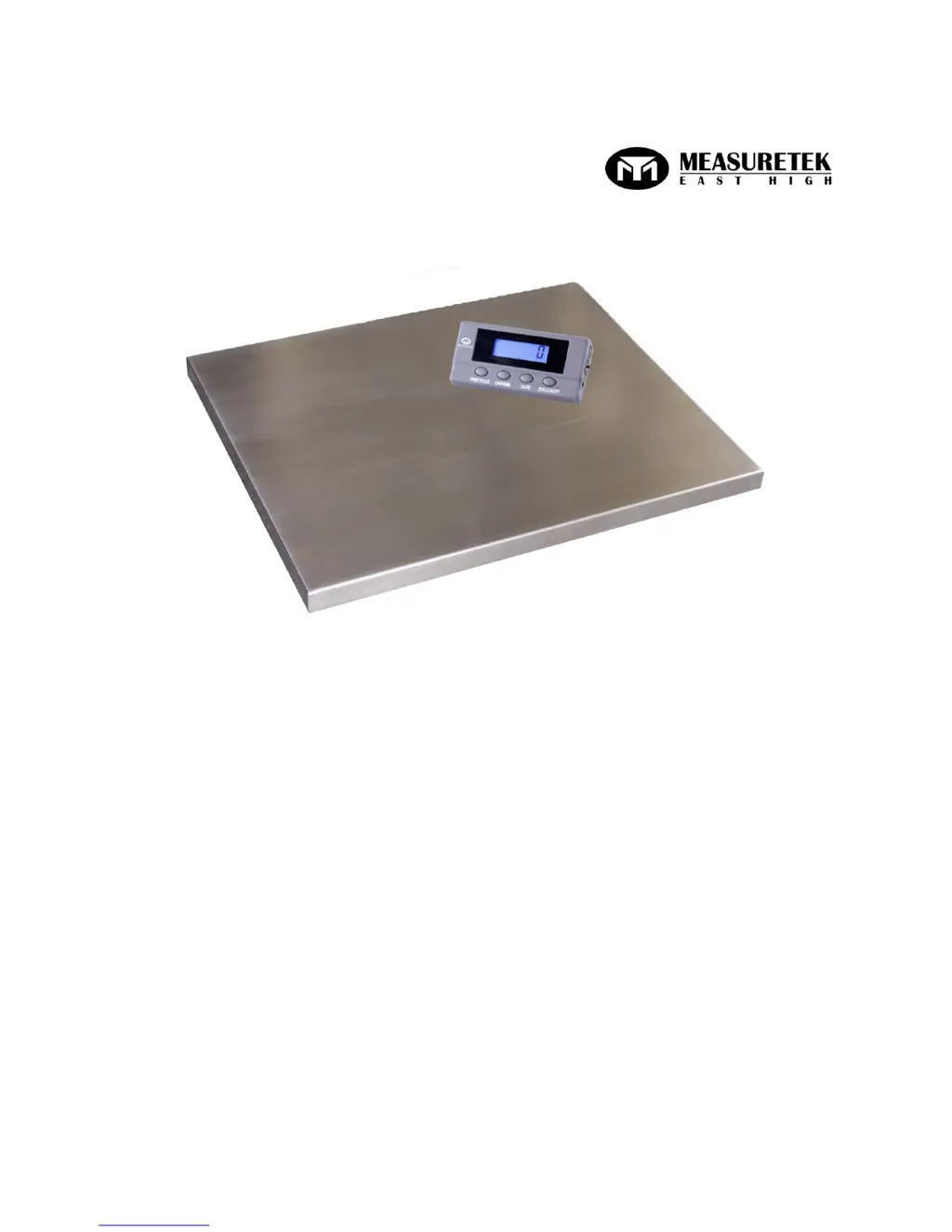
Measuretek PS-102 - User Manual

Measuretek PS-102
18 pages
Print Icon
To Next Page IconTo Next Page
Loading...
WWW.MEASURETEK.NET
PS-102
User/Technical Manual
Contents subject to change without notice
Version 1.0
08/2013

Other manuals for Measuretek PS-102

Questions and Answers

  • J
    Jill TrujilloAug 21, 2025
    How to fix Measuretek PS-102 that cannot be turned on?
    • J
      Jeff GrossAug 22, 2025
      If your Measuretek Scales won't turn on, first ensure the AC adapter is securely connected by re-plugging it or rotating the plug. If that doesn't work, the batteries may be low and need replacement. As a last resort, the indicator might be damaged, requiring replacement and calibration.
  • C
    coopershaneSep 4, 2025
    What does 'EEP.E2' mean on Measuretek PS-102 and how can I resolve it?
    • M
      Mrs. Stephanie OliverSep 4, 2025
      If your Measuretek Scales display 'EEP.E2', reset the USER parameters according to the Technical Manual.
  • M
    Miss Shirley GomezSep 2, 2025
    How do I fix 'Reading is out of key zero range' on Measuretek Scales?
    • C
      Christina CooperSep 2, 2025
      To correct the 'Reading is out of key zero range' error on your Measuretek Scales, reduce the weight on the platform until the indication is within the key zero range.
  • P
    Peter ThompsonSep 1, 2025
    Why are my Measuretek PS-102 not showing any reading?
    • B
      Barbara SimsSep 1, 2025
      If your Measuretek Scales are not showing any reading, check the cable from the platform to the indicator, ensuring it is correctly connected and not disconnected or short-circuited; replace if necessary. The indicator may be damaged, requiring replacement and calibration. If the load cell cable is broken or the load cell is damaged, return the scale for repair.
  • A
    Amber CarterAug 30, 2025
    What does 'cal.Er' mean on Measuretek Scales?
    • C
      Catherine GonzalezAug 30, 2025
      If your Measuretek Scales display 'cal.Er', it means the input data or loaded weight is either too small or too big. Input correct data, and load correct weight onto the platform. If the weight signal is unstable or unlinear, return the scale for repair.
  • D
    David PottsAug 29, 2025
    What does 'EEP.E1' mean on Measuretek PS-102 Scales and how to fix it?
    • T
      Teresa ThompsonAug 29, 2025
      If your Measuretek Scales display 'EEP.E1', it indicates that CONFIG parameters are not correctly set, so reset them per the Technical Manual. If the issue persists, CAL parameters may be incorrect, and a calibration should be performed.
  • H
    Heather AdkinsAug 28, 2025
    What to do if Measuretek PS-102 Scales show 'Weight reading below Power On Zero limit'?
    • J
      Jessica GayAug 28, 2025
      If your Measuretek Scales show a weight reading below the Power On Zero limit, install the platform on the scale. Check for and remove any objects stuck between the load cell and the scale base. Loosen the shipping protection screws (PS-103). Perform zero calibration.
  • M
    Mr. Charles CurtisAug 27, 2025
    How to fix Measuretek PS-102 when I cannot zero the reading?
    • M
      Mr. Michael ArnoldAug 27, 2025
      If you cannot zero the reading on your Measuretek Scales, first remove any load exceeding the allowable limits (20%FS). If the load is unstable, wait for it to stabilize before pressing the ZERO/ON/OFF key.
  • J
    John LamAug 25, 2025
    What to do if Measuretek Scales show 'Weight reading exceeds Overload limit'?
    • B
      Brandy SmithAug 25, 2025
      If your Measuretek Scales display an overload error, reduce the load until the weight value is displayed. If the weight value can't be displayed in the current unit because it exceeds 6 digits, use a more appropriate unit of measure.
  • K
    kevinthomasAug 23, 2025
    Why are my Measuretek PS-102 Scales giving inaccurate weighing readings?
    • R
      Roger JohnsonAug 23, 2025
      If your Measuretek Scales are showing inaccurate weight readings, check for and remove any objects stuck between the load cell and the scale base. Also, the load cell may have received a heavy impact, so perform calibration. Finally, loosen the shipping protection screw (PS-103).

Summary

Introduction and Installation

General and Safety Information

Crucial safety precautions and usage guidelines for operating the scale properly and safely.

Overview of Controls and Functions

Operations

Normal Weighing Mode

Step-by-step instructions for performing standard weighing operations with the scale.

Calibration

Calibration Procedure

Detailed procedure for calibrating the scale using standard weights to ensure accuracy.

Configuration Parameters Setup

User Parameters Setup

Troubleshooting

Troubleshooting Guide

A guide to diagnose and resolve common problems encountered with the scale.

Measuretek PS-102 Specifications

General IconGeneral
BrandMeasuretek
ModelPS-102
CategoryScales
LanguageEnglish

Related product manuals