12
silverlight - manual of use and maintenance
WARNING: Recharge the battery only with the Silverlight recharging unit.
Do not attempt to recharge the battery using a generic battery charger.
This entails a risk of explosion and re.
WARNING: The battery should be recycled or disposed of in the appropriate manner according
to national rules and regulations.
The battery should not be thrown away with normal waste.
The user will be liable for any damages caused by improper disposal of the battery.
WARNING: Do not use the battery for purposes other than those for which it is intended.
WARNING: Do not open, pierce or crush the battery. It contains toxic substances.
WARNING: Do not burn, incinerate or expose the battery to a high temperature. There is a risk
of explosion.
WARNING: Do not short-circuit the battery terminals. This could cause burns and re.
06.0 Use
06.1 Connecting the accessories
DANGER: Check the condition of the device before the treatment.
Before each treatment, always make sure that the apparatus is working properly and check the efciency
of the accessories. If any improper functioning is noted, do not proceed with the treatment. If the problem
concerns the apparatus contact an authorized technical assistance center.
DANGER: Infection control.
To ensure maximum safety both of the patient and of the operator, clean, disinfect and sterilize the ber
optic and the optical protection before each treatment. Follow the instructions given under point “07.0”
very carefully.
In order to use the Silverlight, the following accessories have to be connected:
1. Fit the ber optic into the handpiece. Do this by hand, rotating it slightly in a clockwise direction until it
reaches the end of travel.
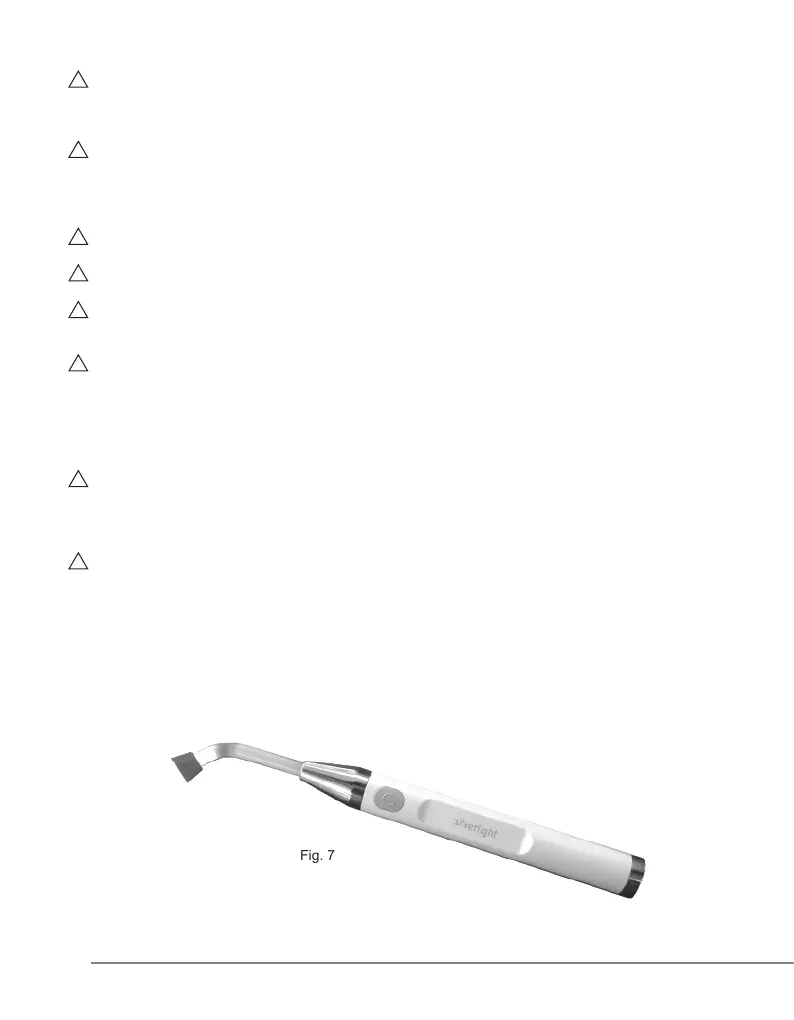
2. Fit the optical protection onto the ber optic by hand. Fig. 7
Fig. 7



 To Next Page