Need help?
Do you have a question about the mectron PIEZOSURGERY plus and is the answer not in the manual?
Defines the medical procedures the device is used for.
Explains the device's technology and identifies authorized users.
Outlines liability limitations and important usage notes.
Warnings about MR environments, explosion risks, and interference.
Covers checking device condition and electrical safety requirements.
Details safety for peristaltic pump, infection control, and insert handling.
Lists contraindications and guidelines for sterile materials.
Explains symbols for CE, MD, electrical safety, and standards.
Covers symbols for operating instructions, manufacturing, and handling precautions.
Details the label on the device with technical specifications.
Explains laser markings on the handpiece for identification.
Describes markings on inserts and extension covers.
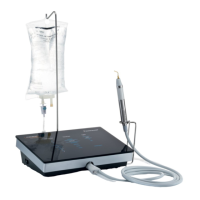
Lists items included in the standard package.
Lists optional accessories that can be purchased separately.
Critical safety warnings to follow during device installation.
Step-by-step guide for physically installing the device and components.
Instructions for powering on the device and selecting the user interface language.
Guides on setting up the irrigation system and connecting handpieces.
Procedures for safely disconnecting handpieces and installing extensions.
Steps for installing inserts and understanding control panel functions.
Explains control panel, pump, and insert selection.
How to configure, adjust settings, and modify parameters.
Details foot pedal usage, channel switching, and alternative operations.
Ensuring spare parts and checking device condition before use.
Guidelines for cleaning, sterilizing, and handling reusable parts.
Precautions for handling inserts and ensuring proper handpiece cooling.
Checks for irrigation, proper insert fastening, and use of torque wrench.
Warnings on insert wear, breakage, and protecting soft tissues.
Guidelines on moving inserts, irrigation levels, and cleaning threads.
Notes on insert compatibility, deformation, and accidental contact.
Steps to close the work session and confirm shutdown.
Steps for storing and preparing the device after long periods of inactivity.
Instructions for treating specific items as hospital waste and disposing of the device.
Details on regulatory compliance and physical attributes.
Environmental parameters for operation and transport.
Information on EMC standards, emissions, and immunity.
Specifications for immunity to wireless RF communication devices.
Lists error messages, their causes, and required actions.
Provides common problems and their solutions in a table format.
Step-by-step instructions for safely replacing the device fuses.
Guidance on contacting support, repairs, and returning products.
Visual guide for packing and unpacking the device.
Details the warranty period, coverage, exclusions, and return procedures.
 General
| Manufacturer | Mectron |
|---|---|
| Model | PIEZOSURGERY plus |
| Category | Dental equipment |
| Irrigation System | Integrated irrigation system |
| Power Supply | 100-240 V AC, 50/60 Hz |
| Application | implantology |
| Frequency Range | 28 kHz - 36 kHz |
| Handpiece Connector | Quick-connect |
| Display | LCD display |
| Preset Programs | Multiple preset programs |
| Irrigation Flow Rate | Adjustable |
| Foot Control | Multifunctional foot control |
| Dimensions (Unit) | 130 mm |


 To Next Page