EasyManua.ls Logo

mectron PIEZOSURGERY plus - Control Panel Functions and Settings

mectron PIEZOSURGERY plus
60 pages
Print Icon
To Next Page IconTo Next Page
To Previous Page IconTo Previous Page
Loading...
20
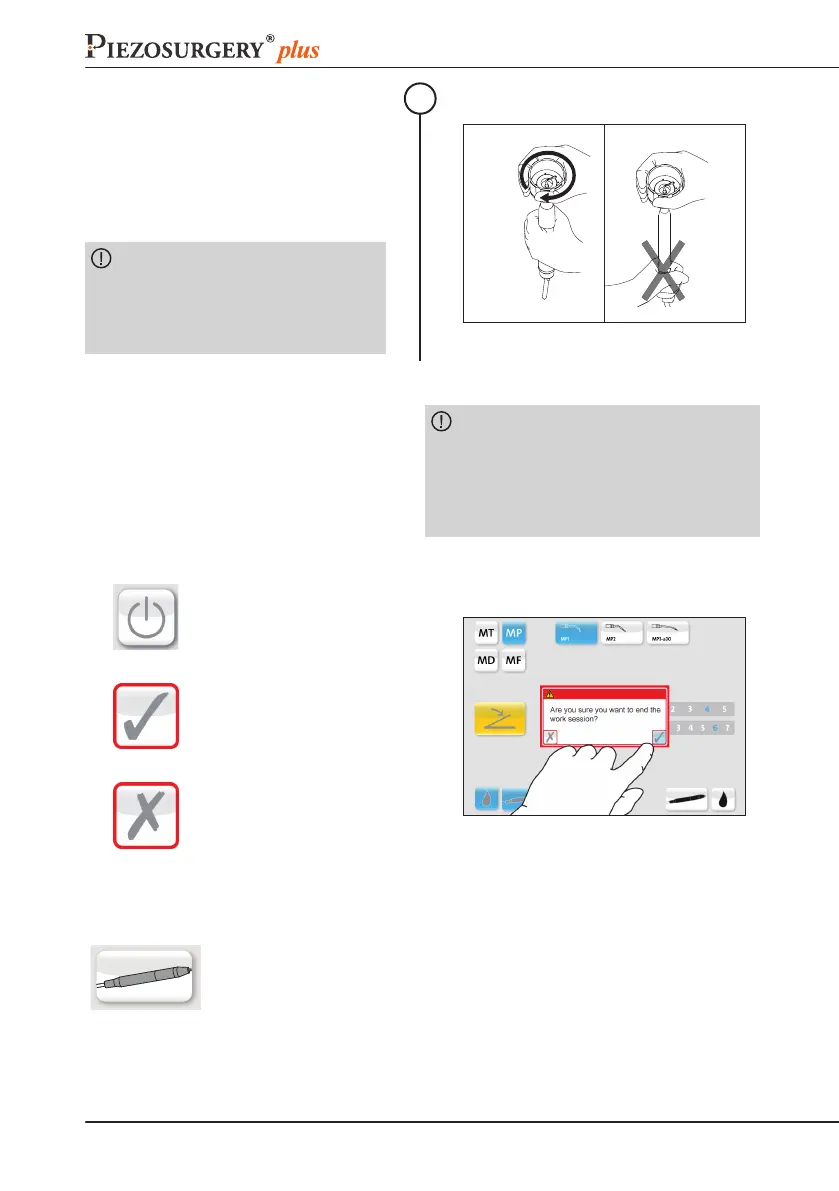
Hold the central body of the handpiece
      
direction until the clutch engages (the
outer part of the wrench slips, compared
to the handpiece, producing mechanical
      
now properly tightened;
CAUTION: Do not grasp the end

hold the central body. Do not rotate

rotate the wrench, only.
4
click!
4.10 CommandsDescription

      
can be selected by simply pressing the
associated button or icon on the screen.
CAUTION: Do not use any sharp or
pointed objects on the touchscreen; the
display or the touch screen may be damaged.


command.
In the following the available functions are described:
SHUTDOWNBUTTON
.
CONFIRMATIONBUTTON
   

command.
CANCELBUTTON
Dismiss the message and
cancel the command.
HANDPIECEBUTTON

channel.
          
connected:
Grey: PIEZOSURGERY® medical handpiece,

Depending on the handpiece inserted, the related settings screen is shown.

Table of Contents

Related product manuals