EasyManua.ls Logo

mectron PIEZOSURGERY plus - Modify the Device Configuration

mectron PIEZOSURGERY plus
60 pages
Print Icon
To Next Page IconTo Next Page
To Previous Page IconTo Previous Page
Loading...
24


5
     
indicating that the channel is ready for
use.
Press the foot pedal to start the
     
      

6
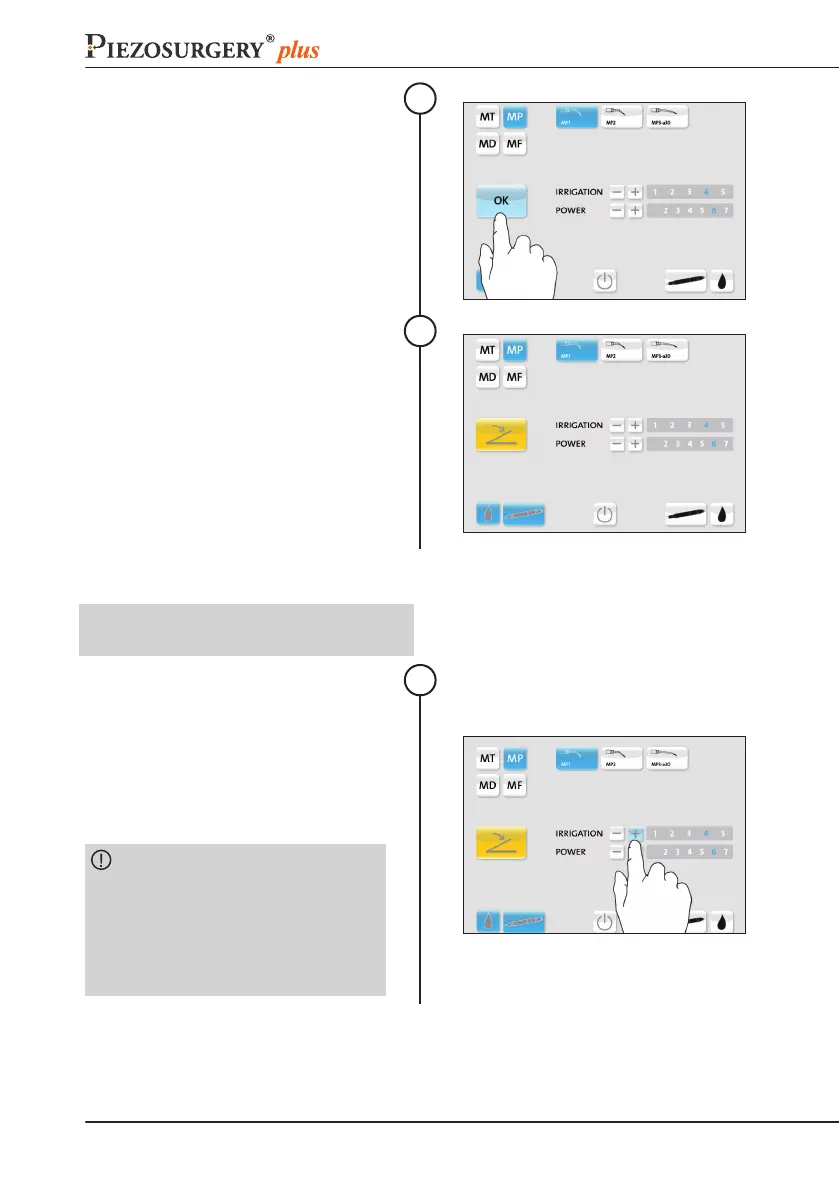
4.12 ModifytheDeviceConguration
NOTE:

CHANGINGTHESETTINGS
     

Proceed with the step 5 described in
23.

the current settings, press the foot pedal
button;
CAUTION: Selecting a new insert,
the settings of the insert currently

settings of the previous insert, it will be

settings will be the ones preset by the
manufacturer.
1

Table of Contents

Related product manuals