EasyManua.ls Logo

mectron PIEZOSURGERY plus - Switching On and Language Selection

mectron PIEZOSURGERY plus
60 pages
Print Icon
To Next Page IconTo Next Page
To Previous Page IconTo Previous Page
Loading...
13

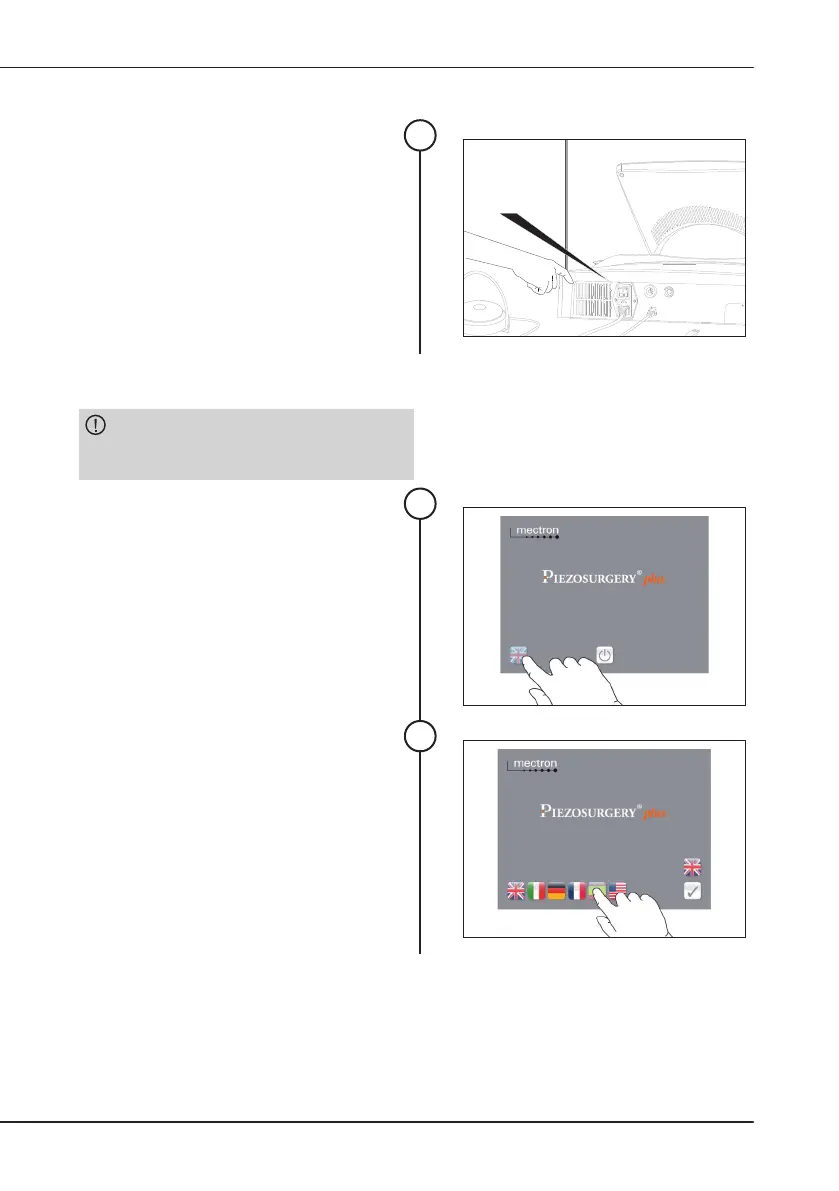
4.3 SwitchingOntheDevice
Switch the device on by means of the

       
pedal down during this stage.
1
on
off
4.4 LanguageSelection
CAUTION: 
only if no handpieces are connected to the
device.
Switch the device on without any
handpieces connected.
     
following screen appears.
  
the English is the default language.
     
language button;
1
All the available languages will appear.
     
desired language.


2

Table of Contents

Related product manuals