EasyManua.ls Logo

mectron PIEZOSURGERY plus - Page 27

mectron PIEZOSURGERY plus
60 pages
Print Icon
To Next Page IconTo Next Page
To Previous Page IconTo Previous Page
Loading...
21

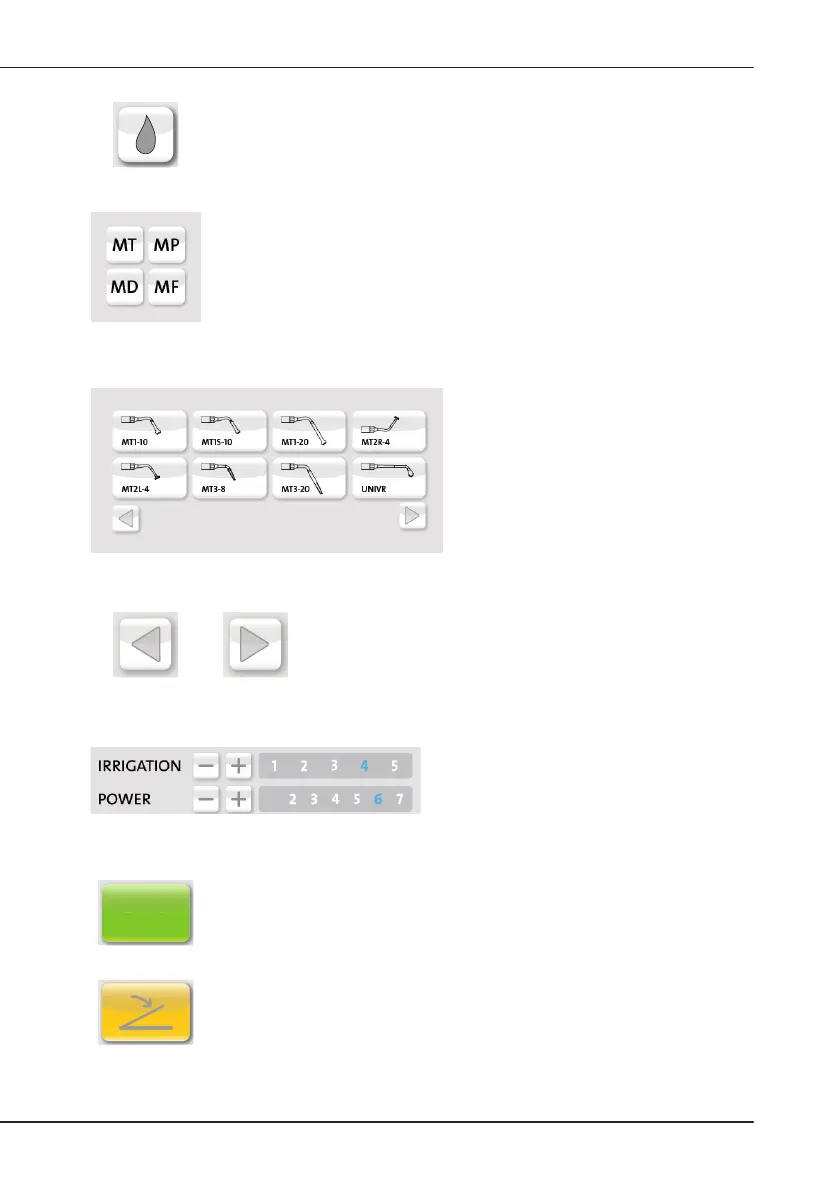
PUMPBUTTON
       
           

INSERTFAMILYBUTTONS
Enable the selection of the insert family:

MP: osteoplasty, curettage
MD: drilling

INSERTBUTTON
Allows selecting the inserts belonging
      
according to increasing numbering, with

PAGELAYOUTBUTTONS

page layout buttons allow changing the
page displayed.
INSERTSETTINGSBUTTONS
Depending on the insert selected, the
default irrigation and power settings are

the irrigation and power levels can be
      
manufacturer.
OKOK
ACTIVATIONBUTTON

OK
FOOTPEDALBUTTON
Indicates that the channel is ready to operate by pressing the foot pedal.

Table of Contents

Related product manuals