14
silverlight - manual of use and maintenance
NOTE: Additional exposure cycles.
At the end of any exposure cycle, it is possible to carry out one or more additional cycles by pressing the
push button on the handpiece again each time (Fig.4 - Ref.D).
For a quick guide to the signaling, see Tables 1 and 2.
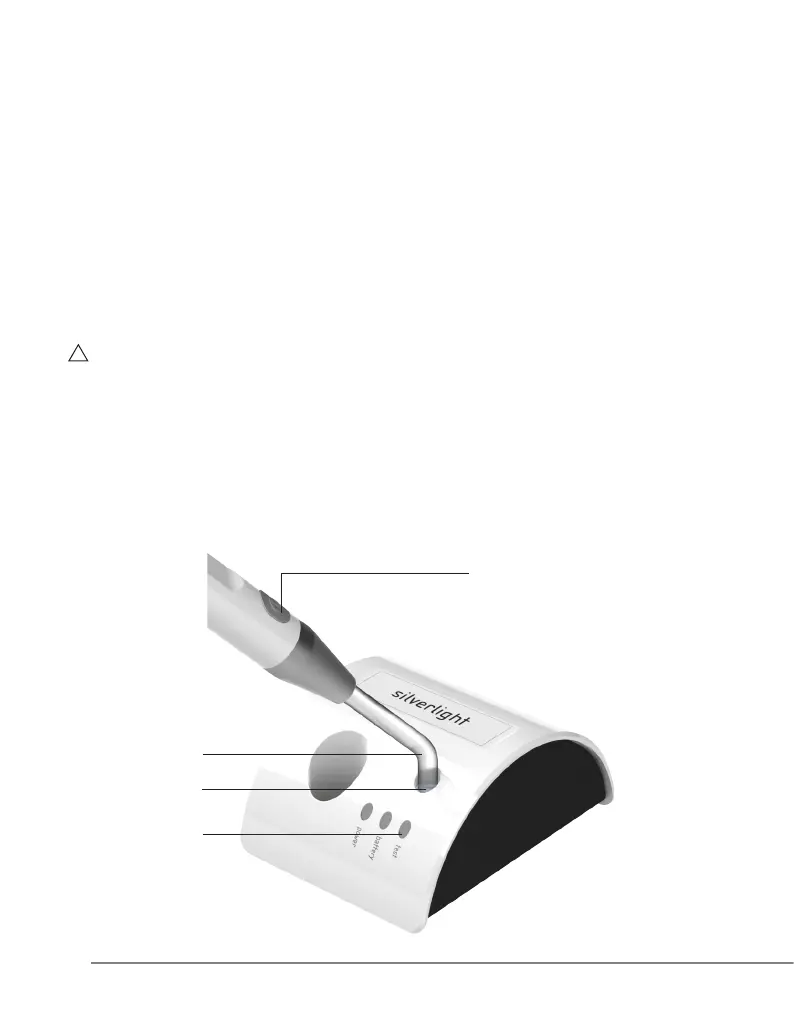
06.4 Measuring the light intensity
To determine whether the light intensity is sufcient:
1 Place the ber optic (Fig.8 - Ref.A) at on the surface of the light-intensity sensor without pressing it
(Fig.8 - Ref.B);
2 Press the button (Fig.8 - Ref.C) to switch on the lamp.
The test LED (Fig.7 - Ref.D) will indicate the working luminous ux measured:
- Green = luminous ux suitable for effective treatment
- Red = luminous ux insufcient.
WARNING: If the working luminous ux is not sufcient, do not proceed with the treatment on the
patient and carry out the following checks:
1 Make sure that the ber optic is correctly inserted onto the handpiece
2 Check whether the ber optic is dirty. Clean the ber optic (see point 7.4 - Cleaning, disinfecting and
sterilizing the ber optic)
3 Check whether the ber optic is damaged and, if appropriate, replace it with a new one.
If these measures do not lead to improved performance, place the device out of commission
(by disconnecting it from the mains) and make sure that it cannot be started by unauthorized persons.
Contact GC America Inc. Customer Service.
B
A
D
C
Fig. 8



 To Next Page