25
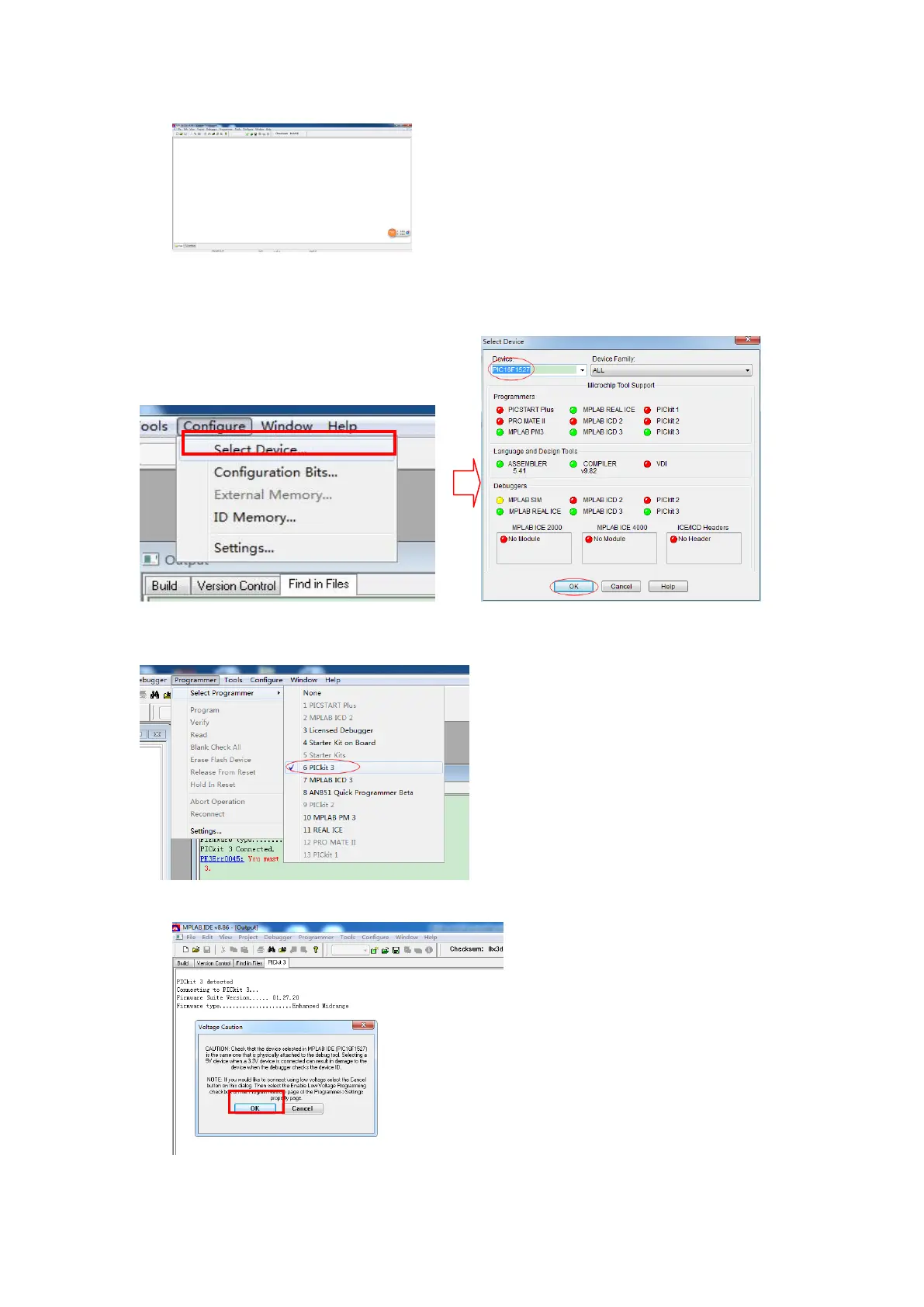
In the menu bar, click on the "Configure" - > "Select Device", as shown in
figure choice chip PIC16F1527, click OK to exit;
In the menu bar, click on the "Programmer" - > "Select Programmer" - >
Select "PICkit 3" connection PICkit 3;
Click ok



 To Next Page