26
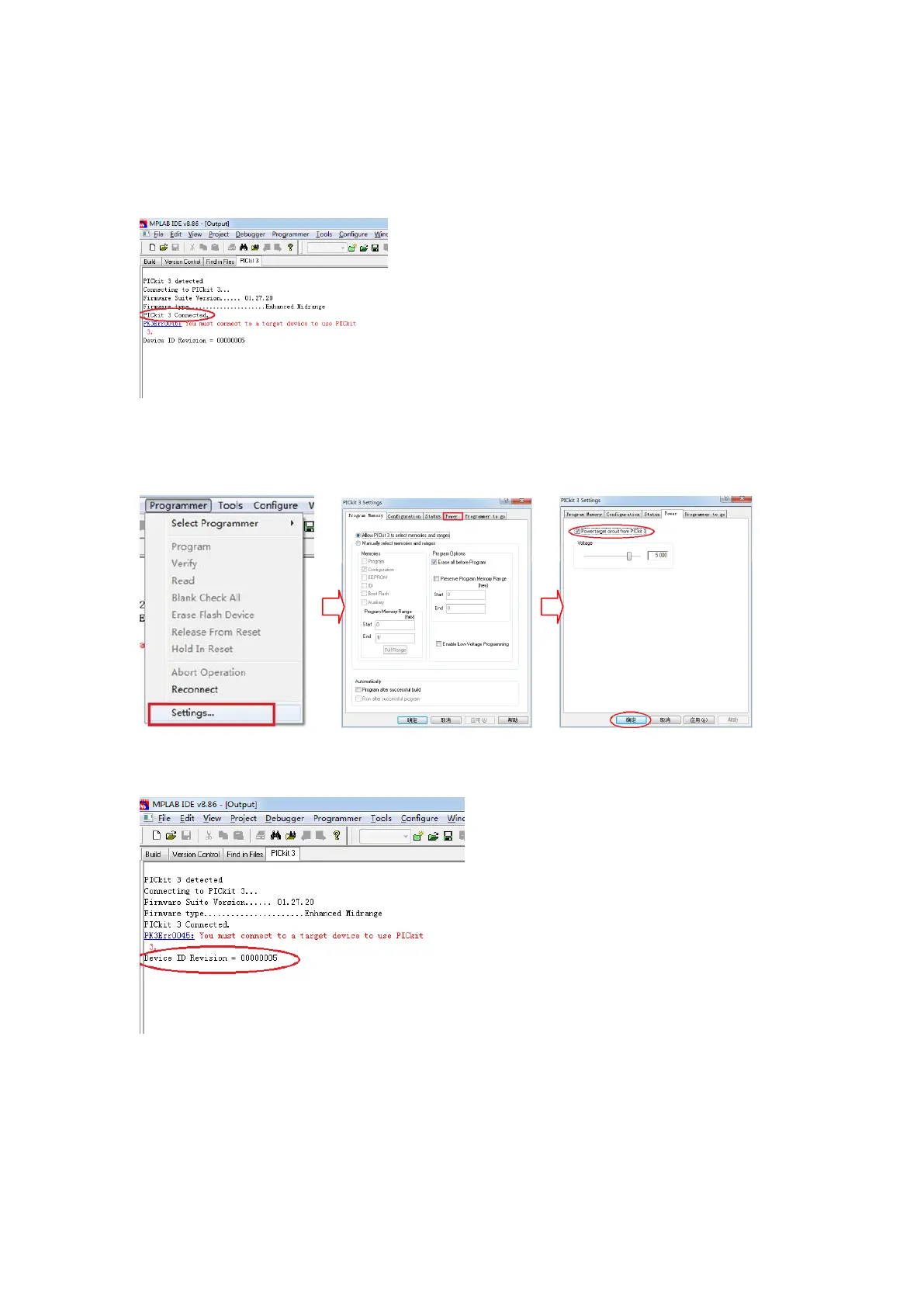
PICkit 3 connection is successful, if not connected successfully check the
connection is correct or not;
In the menu bar, click on the "Programmer" => "Settings"=> "power", Click
the item "power target circuit from PICkit 3";then click “OK”
After the success of the set display device ID;
From the menu bar "File" - > "Import" hex File Import products. Burn MP - 30,
for example, find the corresponding version in the folder, and open;



 To Next Page