36
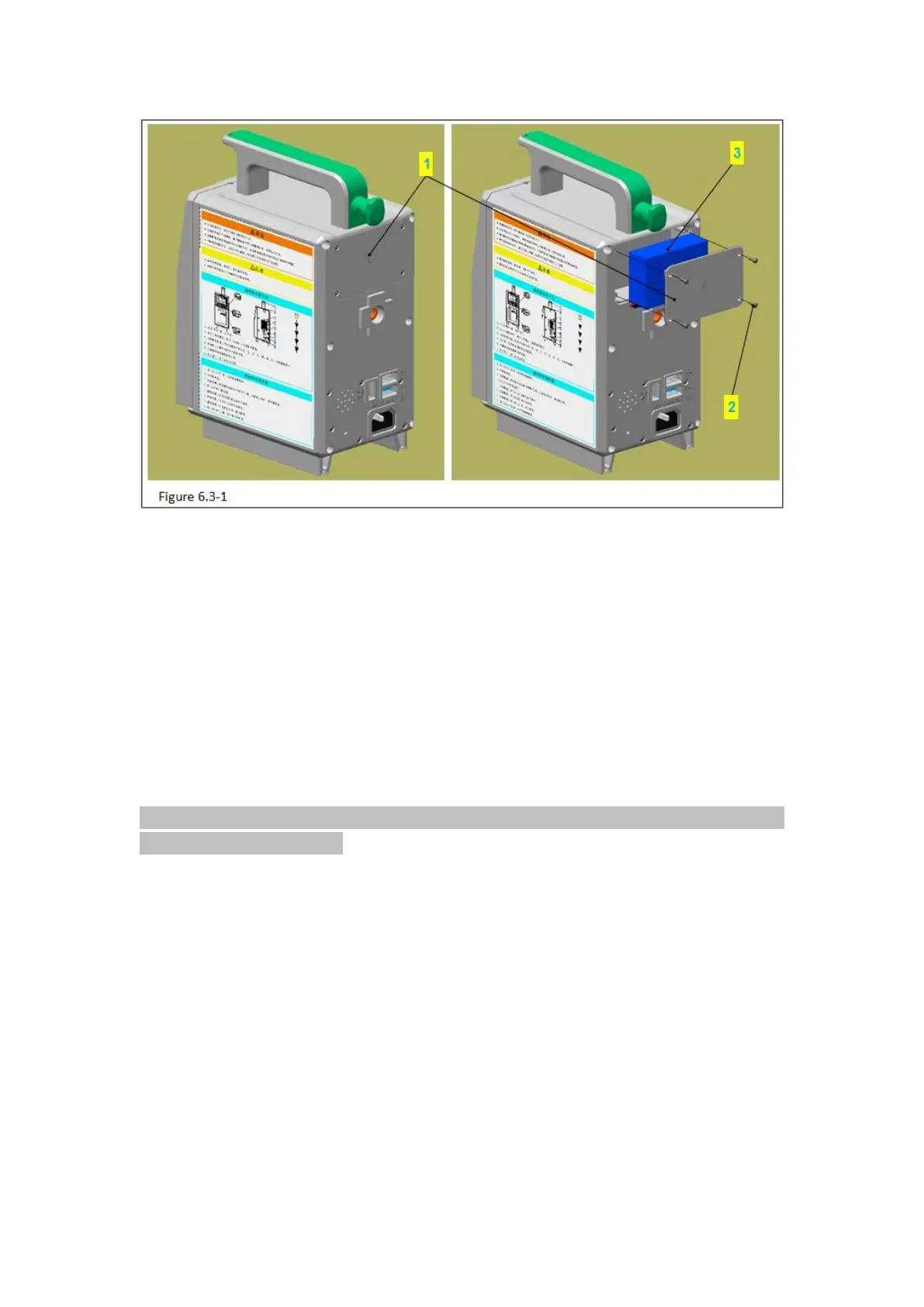
Figure 6.3-1 Note:
Code name
1) Use phillips screwdriver to take out the 4 PB2.3 tapping screws (figure 6.3-1/code name
2) in the cover of battery (figure 6.3-1/code name 1).
2) Remove the cover of battery.
3) Take out the battery pack lightly (figure 6.3-1/code name 3)
Attention: pull out the battery pack lightly for there are connection wires between the
battery pack and the device.
4) The connection wires connect the battery and the device by a connector .Press the
block button in the connector and separate the plug and socket.
6.3.2 Remove the rear cover



 To Next Page