22
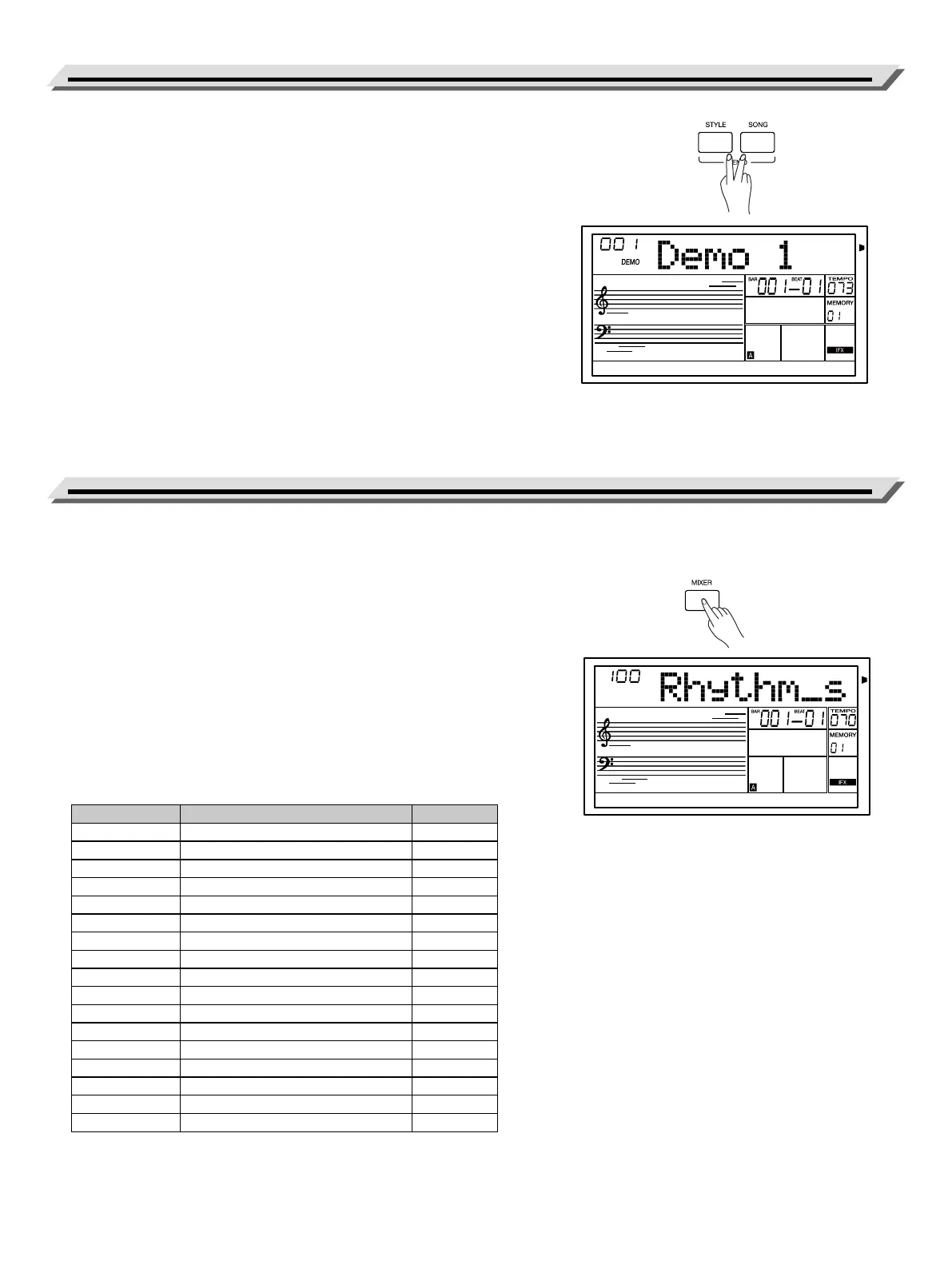
1. Press [STYLE]+[SONG] buttons to enter Demo mode, then use the
data dial, the [<] button or the [>] button to select a demo song.
2. Press [STYLE]+[SONG] buttons simultaneously again or press the
[START/STOP] button to stop playing and exit the demo mode.
1. Press the [MIXER] button to enter the Mixer menu, LCD shows the
parameter item.
2. Use the data dial to select a parameter item, then use the [<] button or
the [>] buttons to adjust the volume of the selected item.
3. Press the [<] / [>] buttons simultaneously to restore the default value.
Press the [<] / [>] buttons simultaneously again to turn o the volume
of the selected item.
Press [<] / [>] buttons simultaneously again to turn on the part volume.
Press [EXIT] button to quit the Mixer menu.
Note:
It will exit the Mixer Menu if there is no operation in 5 seconds.
Parameter items and the volume range in the Mixer menu:
Demo
Mixer
LCD Display Parameter Range
XXX Rhythm_s Rhythms VOLUME 0 - 127
XXX Rhythm_m Rhythmm VOLUME 0 - 127
XXX Bass BASS VOLUME 0 - 127
XXX Chord1 Chord 1 VOLUME 0 - 127
XXX Chord2 Chord 2 VOLUME 0 - 127
XXX Chord3 Chord 3 VOLUME 0 - 127
XXX Phrase1 Phrase 1 VOLUME 0 - 127
XXX Phrase2 Phrase 2 VOLUME 0 - 127
XXX Style Style total VOLUME 0 - 127
XXX Upper1 R1 VOLUME 0 - 127
XXX Upper2 R2 VOLUME 0 - 127
XXX Lower L VOLUME 0 - 127
XXX WAV/MP3 USB Device WAV/MP3 VOLUME 0 - 127
XXX Metro Metronome VOLUME 0 - 127
XXX Phra Pad Phrase Pad VOLUME 0 - 127
XXX AuxIn&BT AUX In and Bluetooth VOLUME 0 - 127
XXX Song MIDI Song VOLUME 0 - 127


 To Next Page