8
Connections
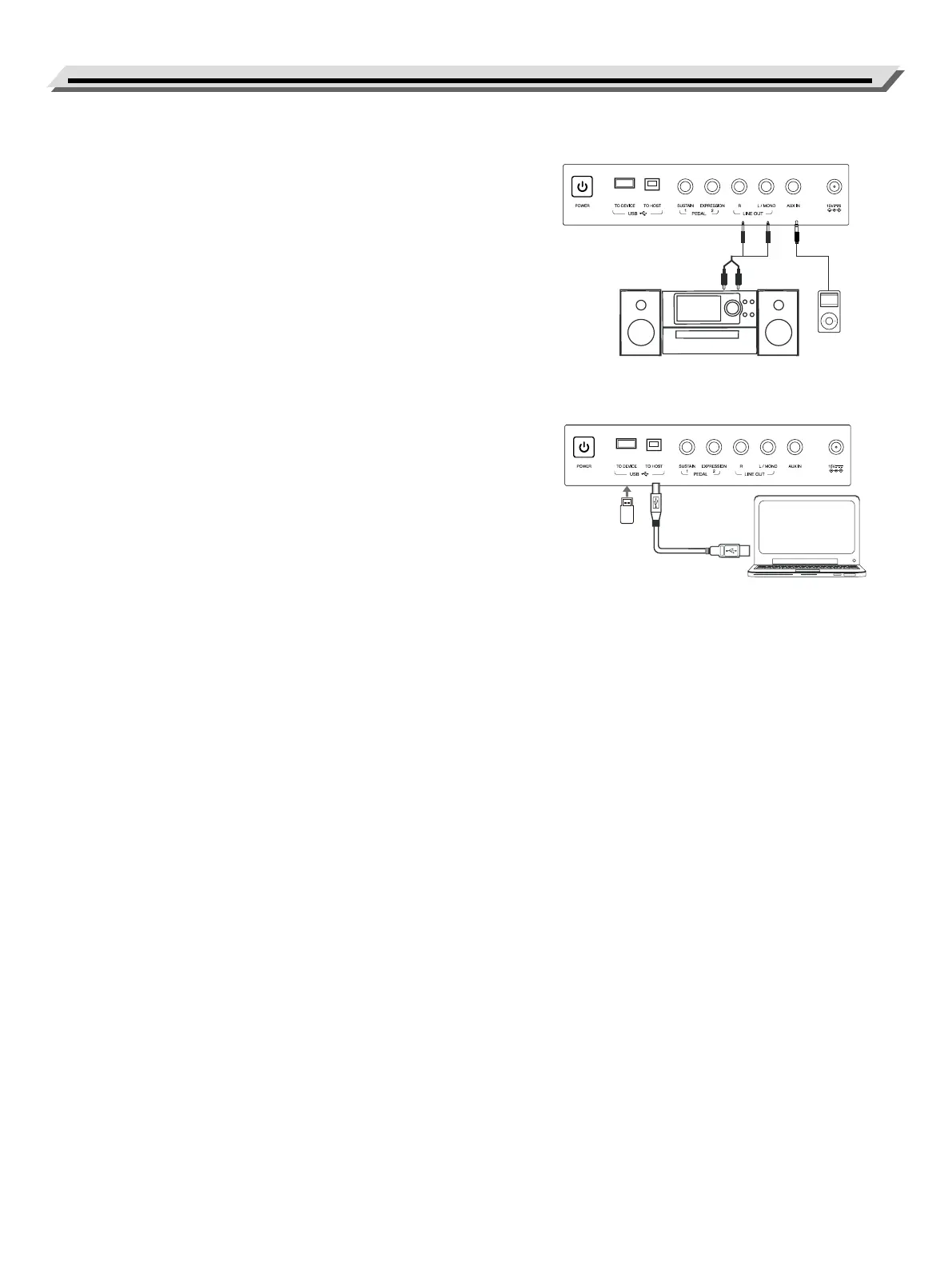
Connecting to external PA systems
Use an audio cable to connect the LINE OUT jack of the instrument to
the audio INPUT jack of the external equipment. When L/MONO jack is
used, both L and R signals are merged and output in mono.
Note:
To avoid damaging the speakers, please set the master volume to zero
before connecting the power and other devices.
Connecting an MP3/CD Player
Connect an external audio source to the AUX IN jack on the rear panel.
The input signal is mixed with the instrument signal.
Connecting a Computer
Please connect the USB TO HOST jack of the instrument to the USB
port of a computer.
Note:
This instrument comes with both USB MIDI and USB Audio features.
Connecting a USB Flash Drive
Connect a USB ash drive to the instrument, you can save the data
such as Performance memory settings, recorded data to the USB ash
drive, or load and play back les saved in the USB ash drive
on the instrument.
Note:
To avoid error or damaging the USB ash drive, do not remove it when
reading or writing is in progress.



 To Next Page