15
You may record your performance and save it as a user song. You can
record up to 2500 notes in each user song.
Prepare recording
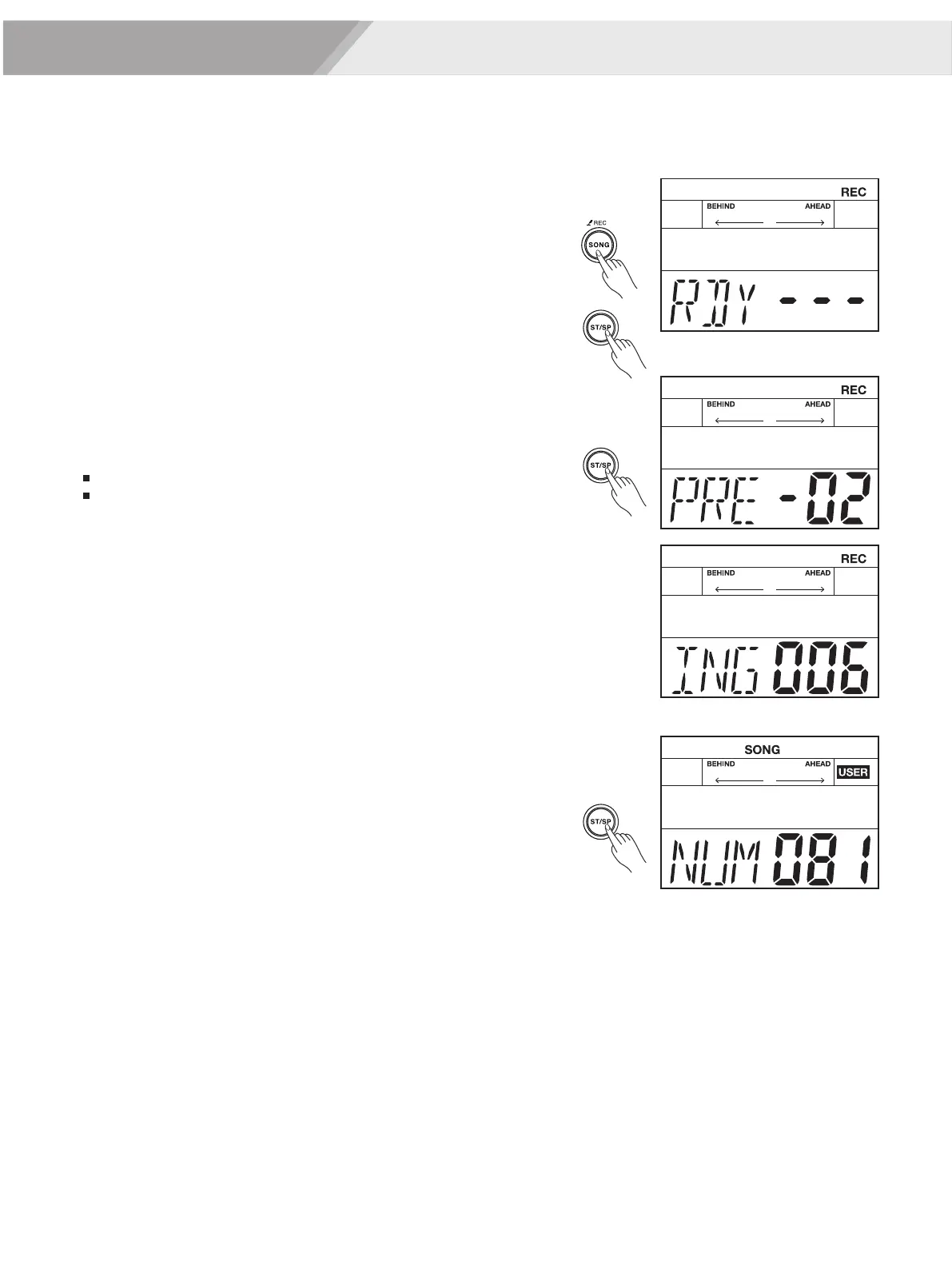
1. Press the [SONG/REC] button for 2 seconds to enter the Record-
prepare mode, the light of the [SONG/REC] button start flashing.
Use the [<]/[>] button or turn the [DIAL] to select a user song to save
the recording.
2. Press the [START/STOP] button, the LCD displays “RDY---”. It
means recording is on standby. If you want to exit the record mode,
press the [SONG]/ [KIT] button.
Start / Stop Recording
1. When recording is on standby, you can start recording in one of
these two ways:
Press the [START/STOP] button.
Strike one pad.
2. Recoding begins after 4 beats count-in.
3. During recording, the light of the [SONG/REC] button stays lit all the
time, and the LCD will display “ING xxx”; the “xxx” means measure
number.
4. Press the [START/STOP] button again to stop recording, and the
light of the [SONG/REC] button will be off.
5. After recording, the recorded song will be automatically selected.
Press the [START/STOP] button to start the playback.
Notes:
1. When the storage is used up, the LCD will temporarily display “REC
FUL”. Recording will stop and be saved automatically.
2. When you use a user kit for recording, if you change the user kit
setting, this recording may not play back correctly.
Recording


 To Next Page