18
Beat Check
Beat Check provides basic beat type practices to improve your
playing accuracy of each beat.
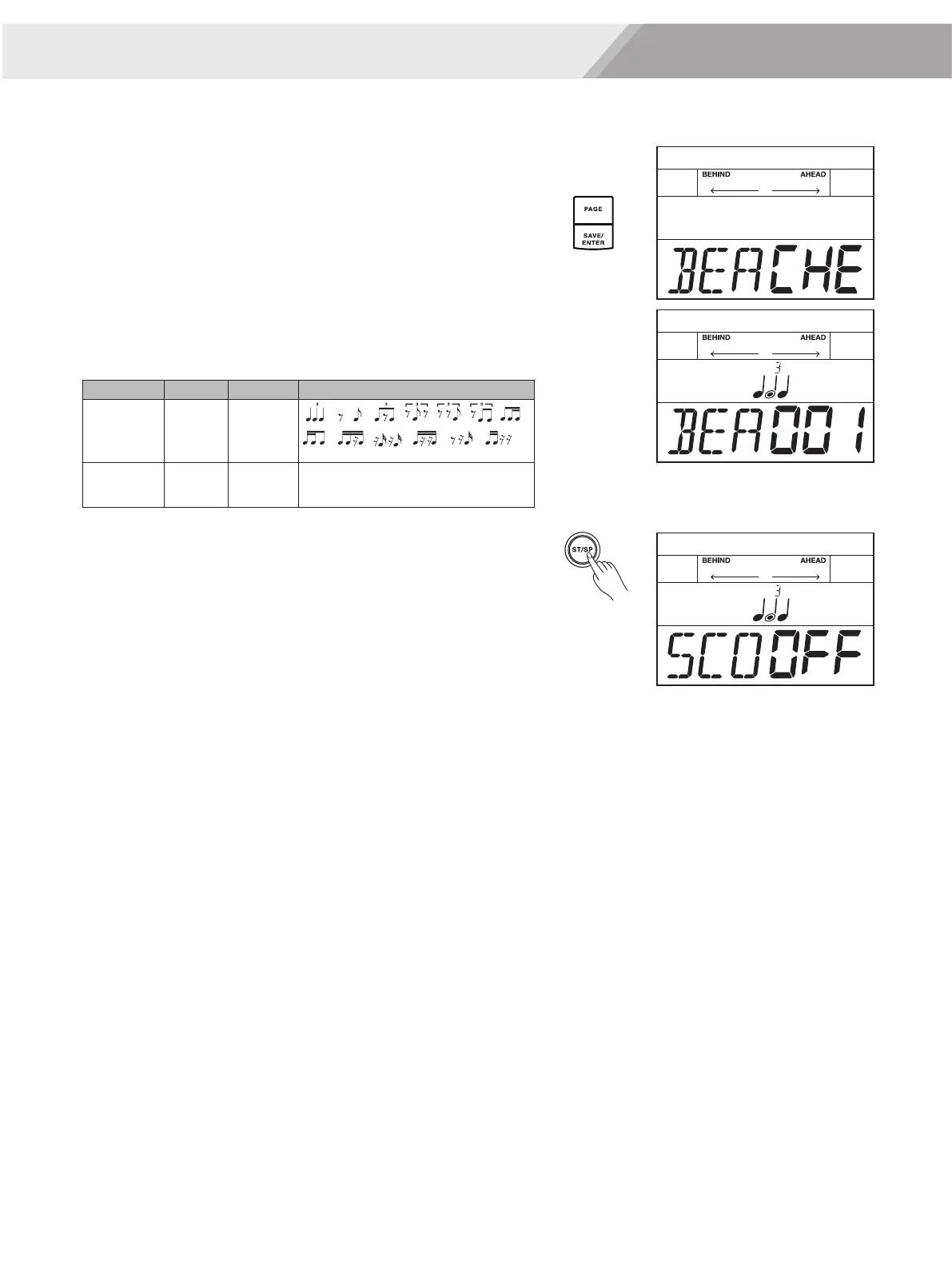
1. Repeatedly press the [PAGE] button to select beat check mode.
2. Press the [SAVE/ ENTER] button to enter beat check mode.
3. Use the [<]/[>] button or turn the [DIAL] to select a beat type to
practice.
4. Use the [PAGE] button to switch to score editing, then press the
[<]/[>] button or turn the [DIAL] to turn score function on/ off.
The default score setting is “OFF”.
5. Press the [START/ STOP] button to start practicing.
It will play one measure of count-in before starting.
6. When score function is turned on, the practice will automatically
stop after repeating several times, and display your score. Or you
can press the [START/STOP] button stop practice without the score.
When score function is turned off, you can press the [START/STOP]
button stop practice.
Coach
Beat check
BEA
SCO
Range
1-13
ON, OFF
Description
ON: The score setting is on.
OFF: The score setting is off.
Display
BEA XXX
SCOXXX


 To Next Page