Operation
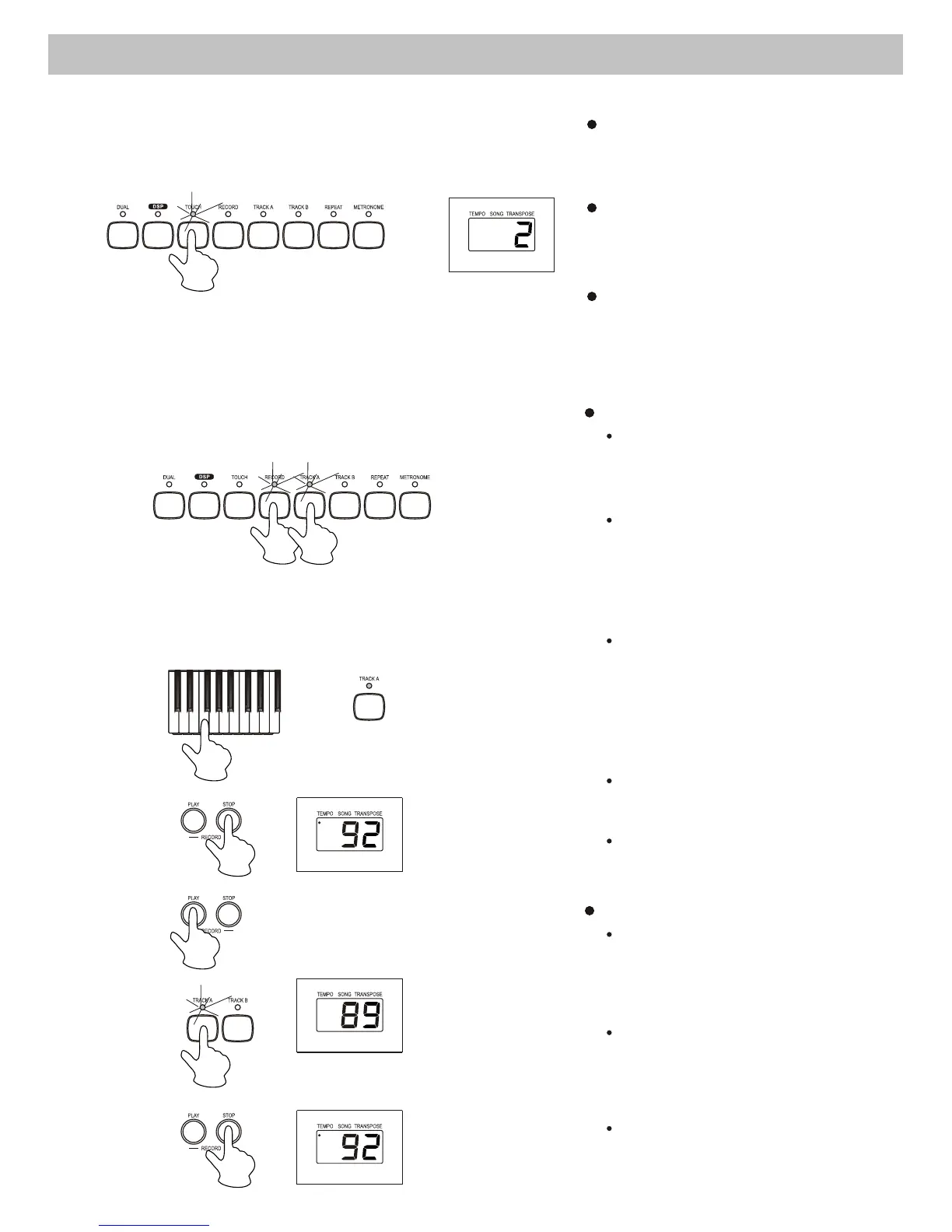
7. Touch Response
There is touch response
function and it is a default
setting.
Press the [TOUCH] button to
adjust the touch response level
in the range of 1 to 3. 2 is the
default level.
To turn off the touch response
function, press the [TOUCH]
button repeatedly until "OFF"
appearing on the display.
8. Record & Playback
Record
Press the [RECORD] button to
record. The indicator of record
lightens up.
There are 2 tracks for recording.
They are track A and track B.
Select and press the [TRACK A]
or [TRACK B] button to save
your recording.
To remove the recorded data
and record again, press the
[RECORD] and [TRACK A]
or [TRACK B] simultaneously.
Their indicators lighten up and
flash.
Play a key on the keyboard to
start recording.
To stop recording, press the
[STOP] button.
Playback
Select and press the track you
want to playback. Its indicator
will lighten.
To stop the playback, press the
[RECORD - STOP] button .
Press the [RECORD-PLAY]
button to start playing back the
track.
8



 To Next Page