Operation
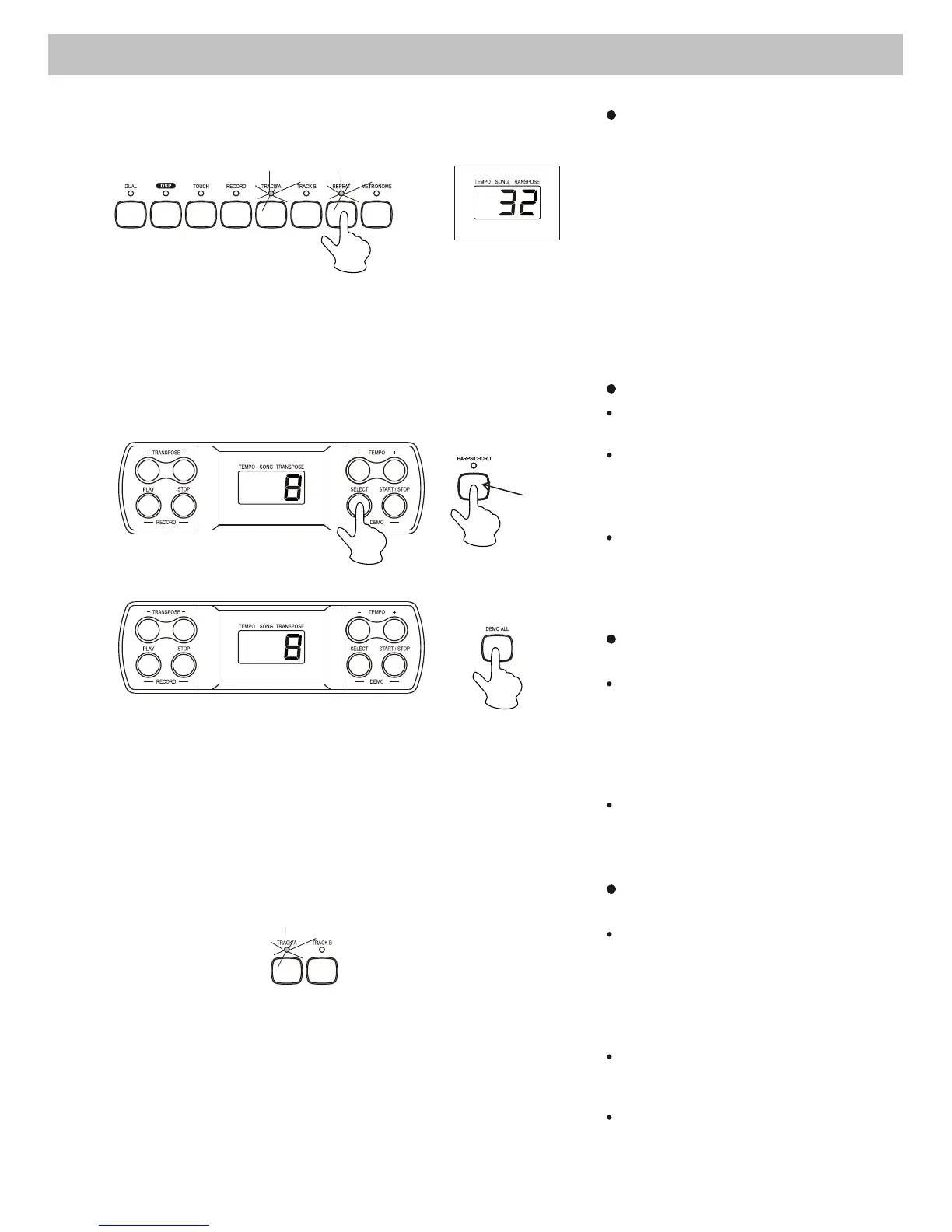
Repeat the playback
During the playback, press
the [REPEAT] button to set
the point of beginning that
you want to listen. "r-A" will
appear on the display, then
press the [REPEAT] button
again to set the end point
of the playback. "r-B" will
appear on the display and
the recorded song will
playback repeatedly.
Select a Demo song
Use the
Voice button
twice to select
a Demo song.
Hold the [SELECT] button.
The number of the current
demo song will appear on the
display.
Use the Voice Select buttons
(0-9) to select your desired
demo song. You must enter a
2-digit number (00-19).
9. Demo Song
Play the demo songs in
sequence
Press the [DEMO ALL] button
to start playing the demo songs
in sequence. To stop the demo
songs, press the [DEMO ALL]
or [START/STOP] button.
When the demo songs is
playing, you can not change it
to another one immediately.
Select a track of the demo
song
While the demo song is
playing, you can deactivate
the corresponding track
by pressing the [TRACK A]
or [TRACK B] button.
No sound to be played, if two
tracks are deactivated.
Press the track button again to
play the demo song.
9



 To Next Page